What is the Three Collection Layout and How Can It Be Utilized Effectively?
Sales can greatly be influenced by how you catch customer’s attention and get them to know more about what they like. The Three Collection Layout component is designed to do just that by putting one main featured item in the spotlight, accompanied by two collections of related items. MageNative’s Three Collection Layout is designed to ensure maximum user interaction and maximize product visibility. It helps in showcasing one main featured item together with other related products.
How to Set Up the Three Collection Layout in Your Mobile App
- Start by dragging and dropping the three collection layout components to your desired location on the app screen.
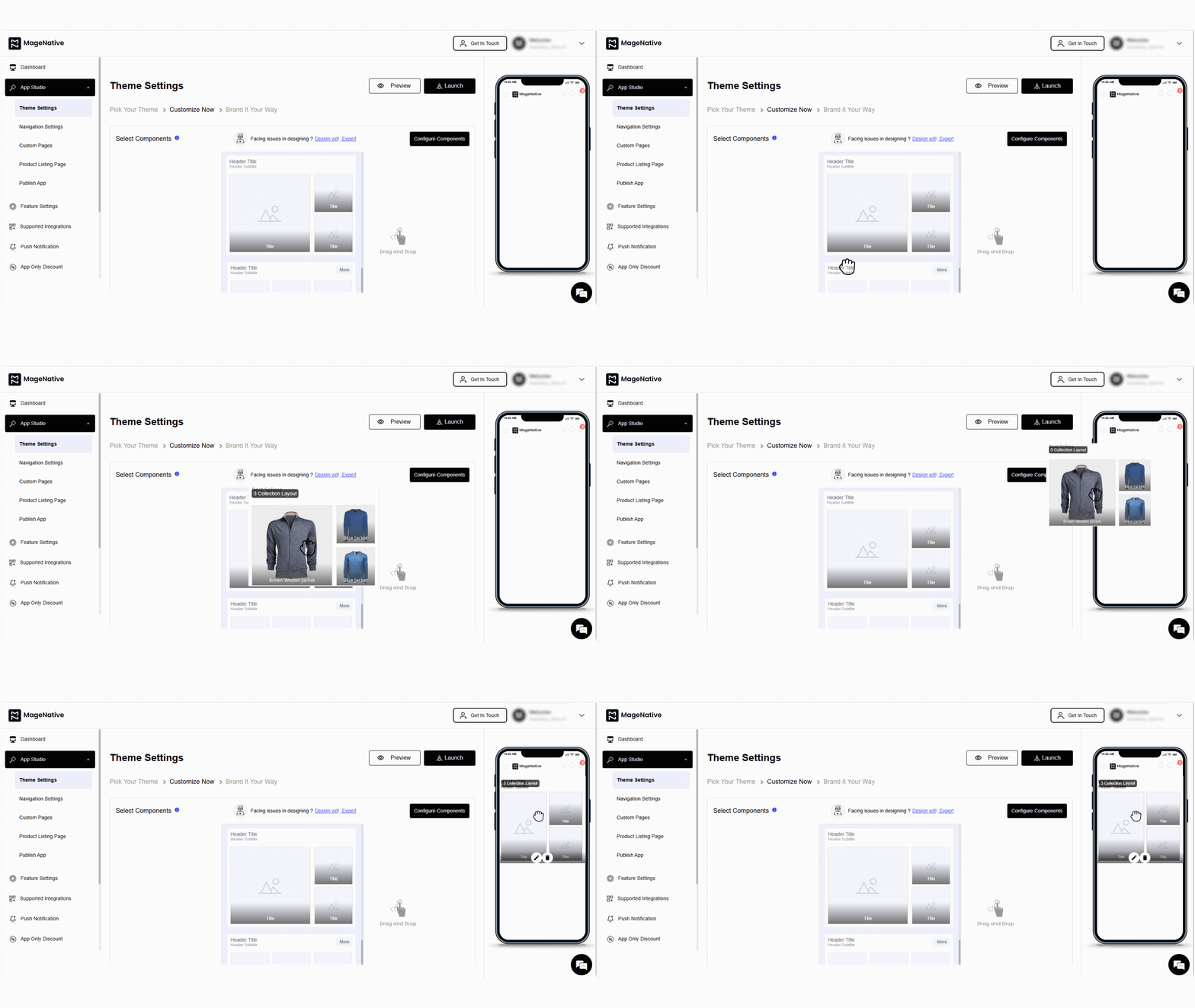

- Open the settings by clicking on the edit icon. This will open the customization options in the center of the dashboard.
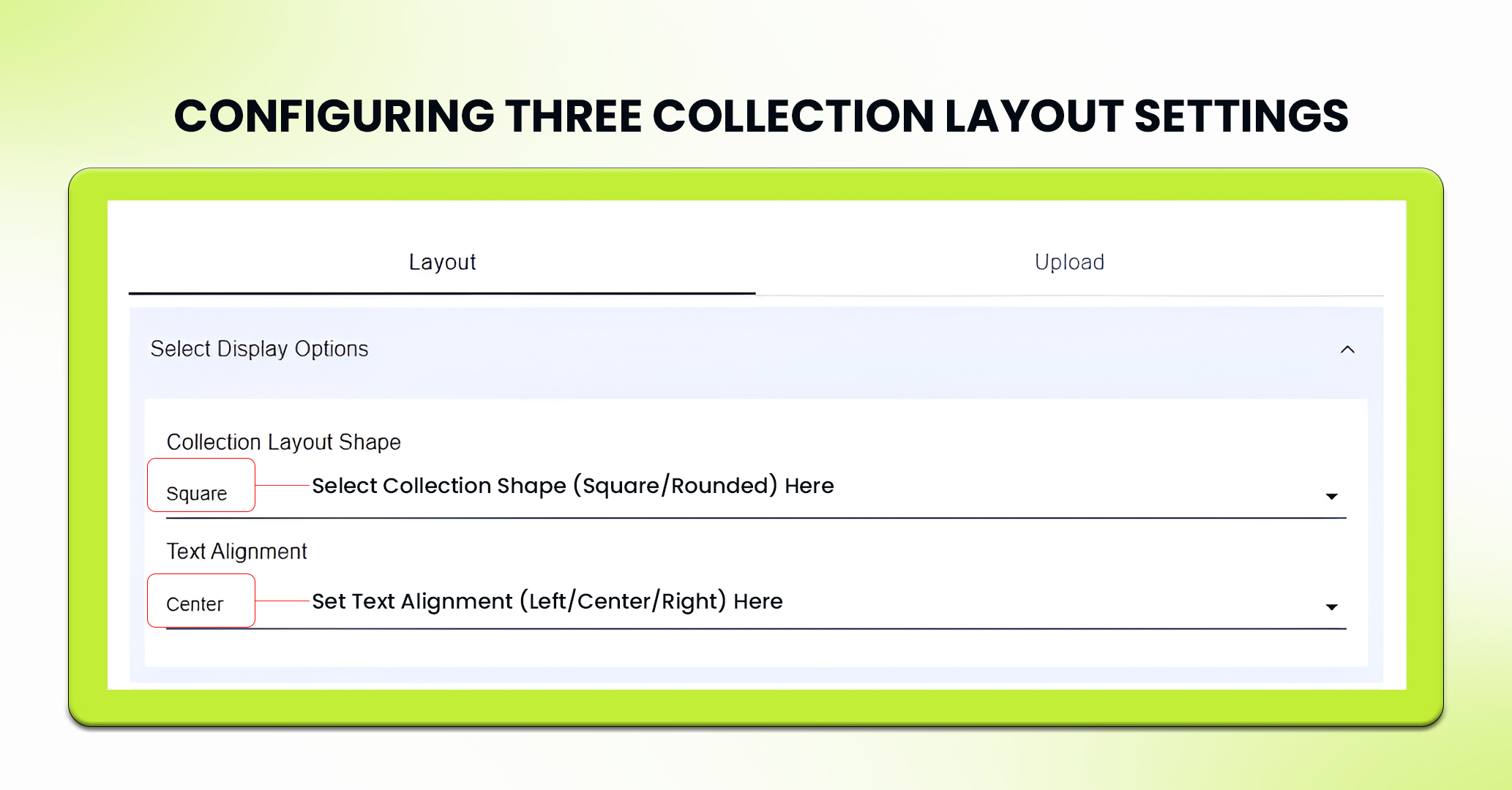
- In the layout section, you can configure display options including collection layout shape (square, rounded) and text alignment (left, center, right) as needed.

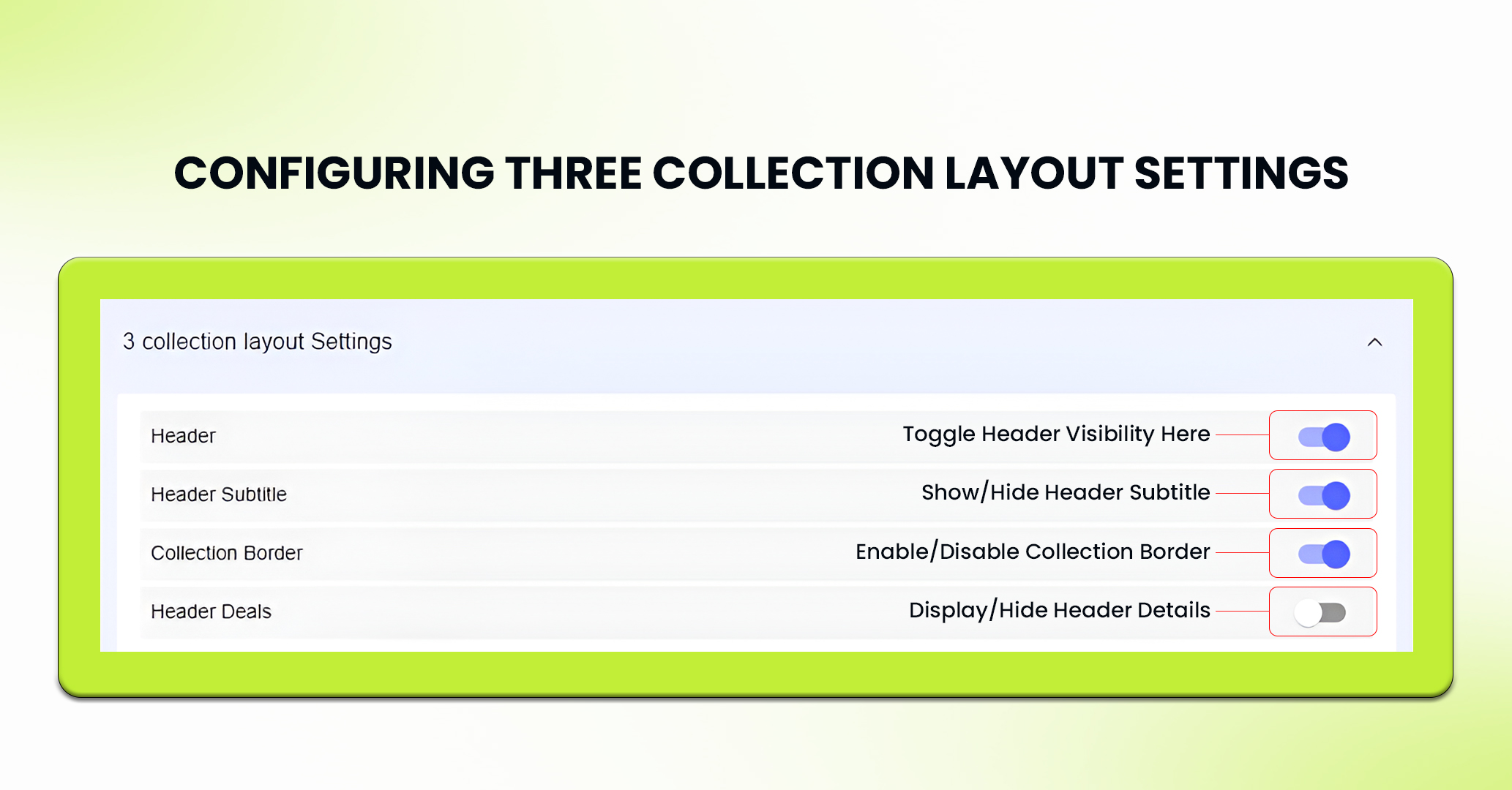
- You can enable or disable some elements from your three collection layouts as needed. These elements are –
- Header
- Header Subtitle
- Collection Border
- Header details.
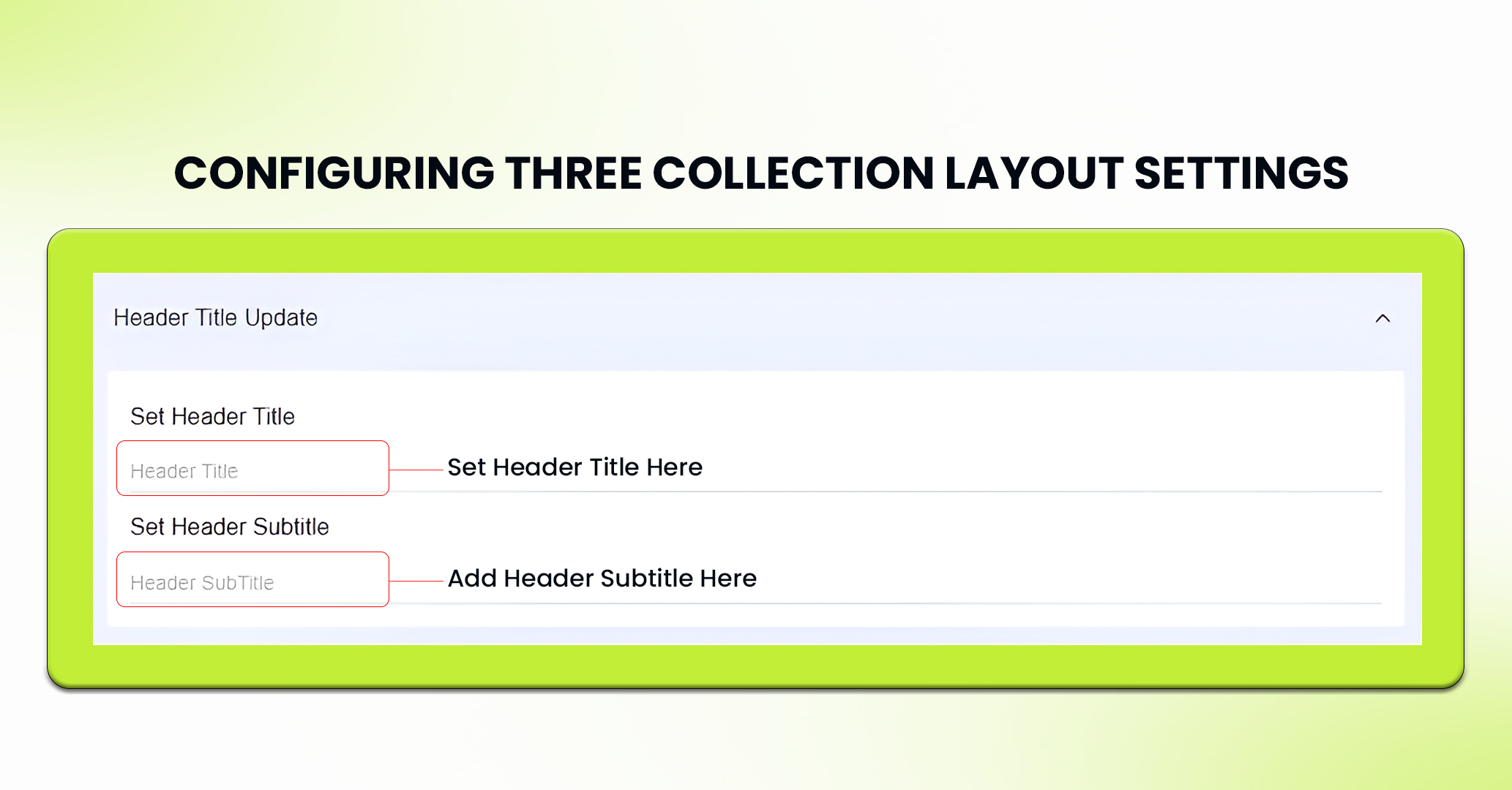
- Further, you can update header title of your three collection layout.
- Similarly, update the header subtitle of your three collection layout.
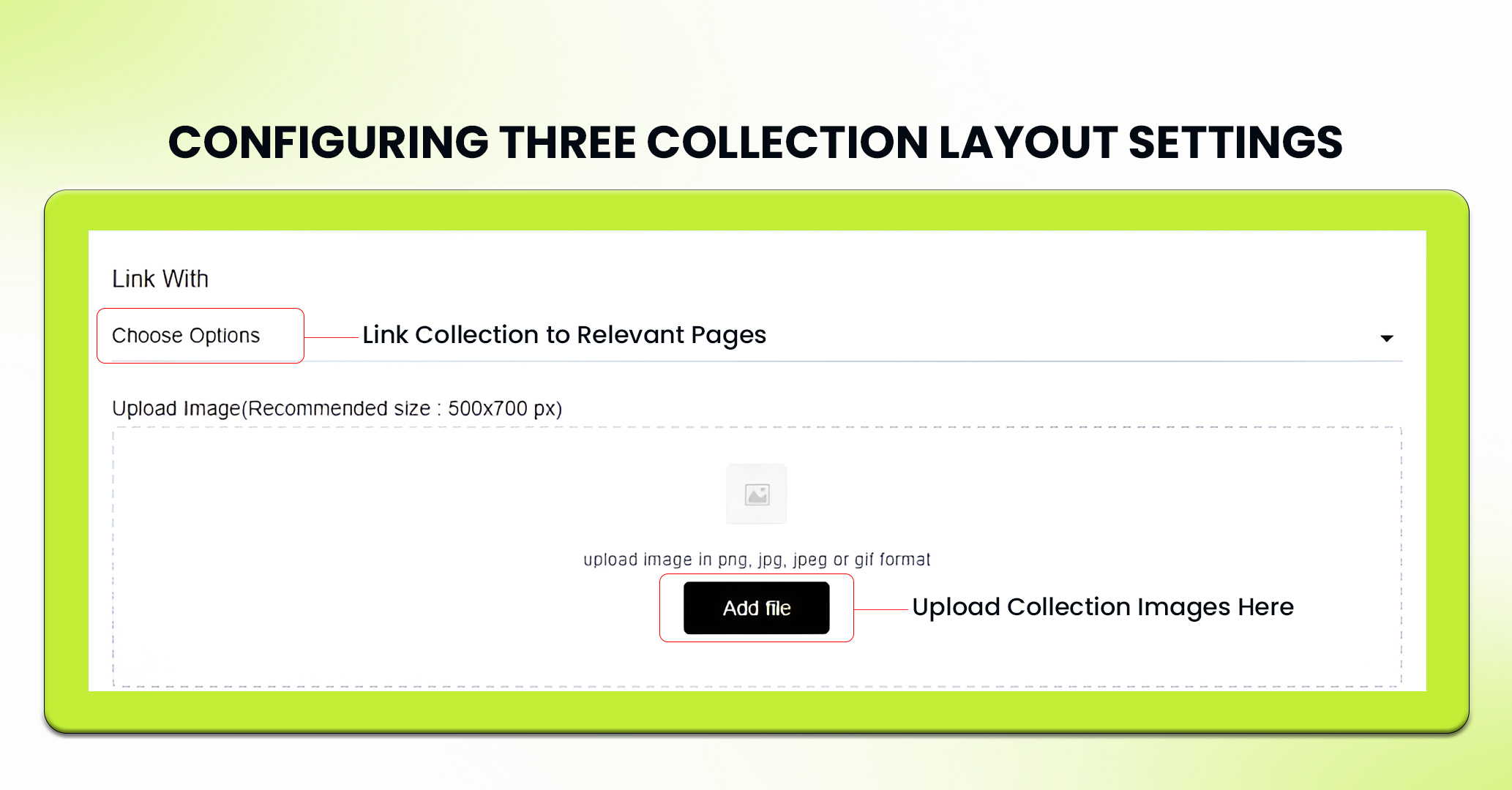
- In the upload section, upload high-quality images for each collection in png, jpg, jpeg and gif format. The recommended size for uploading images is 500 x 700 px.
- Now, link each collection layout to relevant sections of your app, such as custom pages, collections or web url.
- Click Save to apply and view your changes.
- If needed, you can delete the component by clicking Delete or pressing Reset to undo any changes made to it.
- PRO TIP 1: Include compelling CTAs, such as “Shop Now” or “Explore Collections,” which can be used to guide the user to the collections.
- PRO TIP 2: Put a countdown next to your collection layout to create urgency and drive users to make a quicker purchase
- PRO TIP 3: Keep the layout as simple and organized as possible. Do not make it cluttered by adding too many components. It can overwhelm users.
Feel free to reach out to our support team if you have questions or need support. We are here to help and address any issues you may have!


