How to Set Up Top Bar in your MageNative Mobile App?
Navigating through an app should be seamless and intuitive. The Top Bar is your gateway to this elevated experience. It offers easy access to branding, search functions, and navigation options.
The Top Bar Component by MageNative enhances your mobile app’s usability. It helps align your app with your brand’s identity while offering users a simplified, interactive experience.
How to Set Up Top Bar on Your Mobile App?
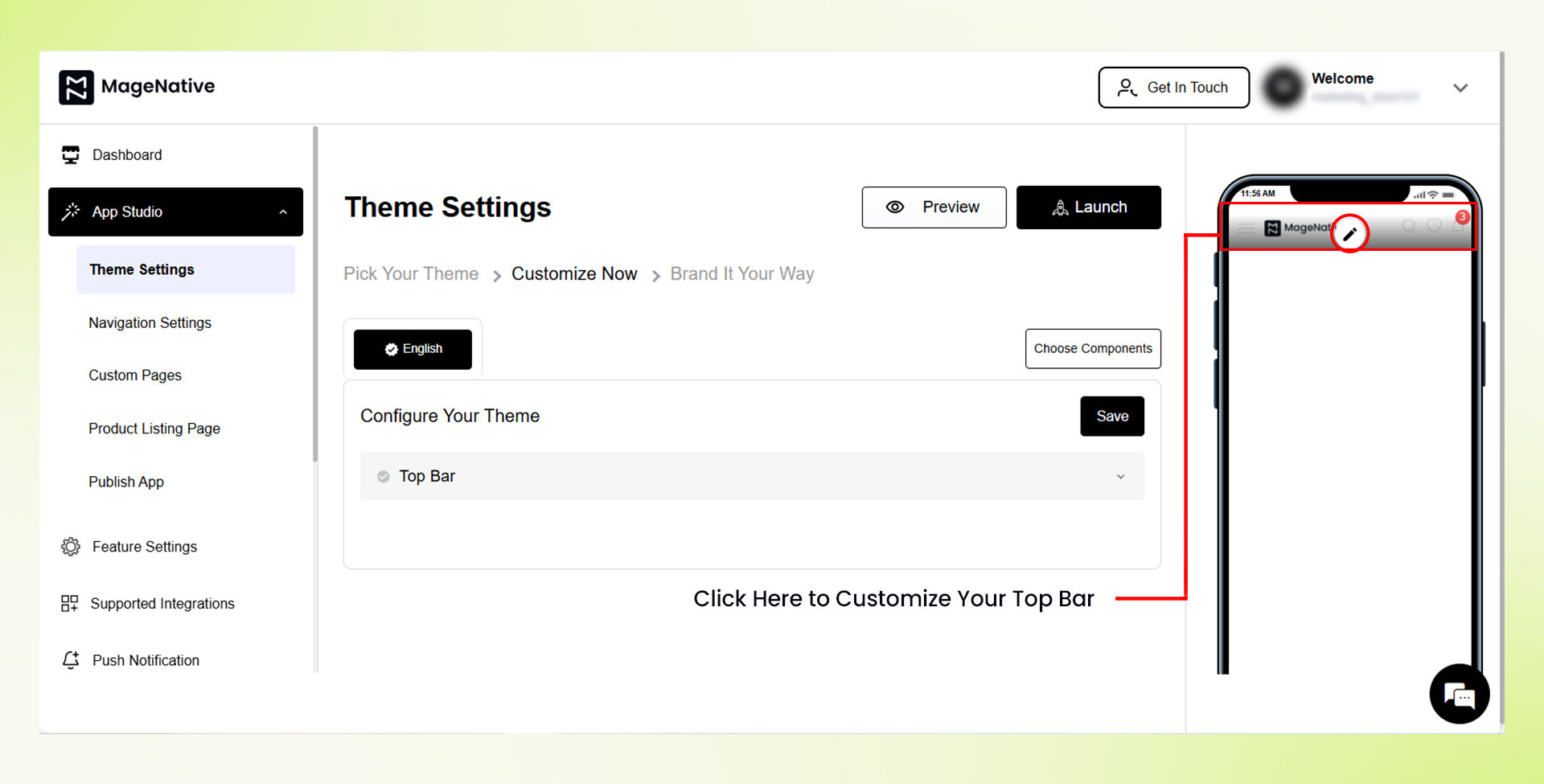
1. First, click on the Edit icon present at the top bar of the mobile screen. This will open the customization options at the center of the dashboard.
2. From the customization menu, the layout of the Top Bar can be set to fit your design requirements.
3. In the “Display Layout Option” you can adjust the search position as one of the following options:
- Search as Icon: Show the search feature as an icon on the Top Bar.
- Middle Search: Put the search bar in the middle of the Top Bar.
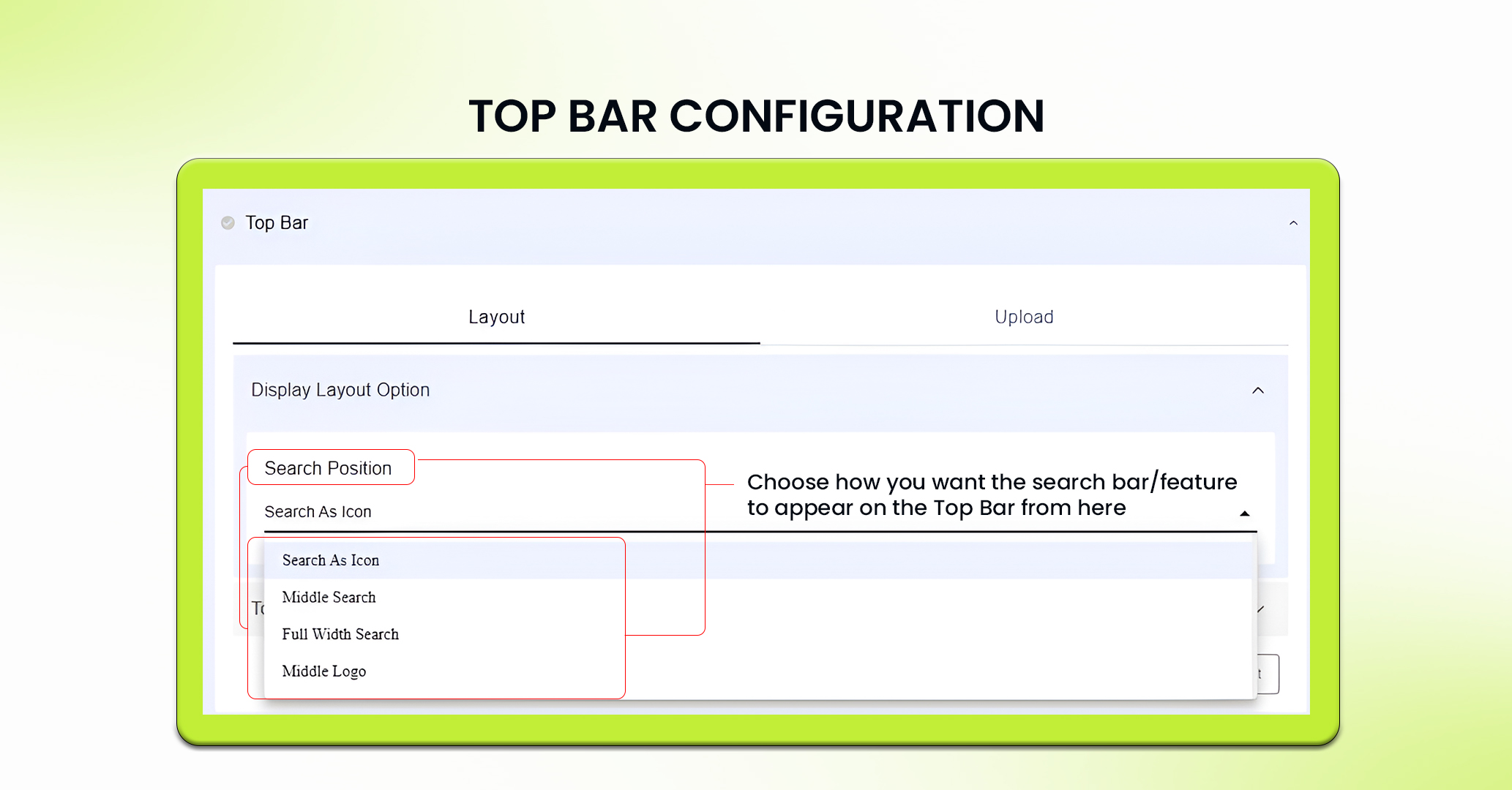

- Full Width Search: Stretch the search bar across the whole Top Bar.
- Middle Logo: Stick your logo in the center of the Top Bar and Show the search feature as an icon on the Right Side.
4. Write the text to be displayed in the search bar in “Search Bar Placeholder”.
Note: Search bar placeholder option is not available in custom themes.
5. In the “Top Bar Settings” section, the wishlist icon can be enabled or disabled based on your preferences. This option allows you to control whether users can access the wishlist from the Top Bar.
6. In the “Upload” Section, you can upload your logo in different formats like PNG, JPG, JPEG or even GIFs.
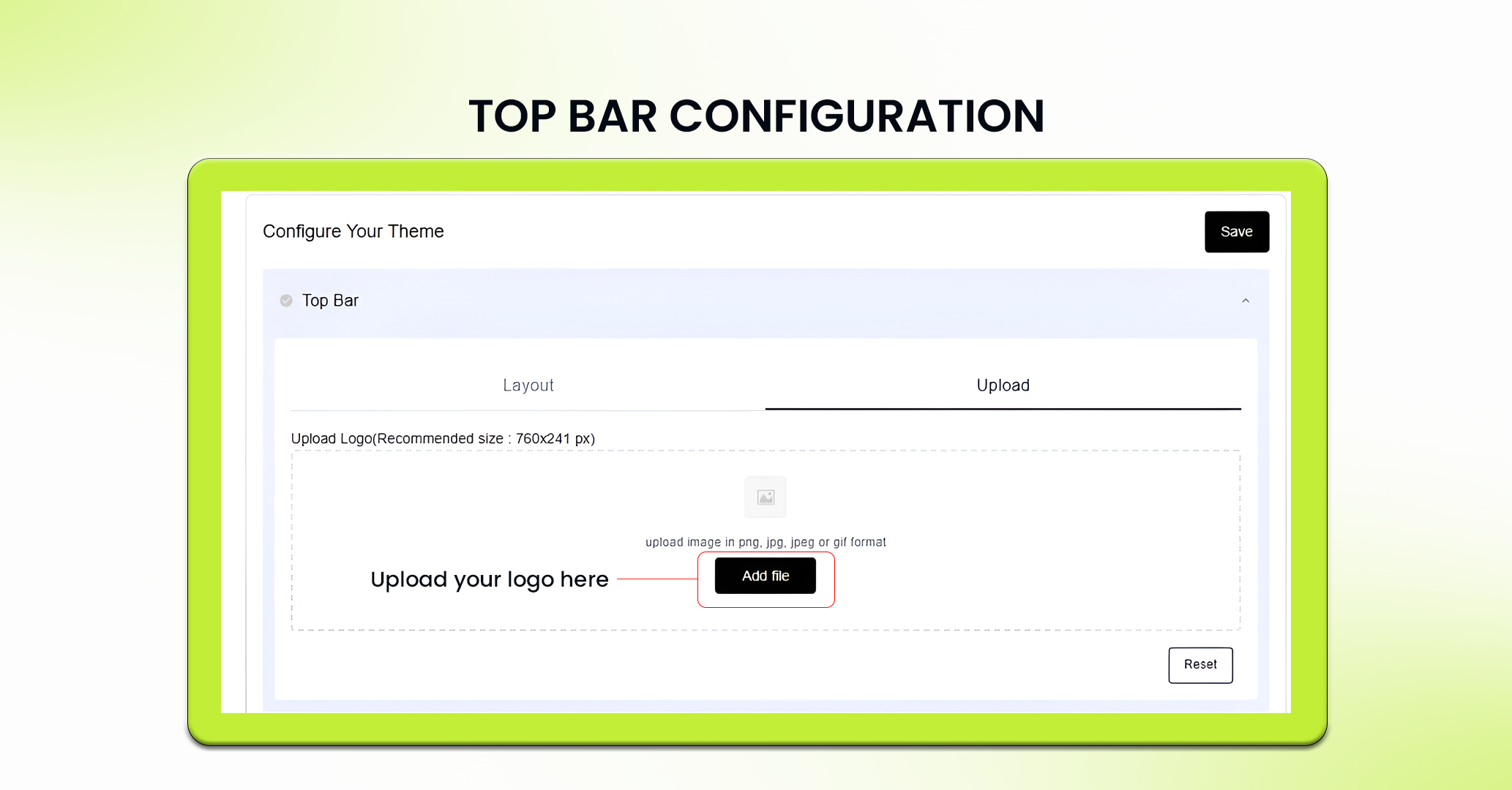
7. Once you have set up your layout and done other settings, click the Save button to view the changes.
8. If needed, you can reset all the changes to their default settings by clicking the Reset button.
PRO TIP 1: Brand’s colors, logo, and overall style must be reflected in the Top Bar to maintain consistency across the app.
PRO TIP 2: Choose a layout that makes navigation intuitive. For example, a Full Width Search can be ideal for apps where search functionality is a priority.
Feel free to reach out to our support team if you have questions or need support. We are here to help and address any issues you may have!


