How to Connect Tidio ‑ Live Chat & AI Chatbots to Your Mobile App?

Make your connections stronger and help your customer support become a smooth process with MageNative App’s powerful integration – Tidio Live Chat & AI Chatbots.
It’s a versatile customer experience platform that provides excellent real-time support and instant responses to customer support questions. In addition to live chat support, it also offers AI chatbots to support visitors with common questions.
Improve your customer satisfaction and conversions with this integration and enhance your sales seamlessly through the magenative app.
Supported Plans: This feature is supported in standard plans and above.
How to Integrate Tidio ‑ Live Chat & AI Chatbots with Your Mobile App
- Go to your MageNative dashboard and click on the Supported Integrations tab in the left panel.
- To find the integration, either use the search bar to directly look for “Tidio ‑ Live Chat & AI Chatbots” or click on the dropdown menu under ‘All Integrations‘ and select the ‘Chat’ category, where you will find Tidio listed.
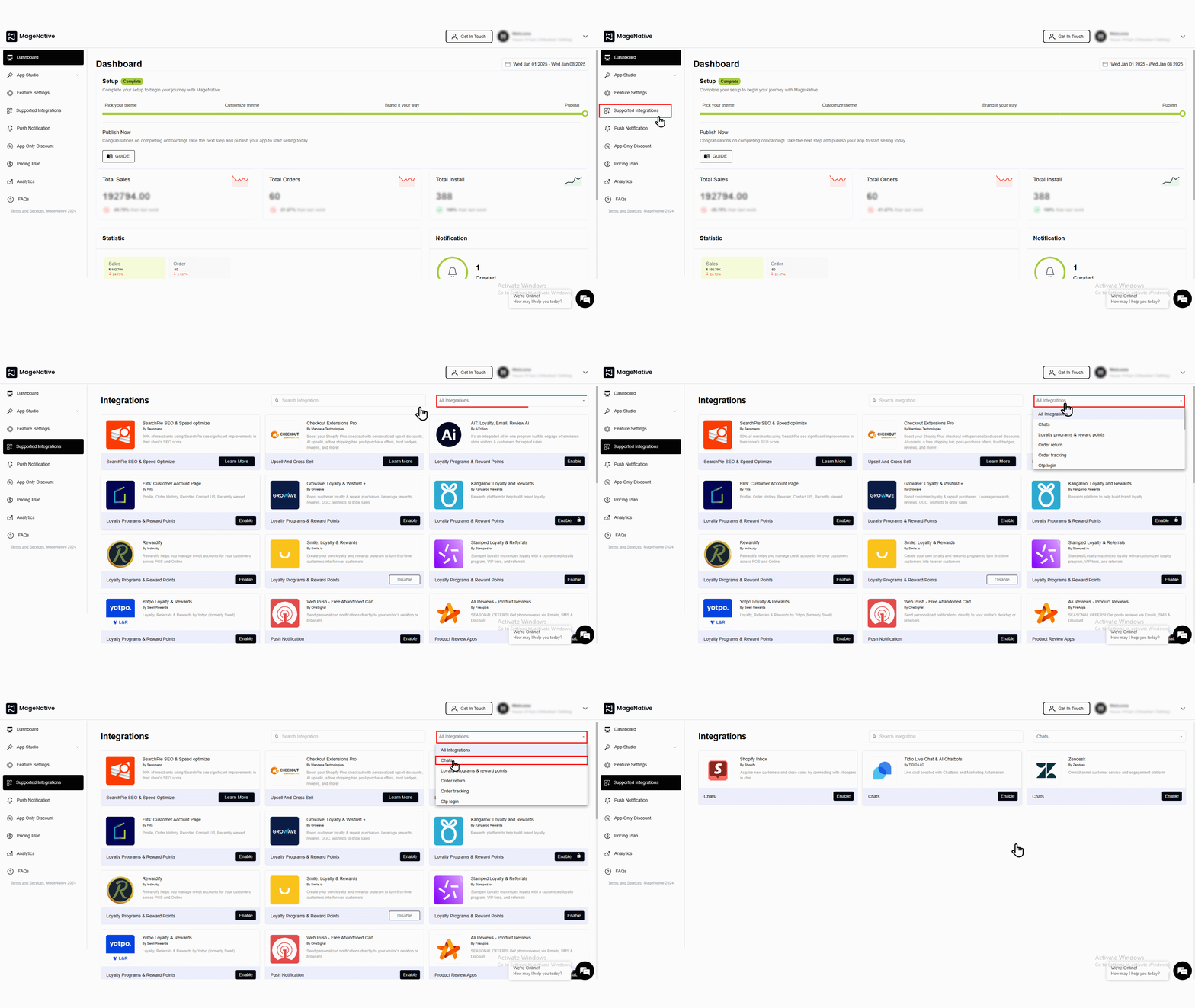

- To activate, simply click on the enable button. A popup window like this will appear:
- Check the box that says, “Yes, I have followed all the above instructions properly, and it is okay to proceed further.“
- Then click on the “enable” button.
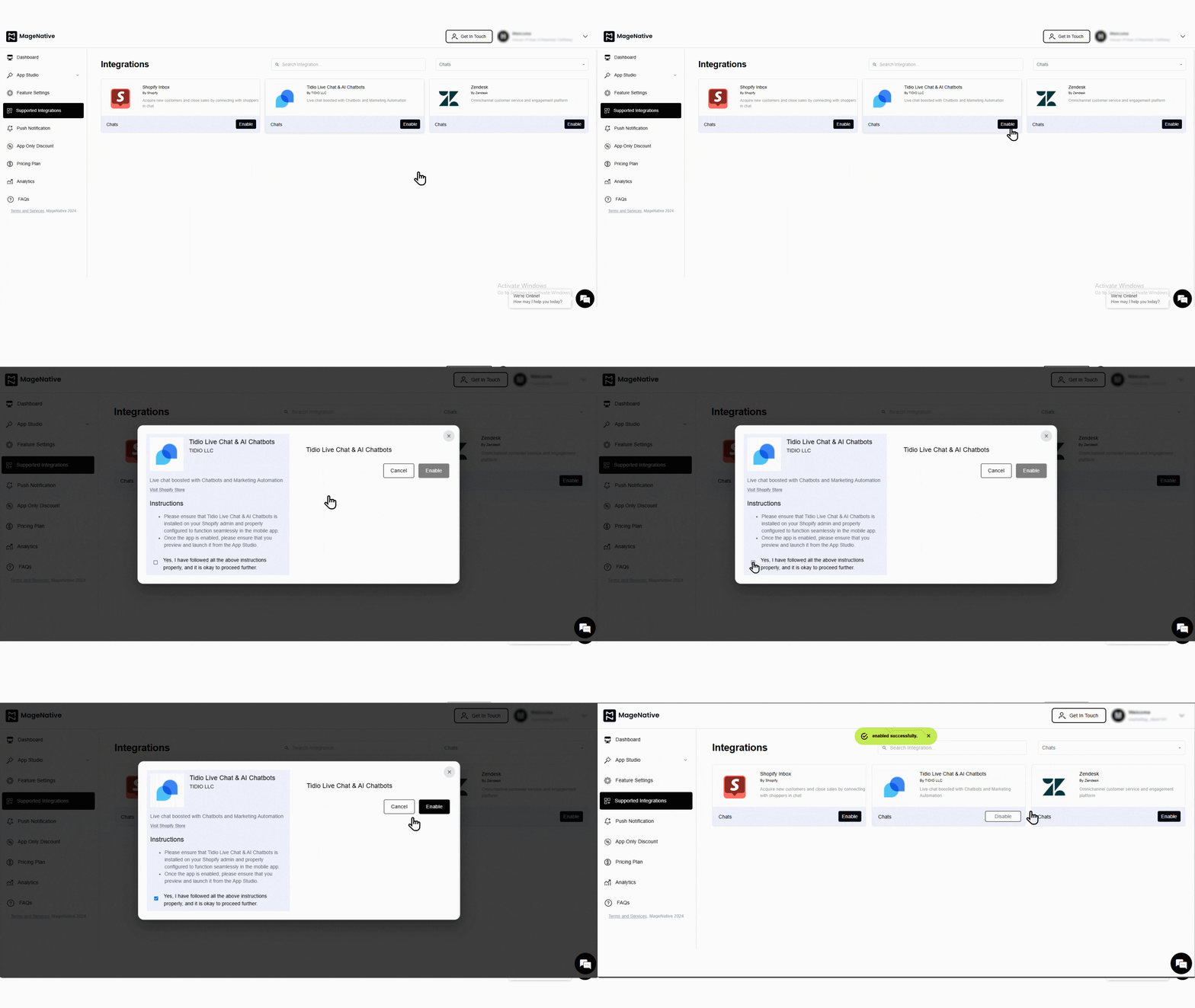
- A confirmation message will pop up stating -”enabled successfully”.
Congratulations! You’ve successfully integrated Tidio ‑ Live Chat & AI Chatbots into your MageNative mobile app.
Feel free to reach out to our support team if you have questions or need support. We are here to help and address any issues you may have!


