How to Connect Rewardify to Your Mobile App?

Elevate your customer loyalty with MageNative’s seamless integration – Rewardify. Rewardify can help change how you interact with your customers by providing you with the best customizable loyalty program.
With Rewardify, you can create custom reward programs such as store credit, VIP rewards, and purchase rebates which are applicable both online and in-store. It simplifies the entire process of rewarding customer behavior, managing loyalty credits, and issuing discounts, directly from your MageNative mobile app.
So what are you waiting for? Integrate Rewardify – Build long-lasting customer loyalty and turn casual shoppers into devoted brand advocates.
Supported Plans: This feature is supported in standard plans and above.
How to Integrate Rewardify with Your Mobile App
Go to your MageNative dashboard and click on the Supported Integrations tab in the left panel.
- To find the integration, either use the search bar to directly look for “Rewardify” or click on the dropdown menu under ‘All Integrations‘ and select the ‘Loyalty Programs & Rewards Points‘ category, where you will find Rewardify listed.
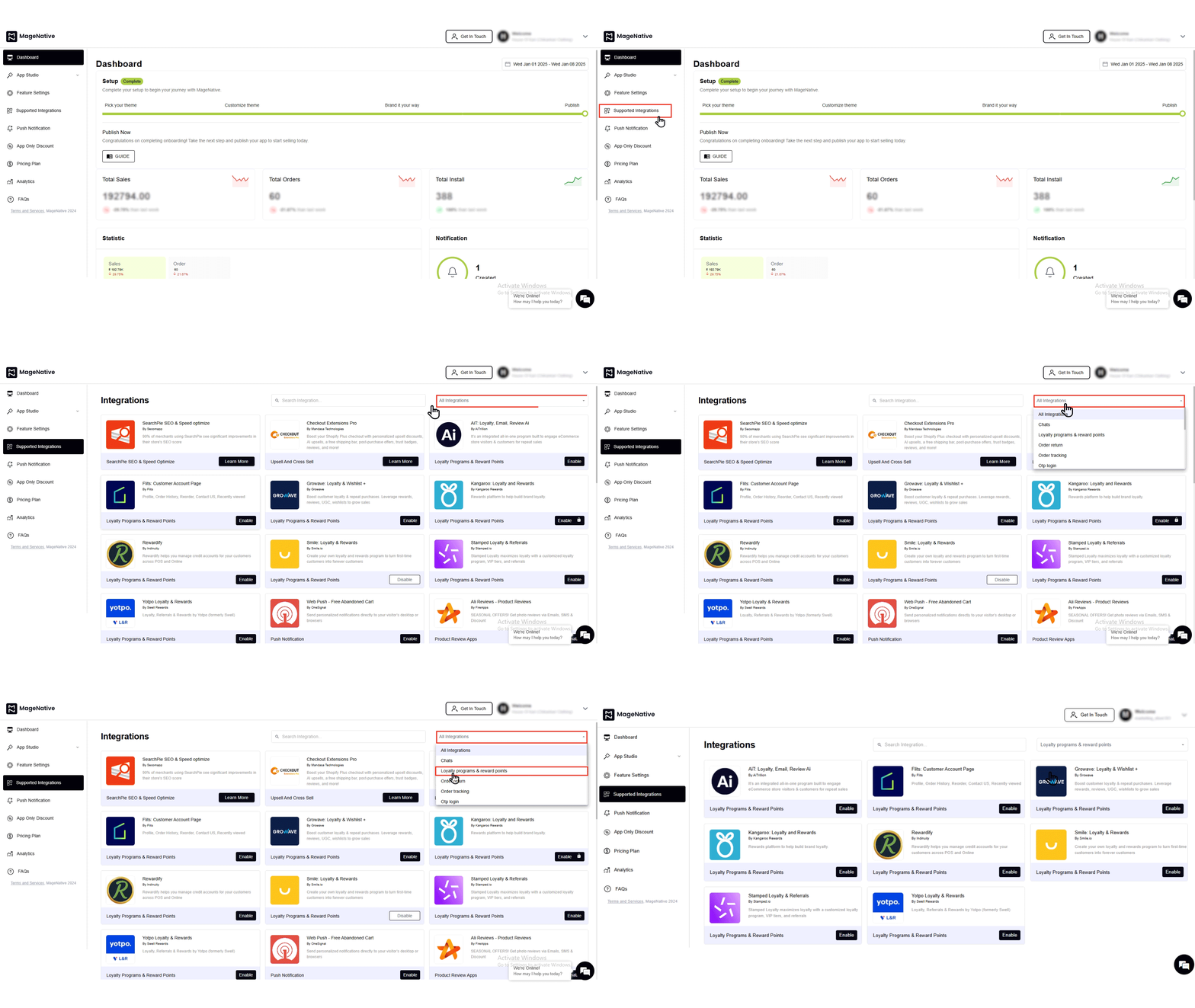

- To activate, simply click on the enable button.
- Check the box that says, “Yes, I have followed all the above instructions properly, and it is okay to proceed further.“
- Now, you have to enter the “Rewardify Client Id” and “Rewardify Client Secret key” in the provided fields.
- Follow the steps below to get the Rewardify Client Id and.
- Install the Rewardify app on your Shopify store.
- After that, click on the Setup link from the left menu bar.
- Following that, click the API Keys link.
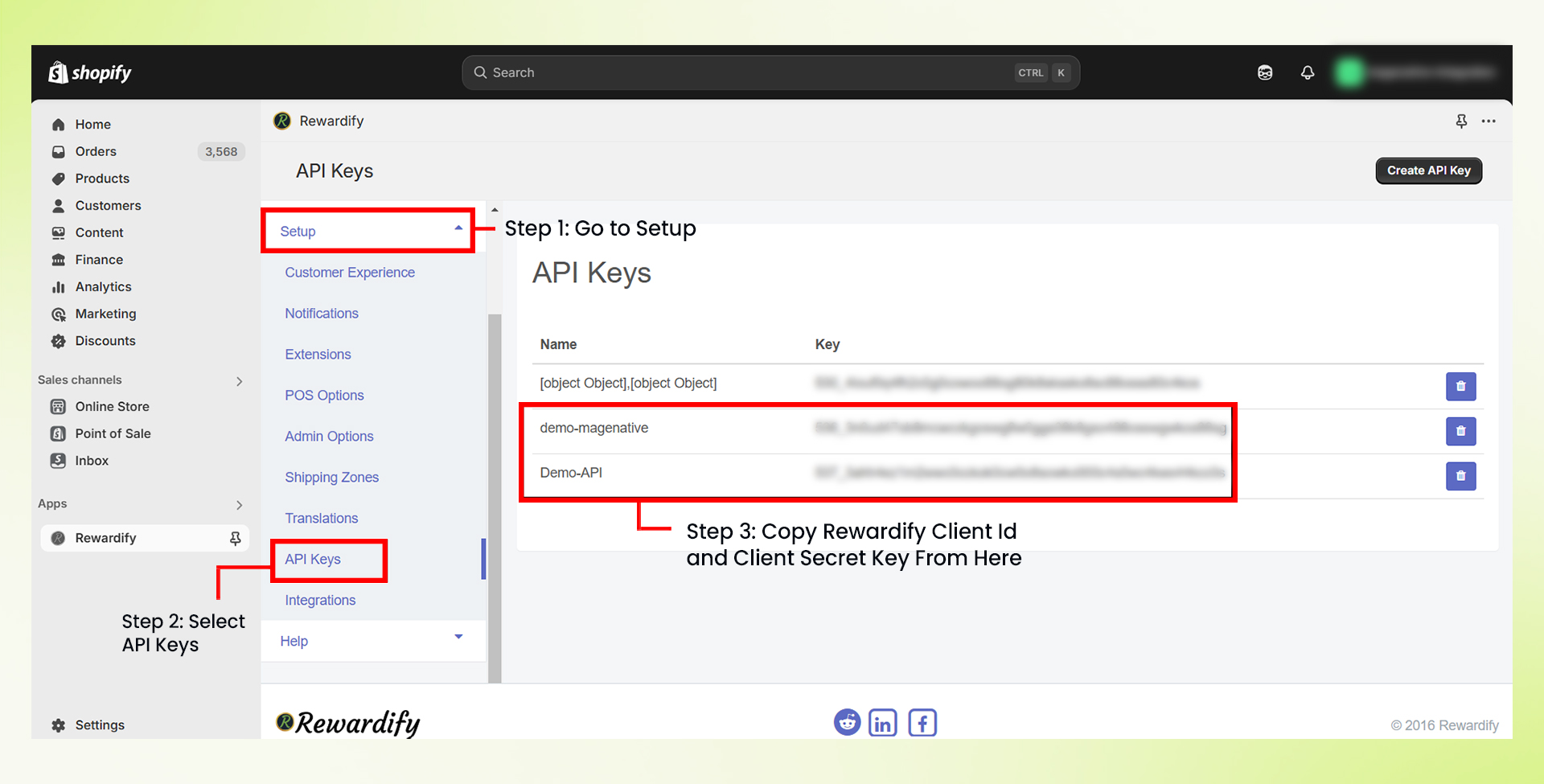

- From the API keys link you will be redirected to the following page, here click on the button Create API Key.
- Following that, A dialog box will appear in front of you where you need to enter the name for the API key and click on the button Create API key.
- The client API Key and Client API secret will be generated, copy the key and secret and utilize them in your MageNative app panel section to activate the Rewardify integration.
- Then click on the “enable” button.
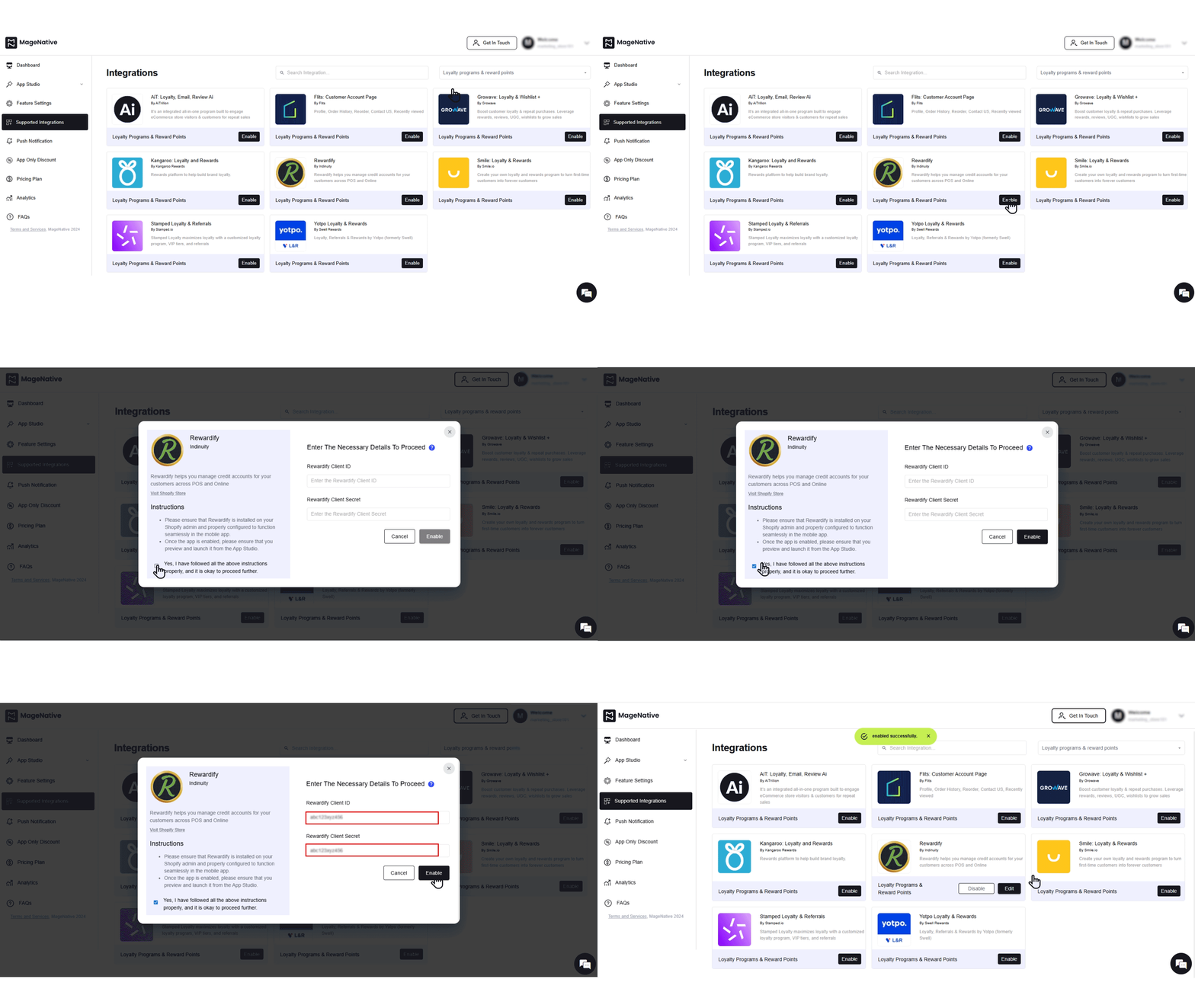
- A confirmation message will pop up stating -“enabled successfully”.
- Further, you can also edit or disable the integration when needed by clicking on the respective buttons.
Congratulations! You’ve successfully integrated Rewardify into your MageNative mobile app.
Feel free to reach out to our support team if you have questions or need support. We are here to help and address any issues you may have!


