Feature Settings
MageNative provides an extensive set of features to help you deliver an improved shopping experience through your mobile app. Follow these simple steps to enable these features in your Shopify mobile app.
How To Enable Feature Settings In your MageNative Mobile App?
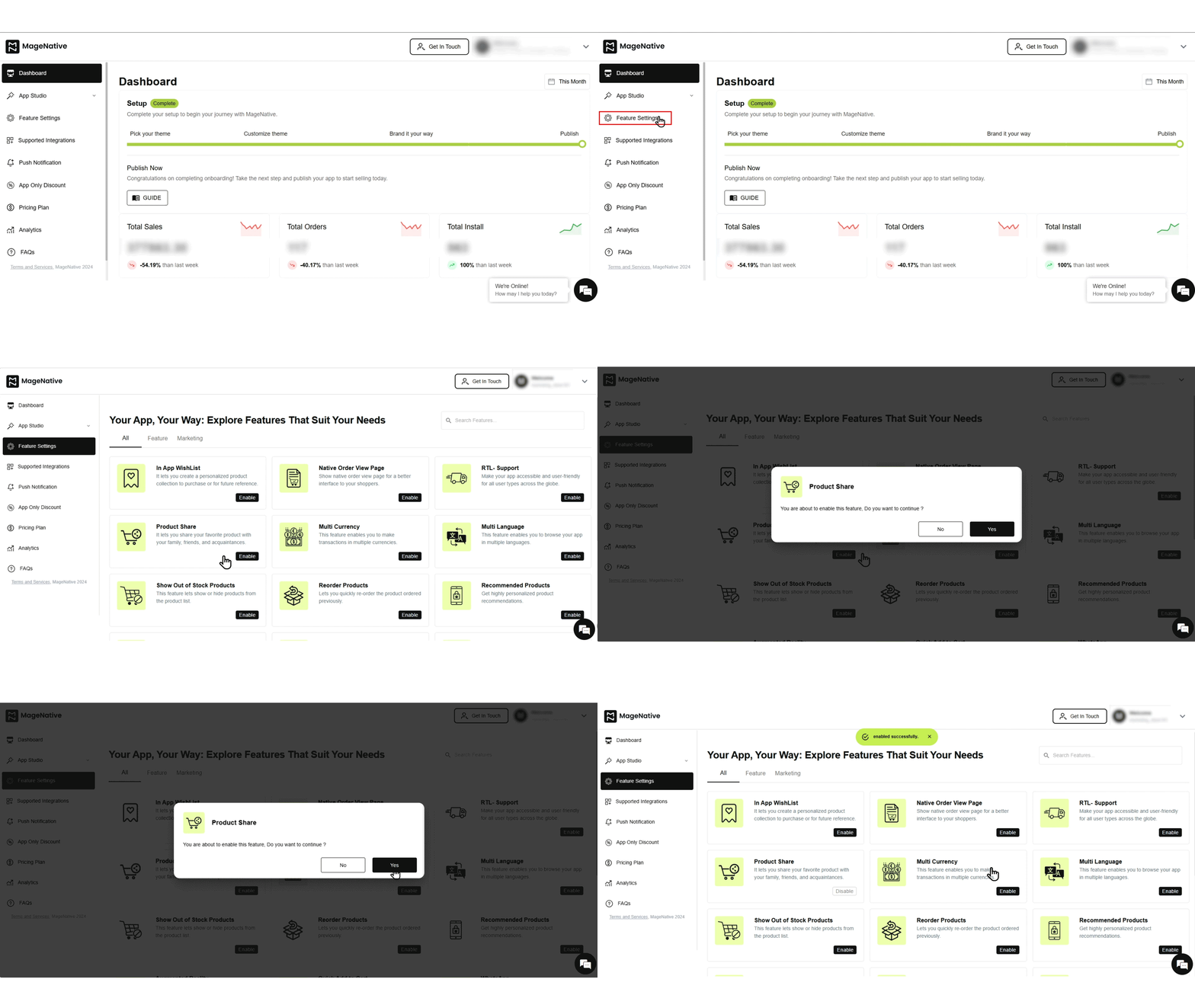
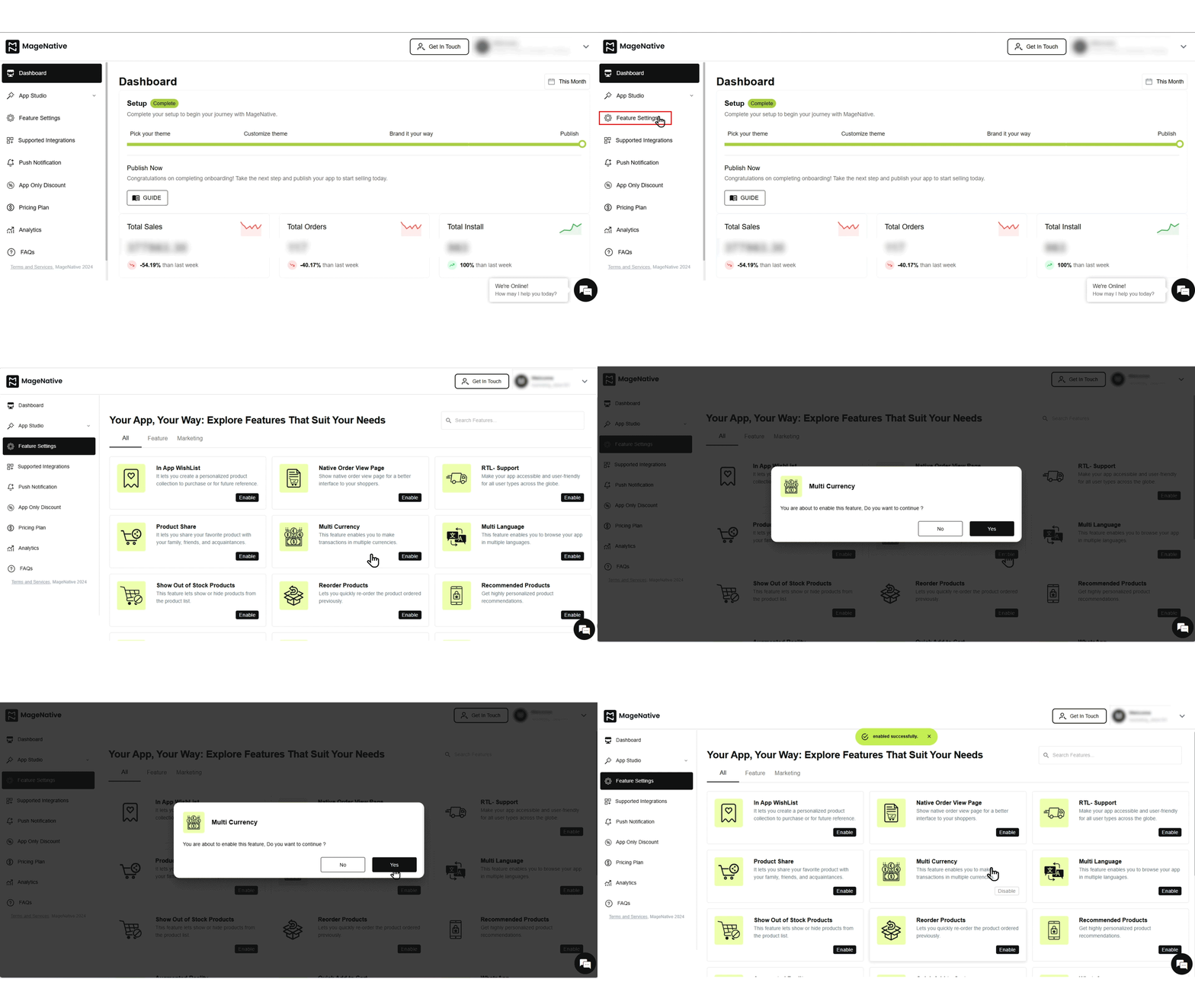
1. Open your MageNative Dashboard.
2. Select Feature Settings from the left panel. You will see a list of available features.
3. Click the Enable button next to any feature you want to activate to enhance your app’s functionality.
List of Features Available in Feature Settings
Below are the features that can be configured through Feature Settings in MageNative Mobile App:
In-App WishList
Allows buyers to create personalized product collections and save them in their accounts for future reference.
To enable this feature, follow these steps:
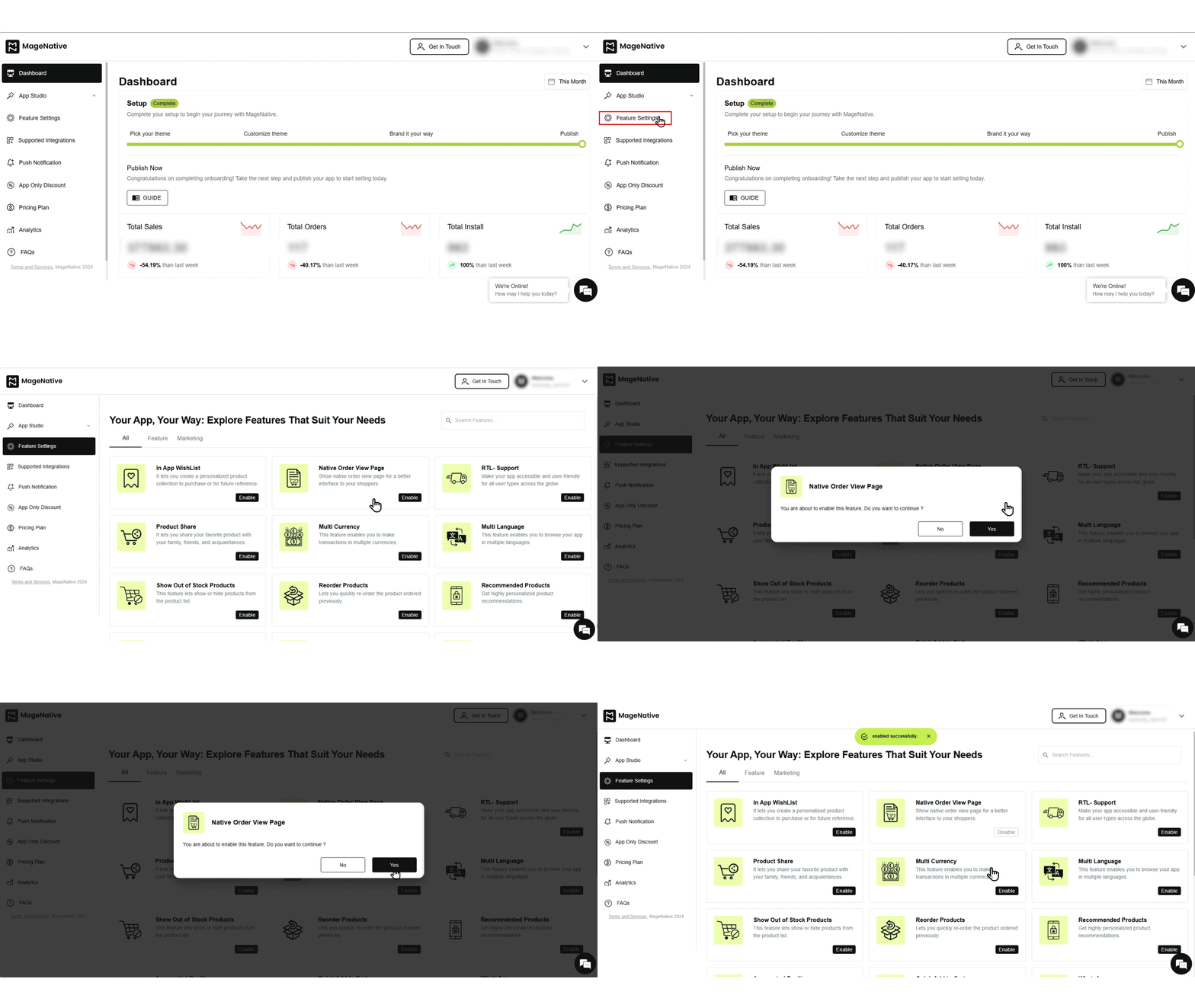
Native Order View Page
Provides shoppers with an improved interface to view and interact with their orders, creating a smoother user experience.
To enable this feature, follow these steps:
RTL Support
Ensures your app supports right-to-left languages such as Arabic and Hebrew, helping you reach a global audience.
To enable this feature, follow these steps: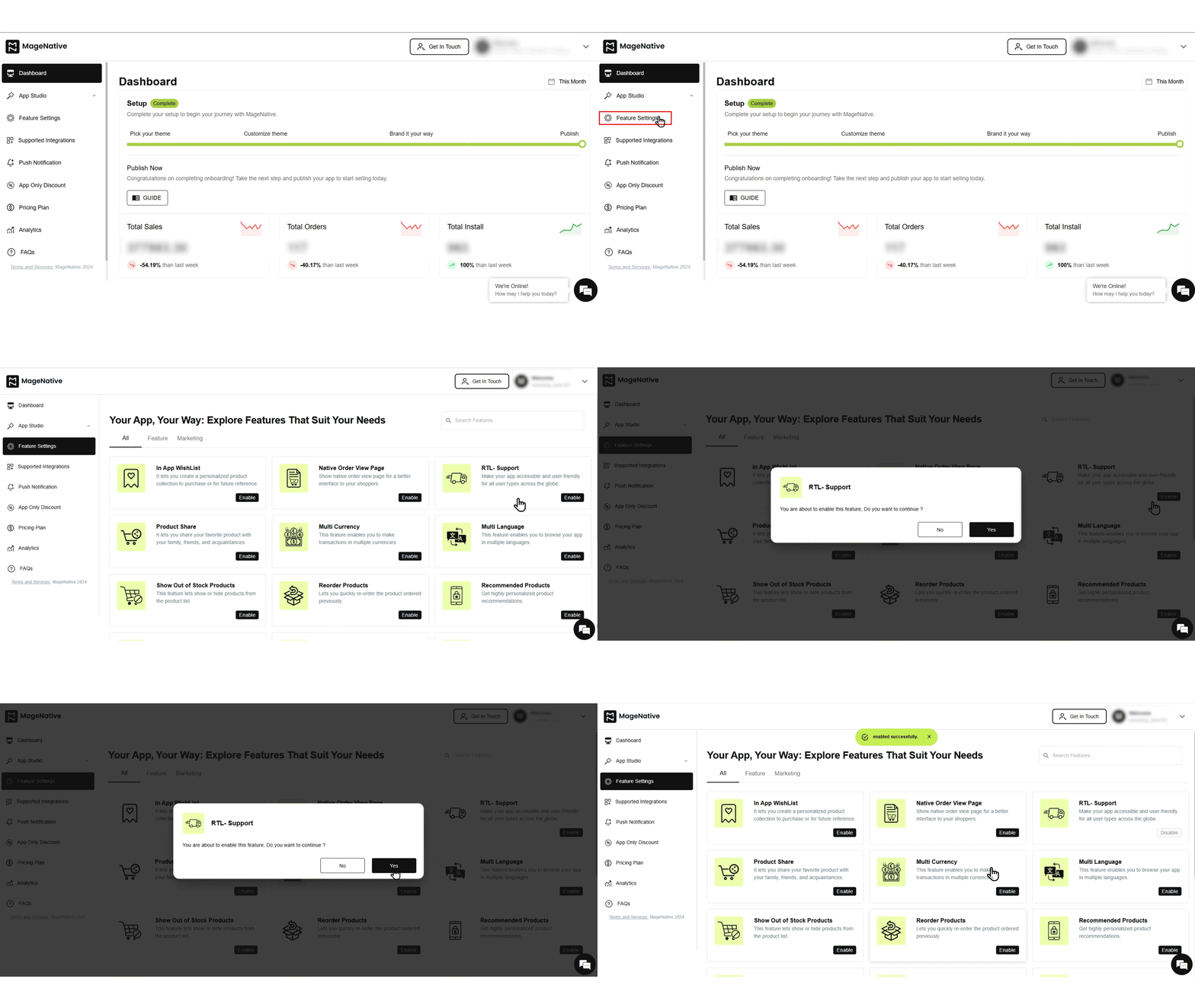
Product Share
Allows users to share their favorite products with friends, expanding product reach and boosting potential sales.
To enable this feature, follow these steps:
Multi-Currency
Enables customers to shop in their preferred currency, enhancing the experience for international buyers.
To enable this feature, follow these steps:
Multi-language
Expands your global reach by making your mobile app accessible in multiple languages, improving customer engagement.
To enable this feature, follow these steps:
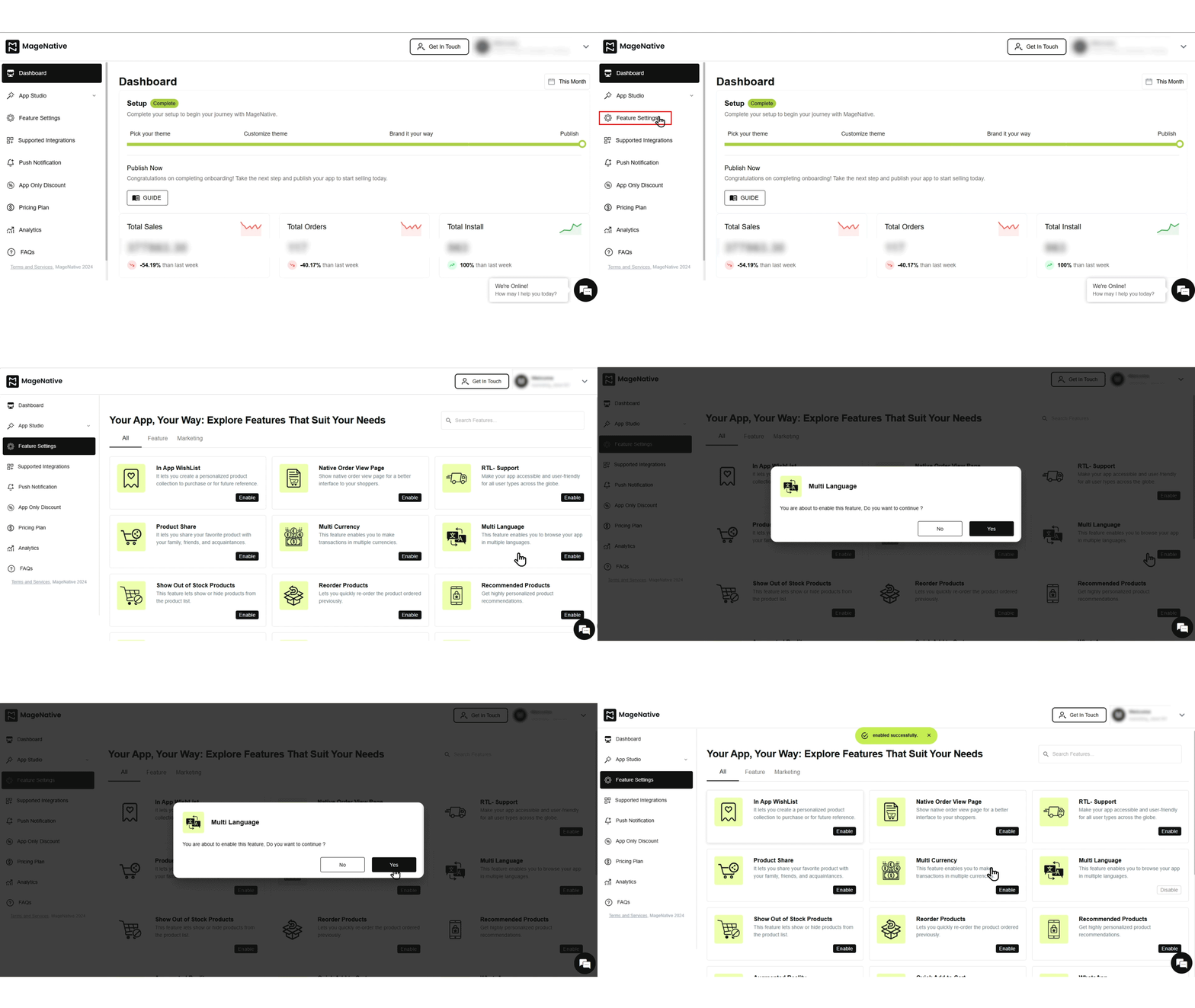
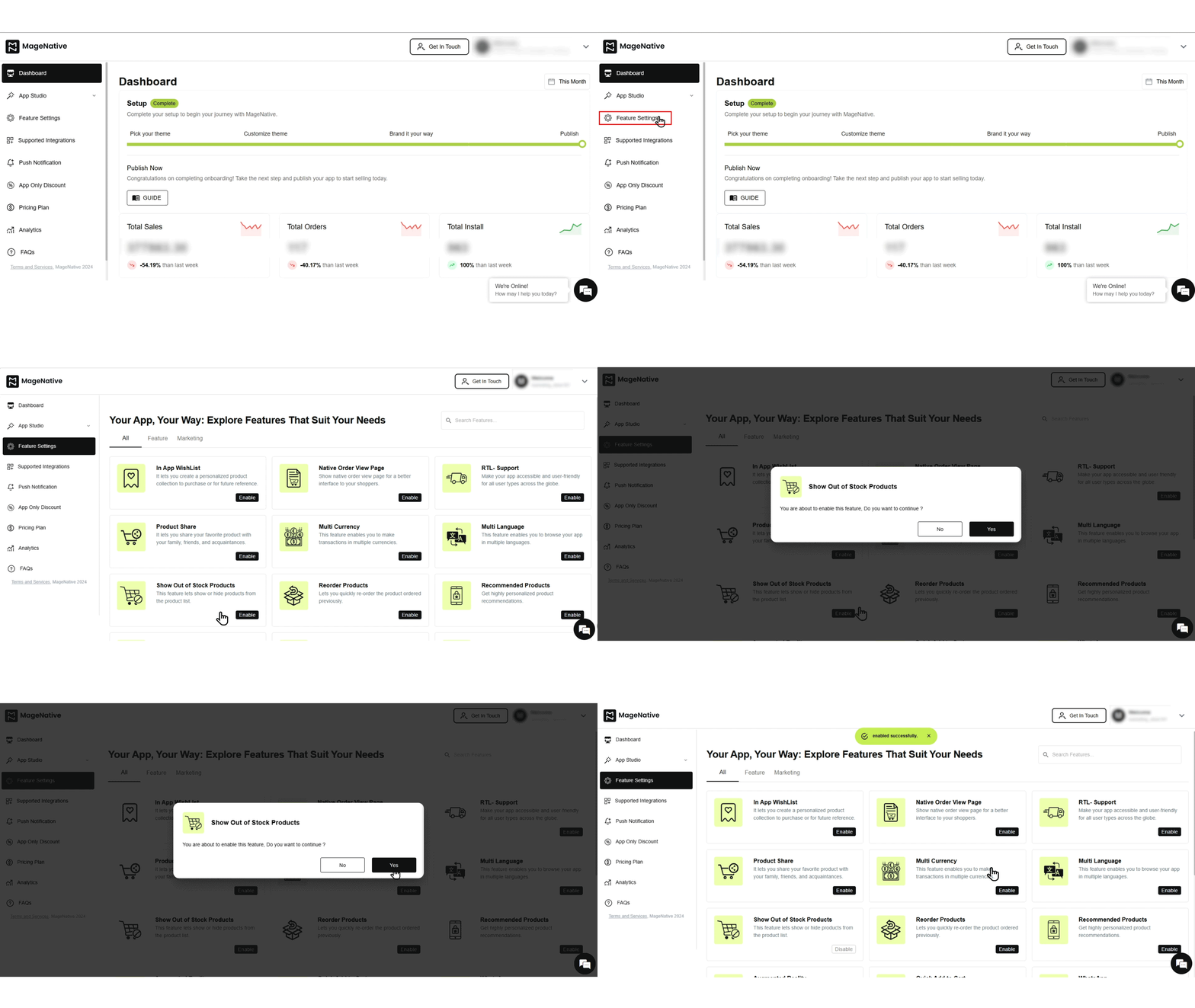
Show Out Of Stock Products
Helps keep buyers informed about product availability. You can choose to hide out-of-stock products from the product list.
To enable this feature, follow these steps:
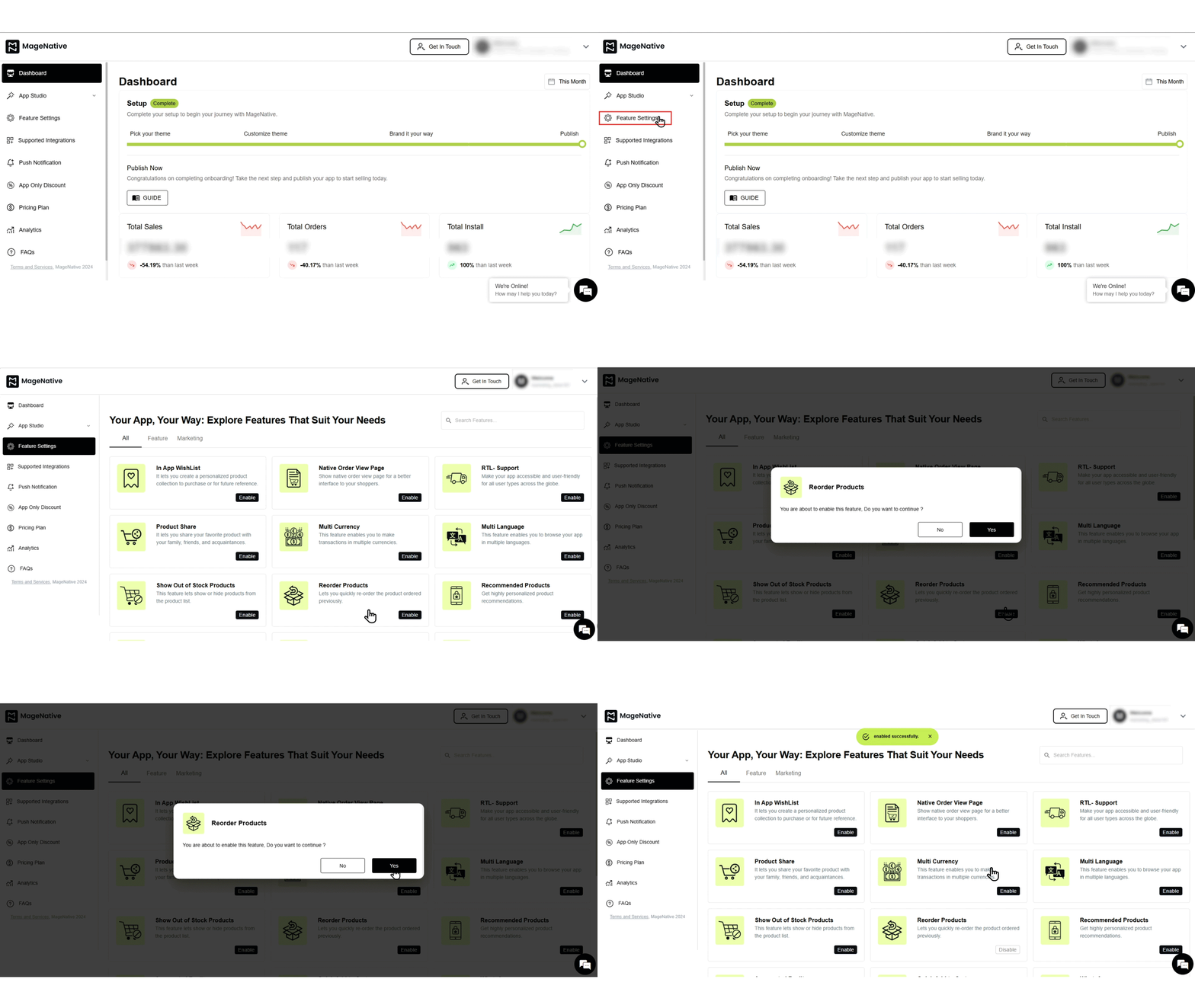
Reorder Products
Allows customers to quickly reorder previously purchased products with a single click.
To enable this feature, follow these steps:
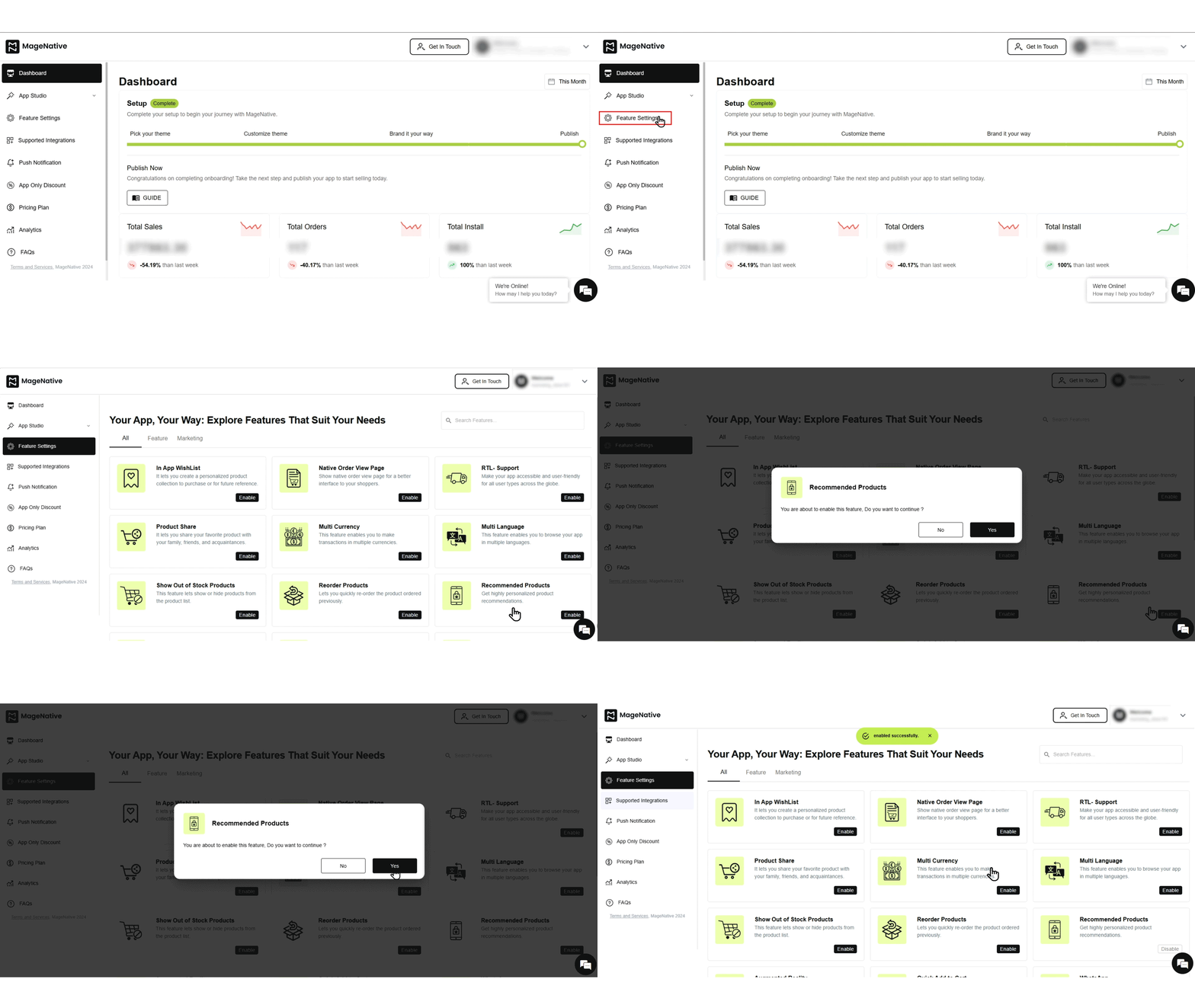
Recommended Products
Uses AI to recommend similar products based on customer preferences and purchase history.
To enable this feature, follow these steps:
Augmented Reality
Allows customers to view a product’s 3D model directly within the mobile app, creating an immersive shopping experience.
To enable this feature, follow these steps:
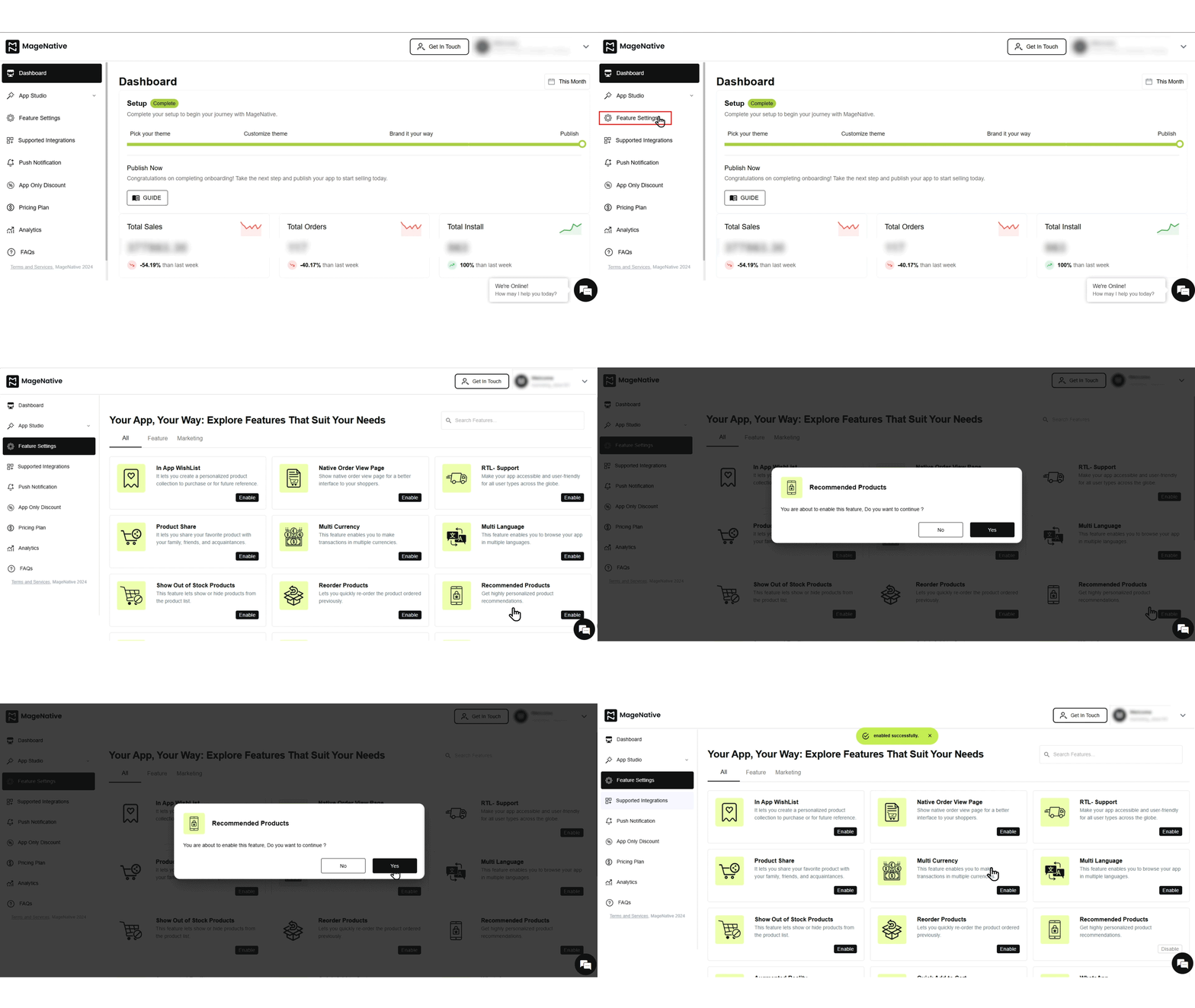
Quick Add To Cart Button
Allows you to show or hide the Add to Cart button based on your business requirements.
To enable this feature, follow these steps: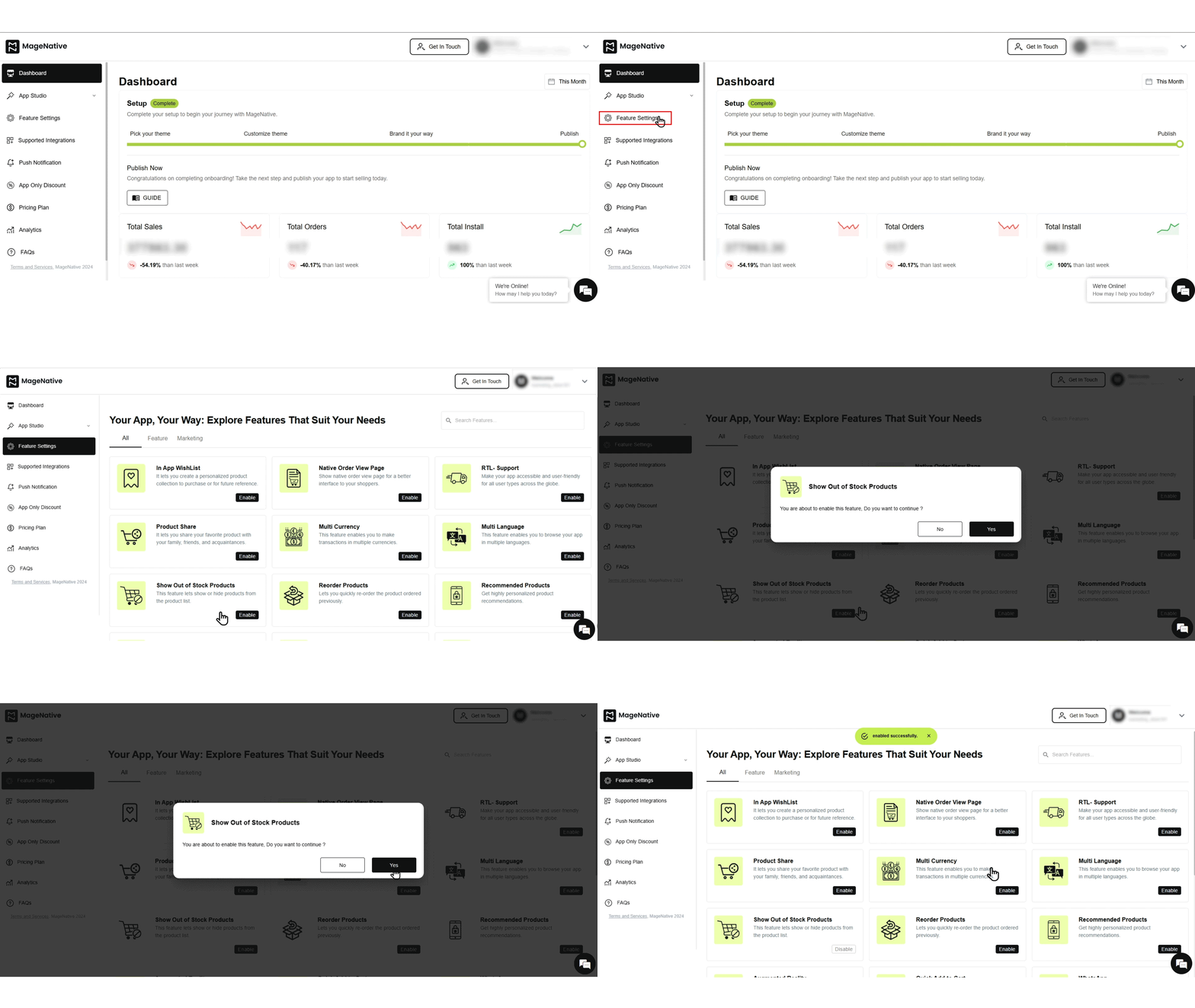
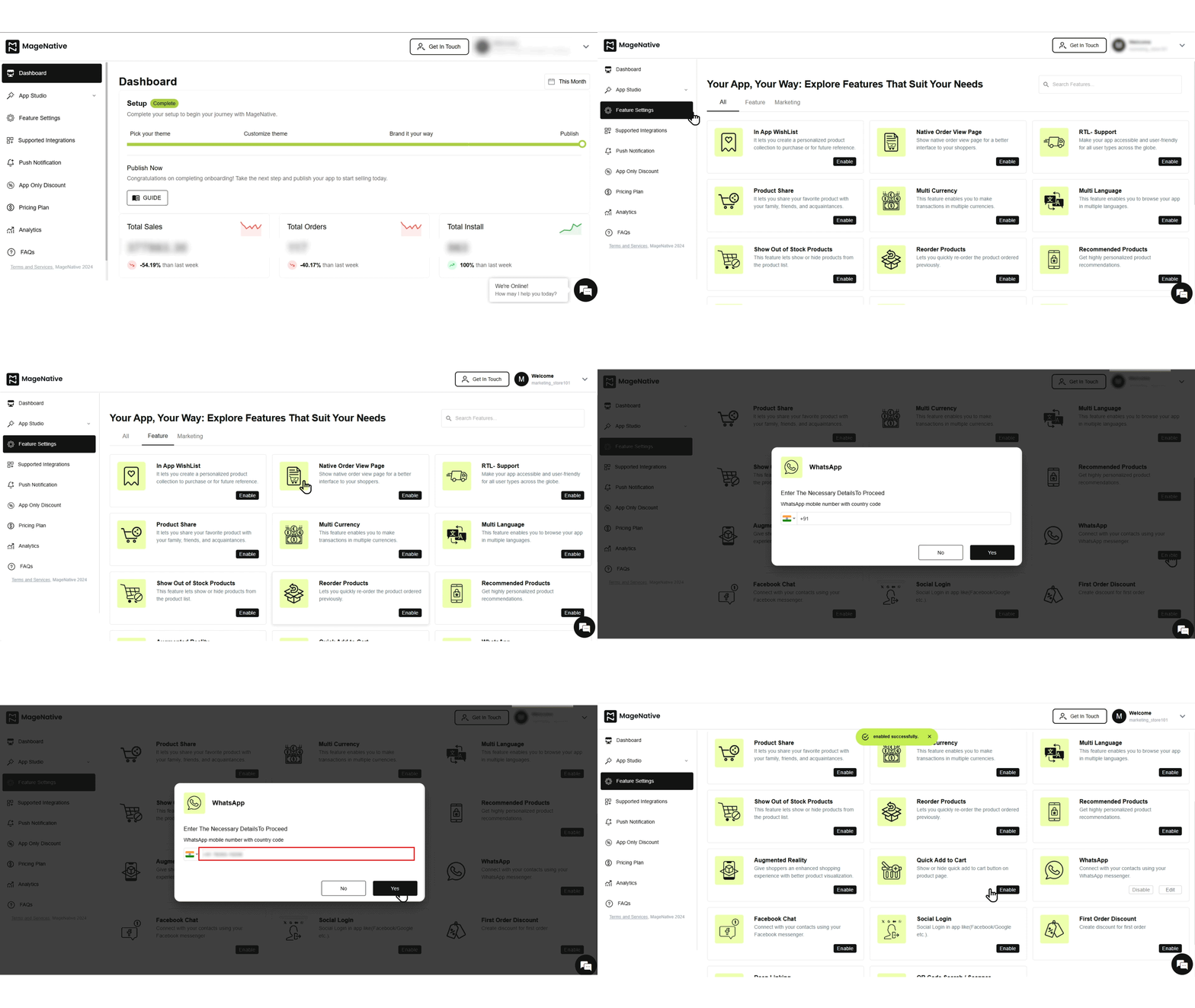
Enables direct communication with customers via WhatsApp, helping you engage better and increase reach.
To enable this feature, you must provide your WhatsApp mobile number.
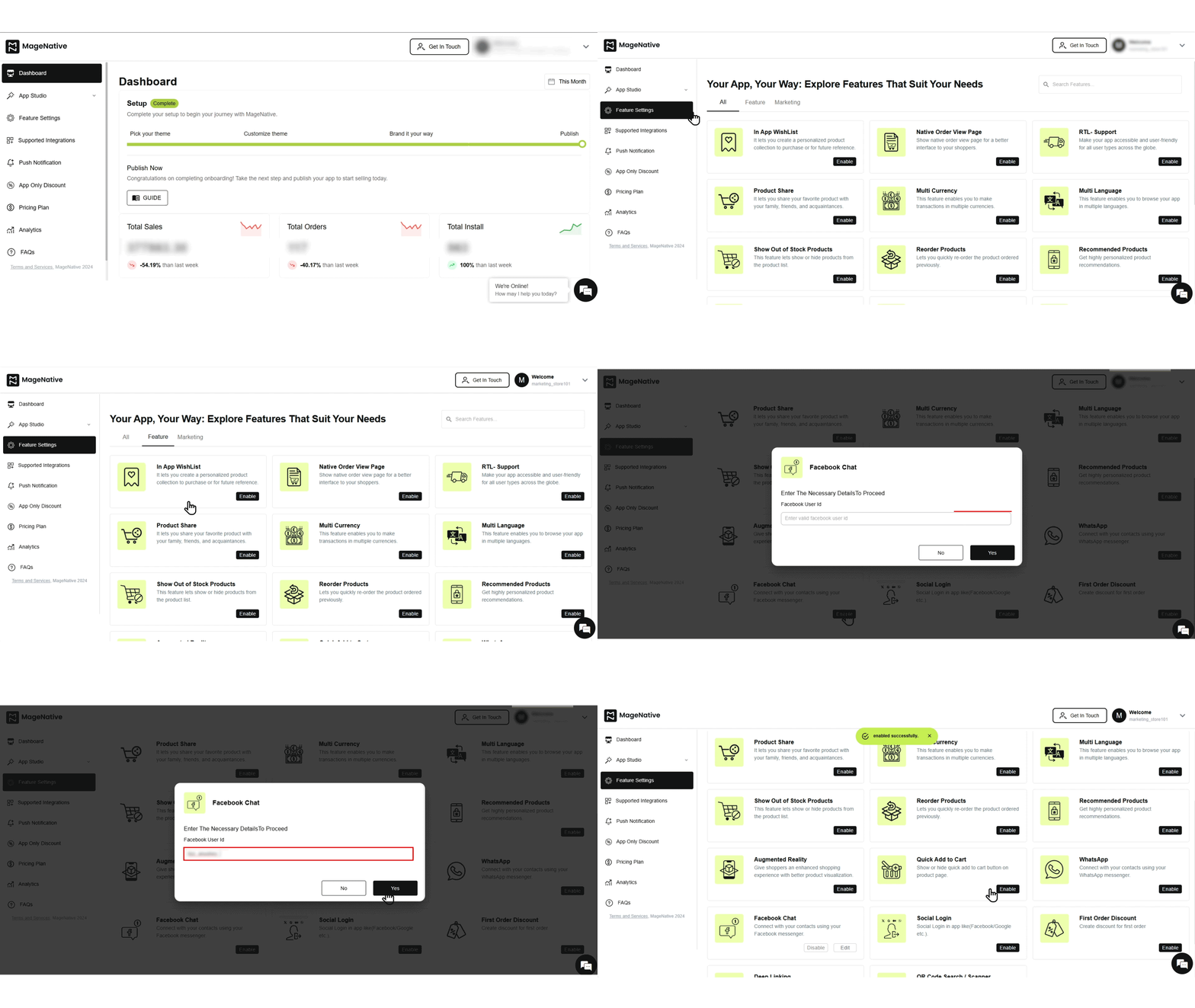
Facebook Messenger
Allows seamless communication with buyers through Facebook Messenger, improving customer interaction.
To enable this feature, you need to provide your Facebook User ID.
Social Login
Allows users to sign up and access the app quickly using their social media accounts, increasing sign-ups and conversions.
To enable this feature, follow these steps: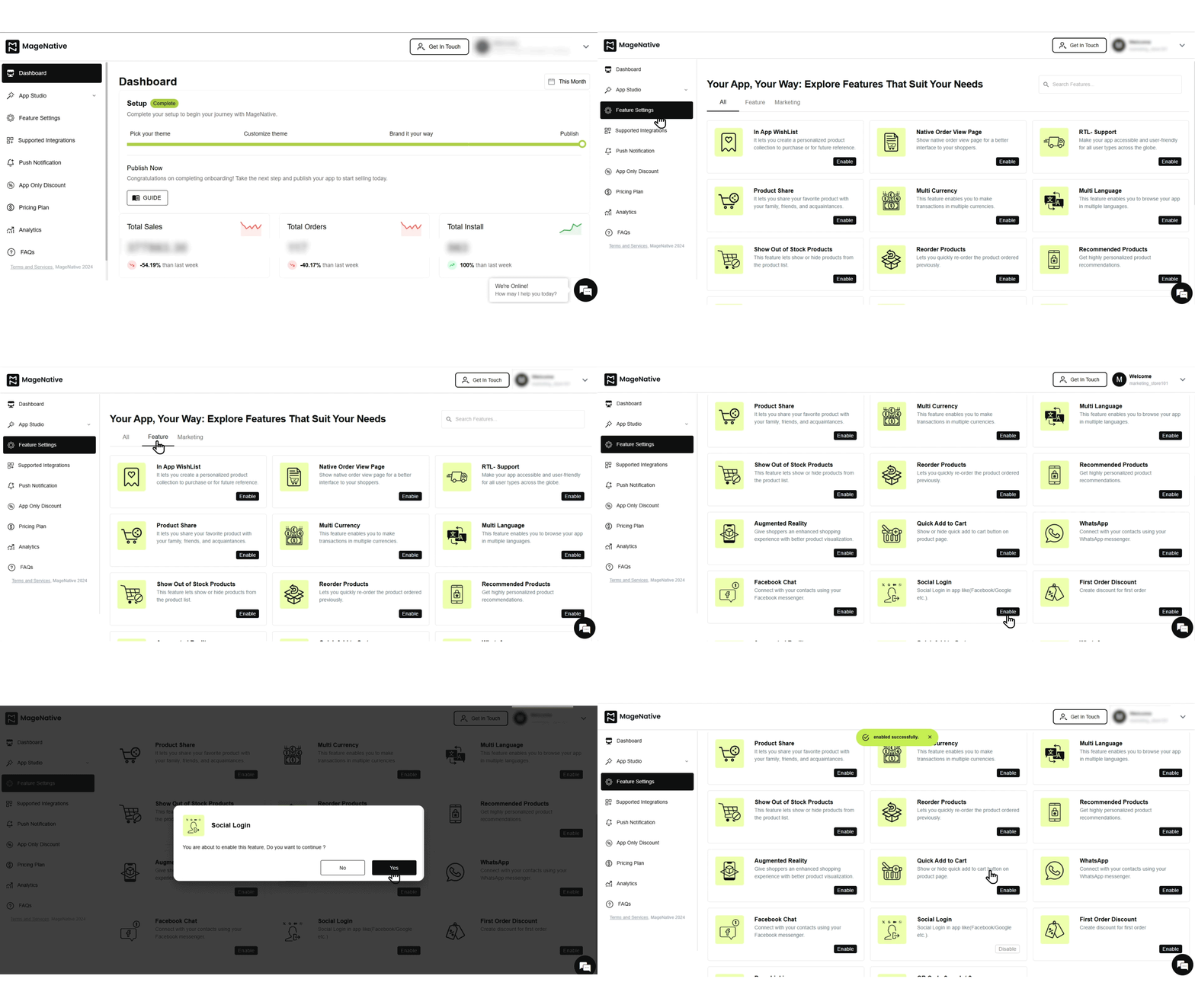
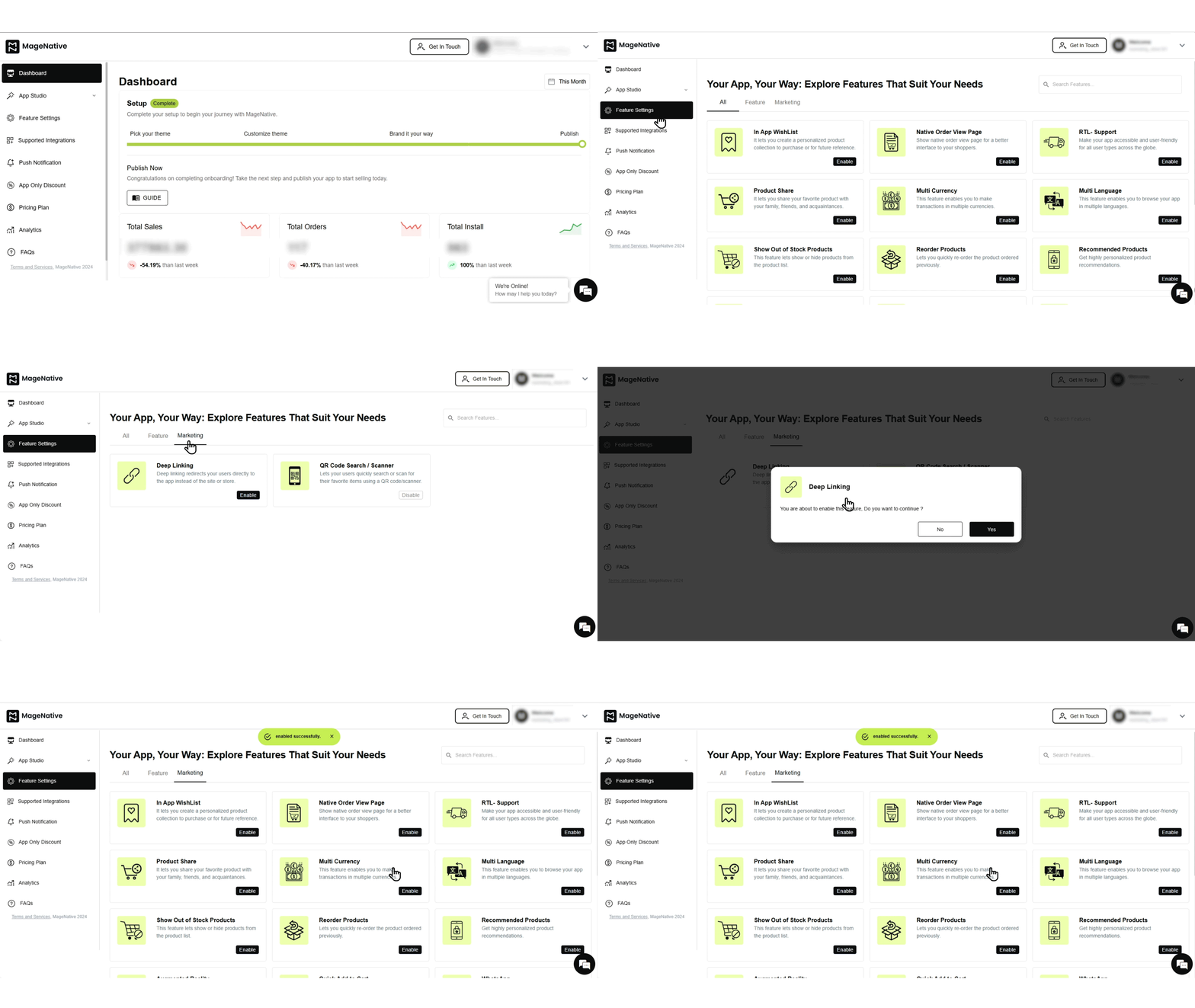
Deep Linking
Improves navigation by directing users straight to specific product pages, eliminating unnecessary steps.
To enable this feature, follow these steps:
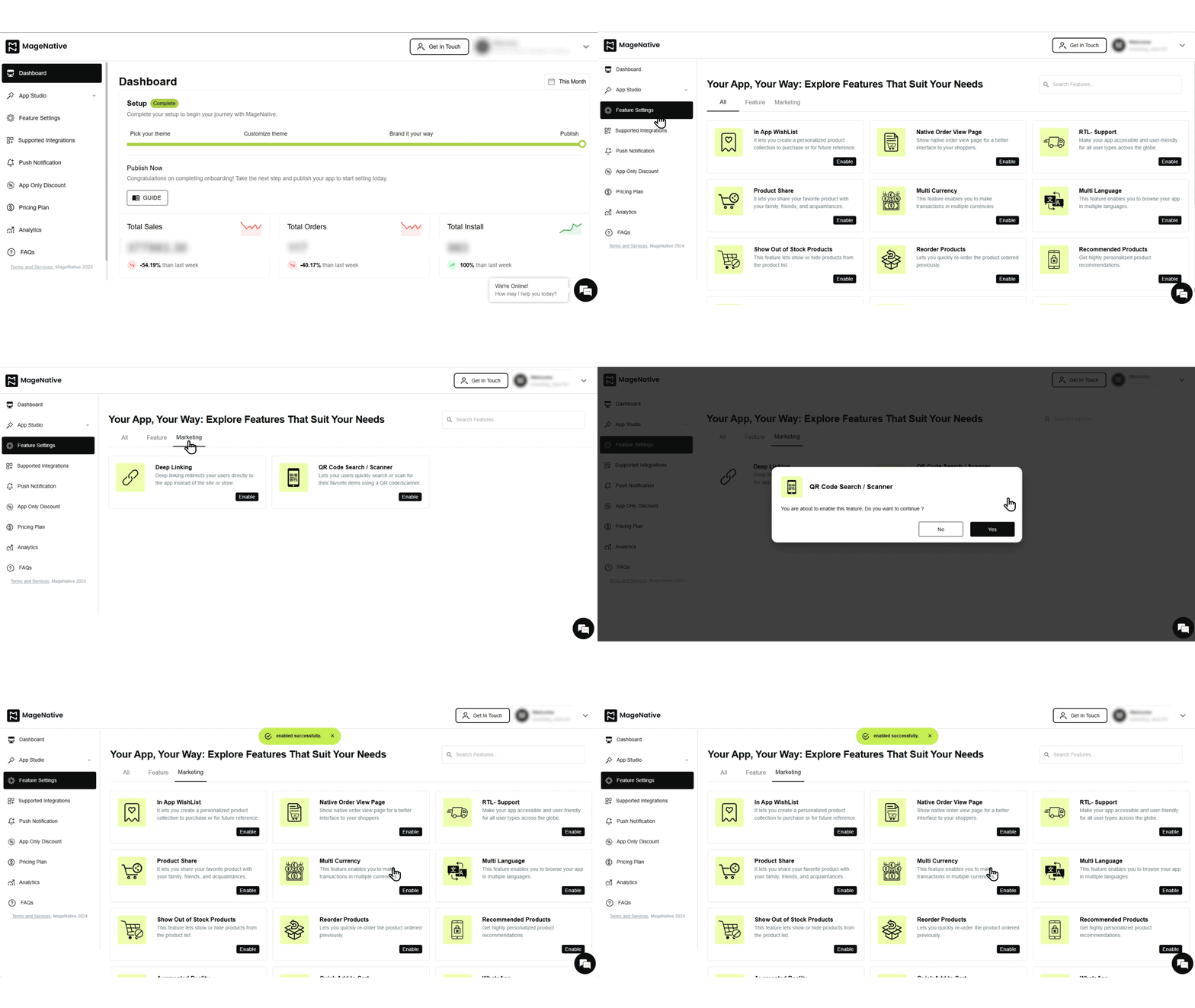
QR Code Search / Scanner
Allows customers to find products instantly by scanning QR codes, enhancing the shopping experience.
To enable this feature, follow these steps:
First Order Discount
Allows you to offer discounts on a customer’s first purchase through the mobile app.
To enable this feature:
1. Create an App-Only Discount.
2. Select the desired discount from the available app-only discounts list.
3. Apply the coupon code accordingly.
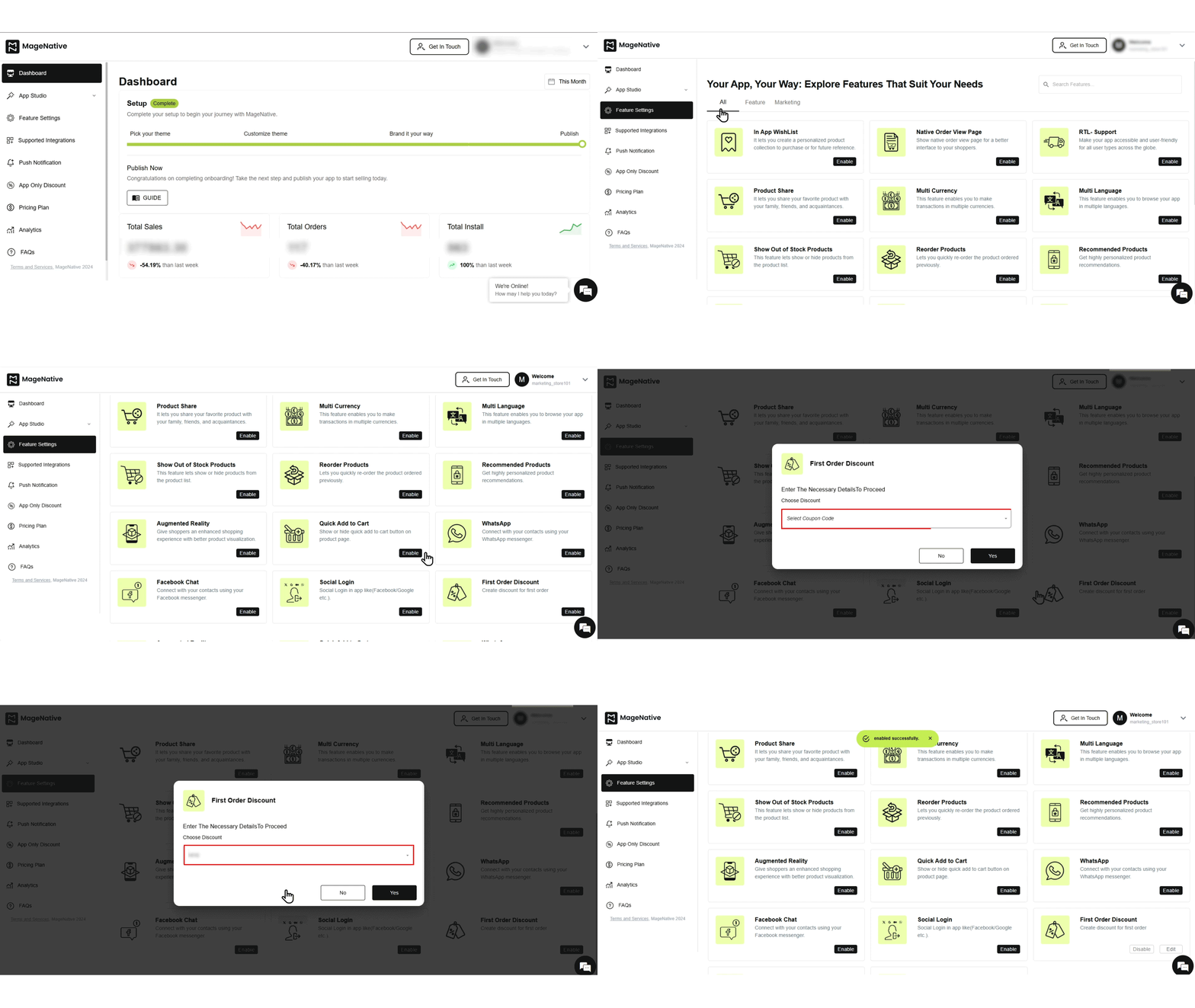
4. After enabling a feature, preview the changes to see how they will appear in your mobile app.
5. Once tested, launch the app again to apply the changes to your live app.
Congratulations! You have successfully configured feature settings in your MageNative Mobile App.
Feel free to reach out to our support team if you have questions or need support. We are here to help and address any issues you may have!


