App Only Discount
Offering discounts on purchases is an effective way to attract customers. MageNative offers an incredible ‘App Only Discount‘ feature that lets you give unique discounts to your customers using your mobile app. In this guide, we’ll walk you step by step to set up an “App Only Discount” feature in your MageNative Mobile App and boost your sales!
How To Enable App Only Discounts In your MageNative Mobile App
- Login to your MageNative app dashboard with your credentials.
- Click on the App Only Discount option from the left menu bar.
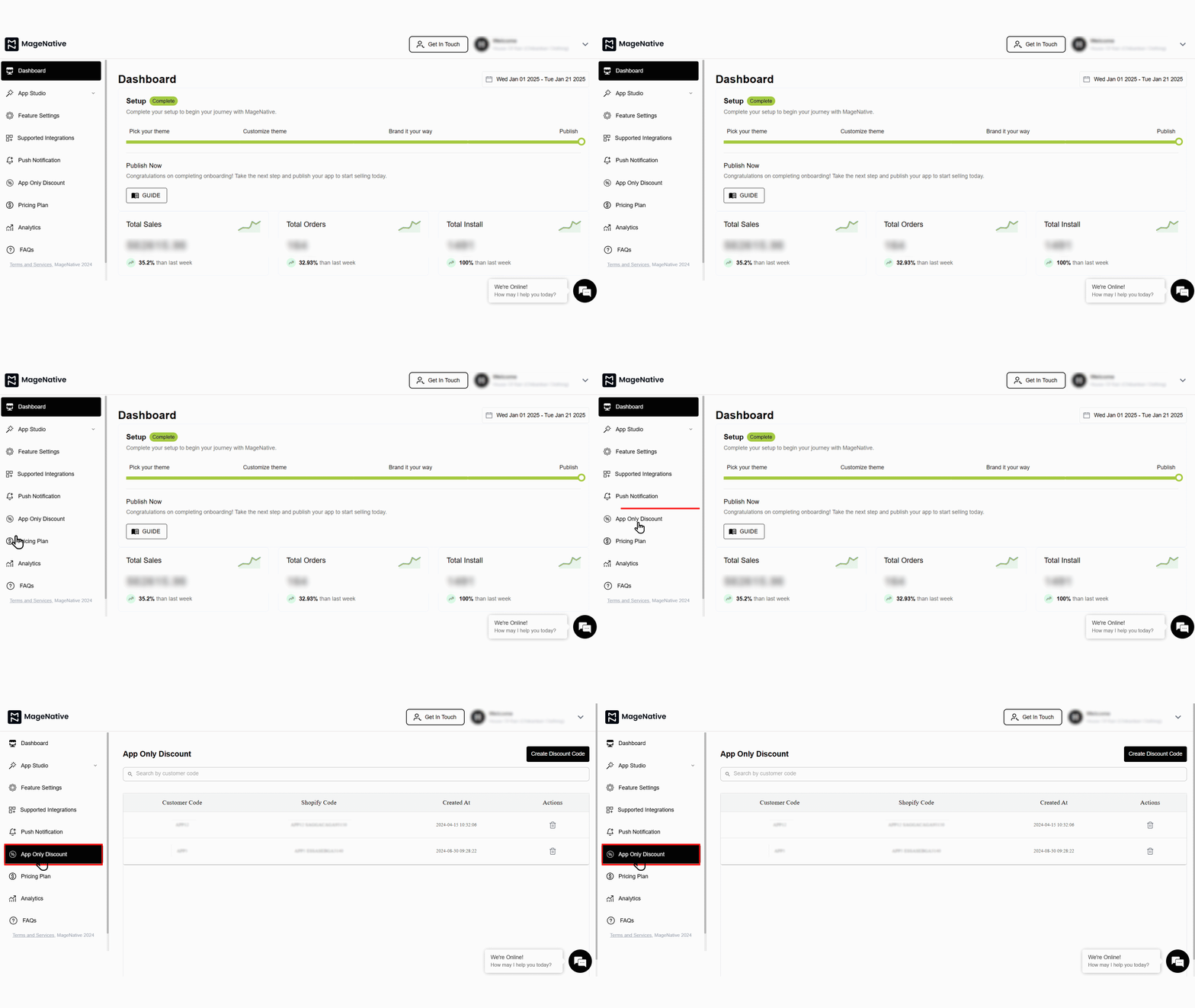

- Click on the Create Discount Code button at the top right corner. This will open a dialog box to input the Customer Code.
- Write your Customer Code in the provided field. A Shopify Code will automatically get generated in the text box below.
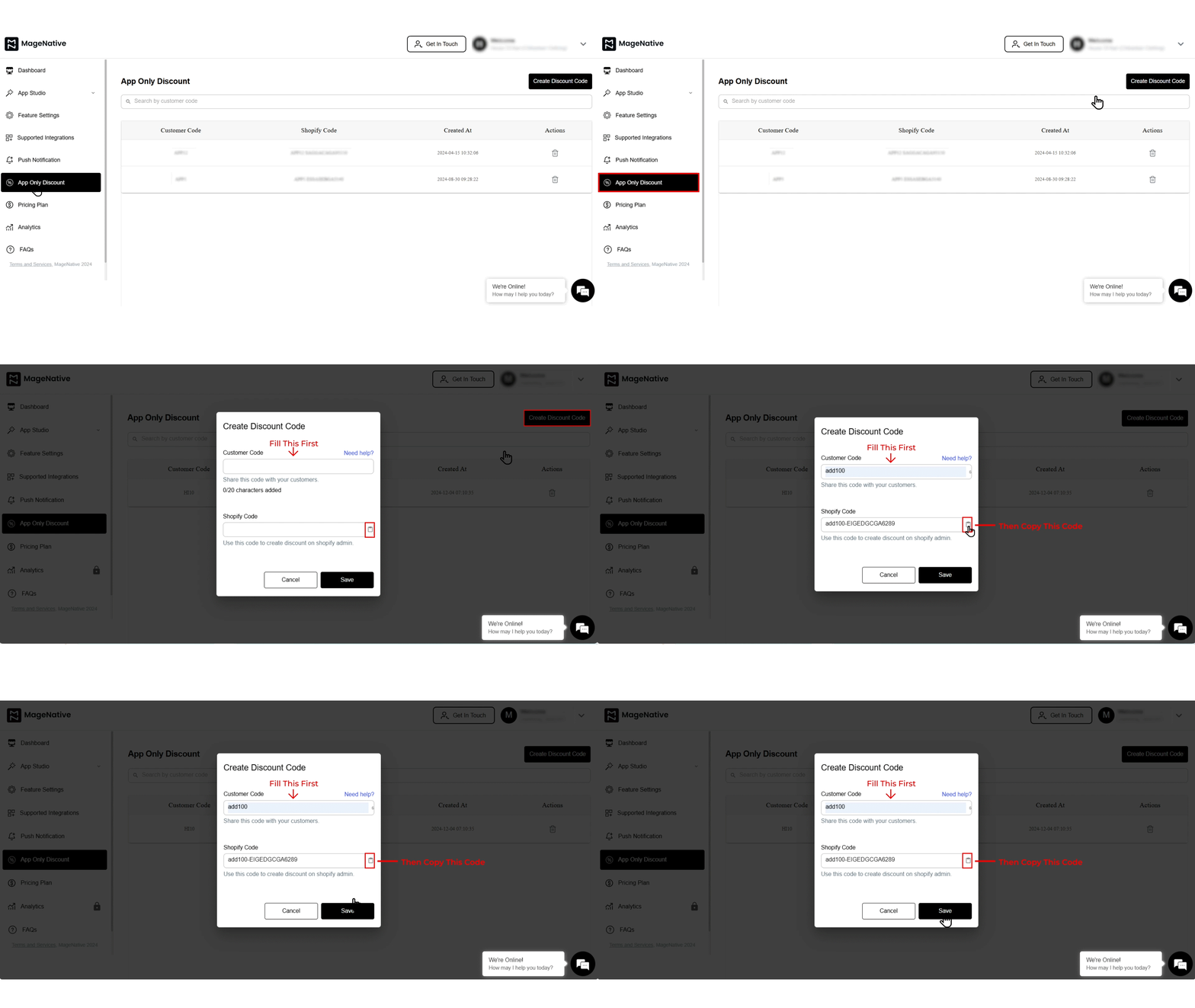
- Copy the Shopify Code that is automatically generated. Later you need to paste it in your Shopify dashboard.
- Click on the Save button. It will redirect you to your Shopify store admin panel.
- Next, click on the “Add Discount” button at the top right corner.
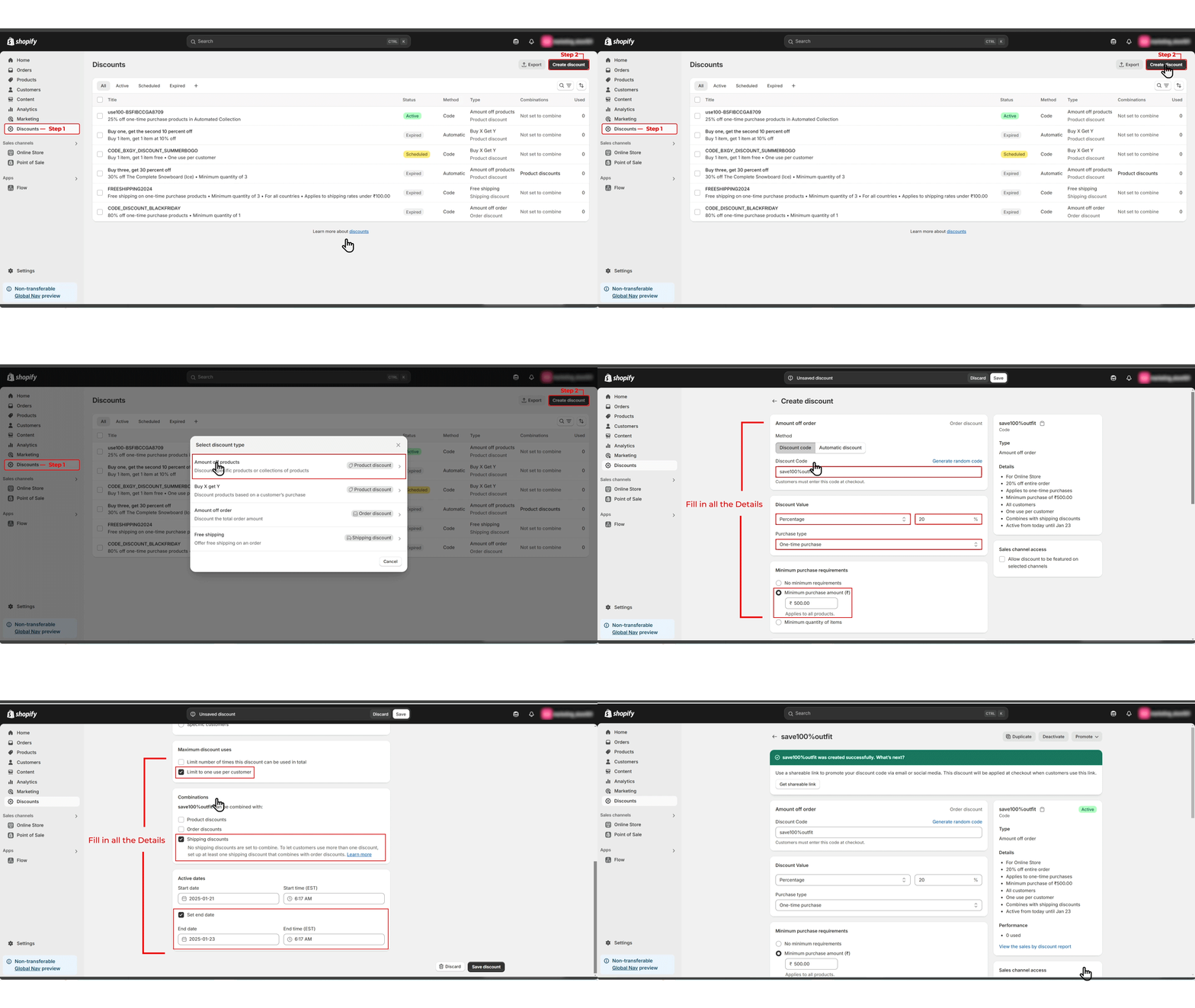
- Next, Select most suited discount type among the options available.
- Paste the copied Shopify Code in the Discount Code field provided.
- Fill in all the other details required for your discount.
- After Filling in all the required details, click on the Save Discount button at the bottom right to create a discount.
- Your discount is successfully created. You can now check the newly created discount in your MageNative app.
Congratulations! You’ve successfully enabled the App Only Discounts feature in your MageNative Mobile App.
How can I measure the effectiveness of app-exclusive discounts?
Implementing app-exclusive discounts provides an effective way to attract more customers and boost user engagement. However, offering discounts isn’t the ultimate solution; it is equally important to gauge how effective the discounts are to determine how exactly they impact your sales and customer behavior.
Here’s a step by step guide on how to measure the effectiveness of your app-exclusive discounts:
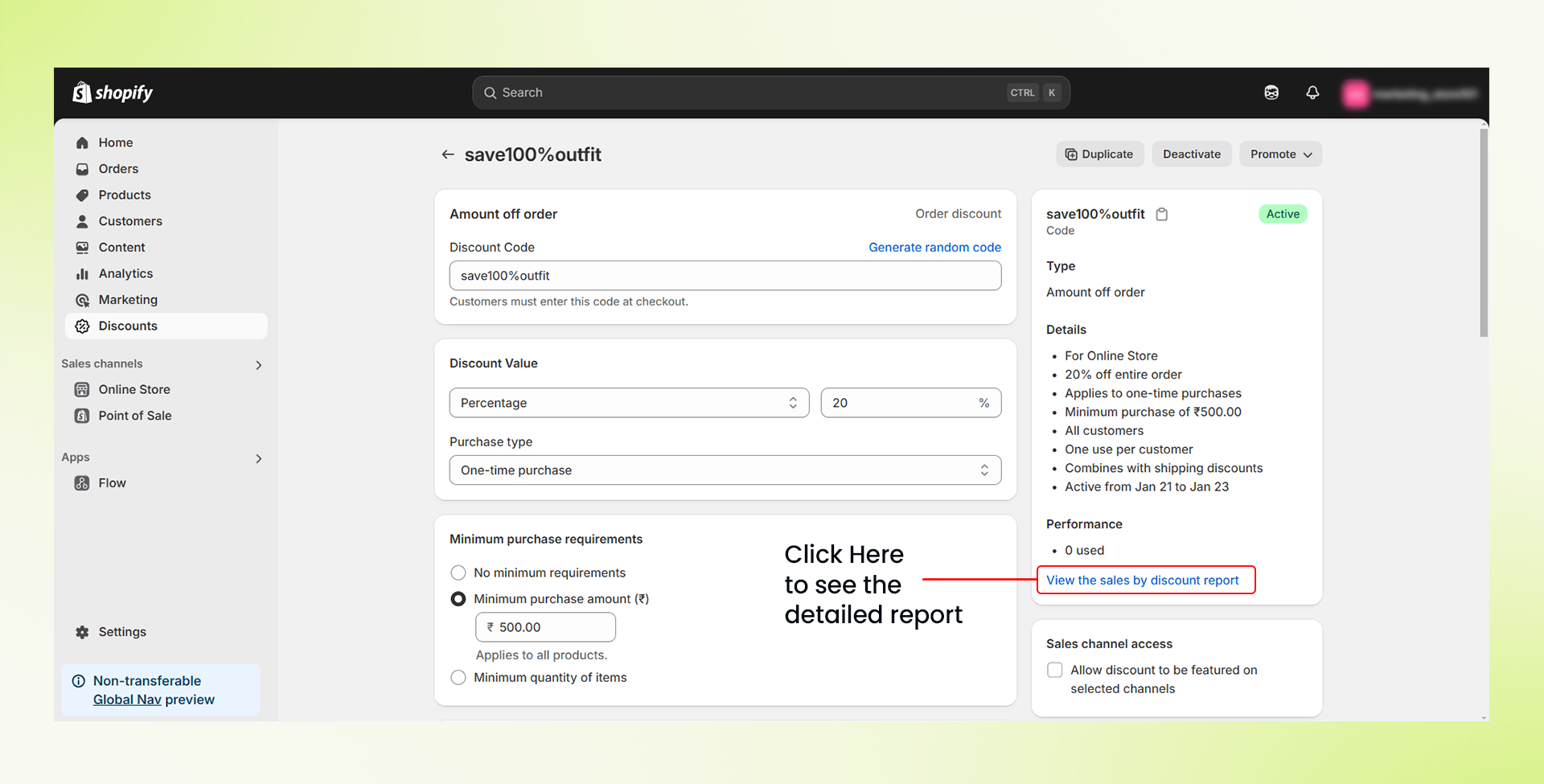
- Open your Shopify admin panel and click the “Discounts” section from the left side menu.
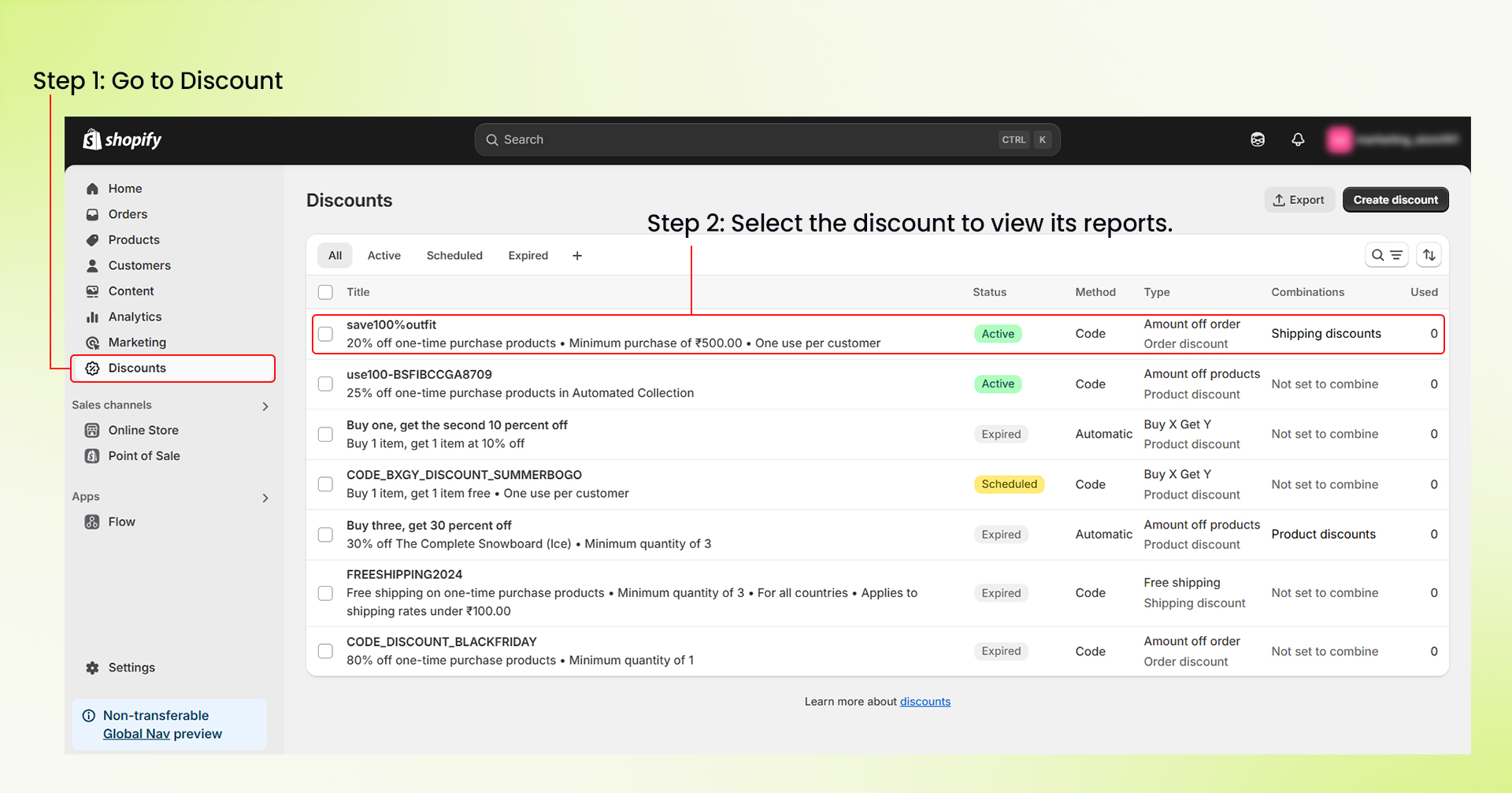

- Select the particular discount of which you want to check the reports.
- Scroll down and click the “View sales by discount report” link at the bottom right corner.

- A “Sales by discount” window will open up. Here, you can see all details like order data, gross sales, discount amount, returns, net sales, shipping, tax, and total sales.
- You can use this data to find out if your discount is really working out. If not, you can make necessary changes to your approach.
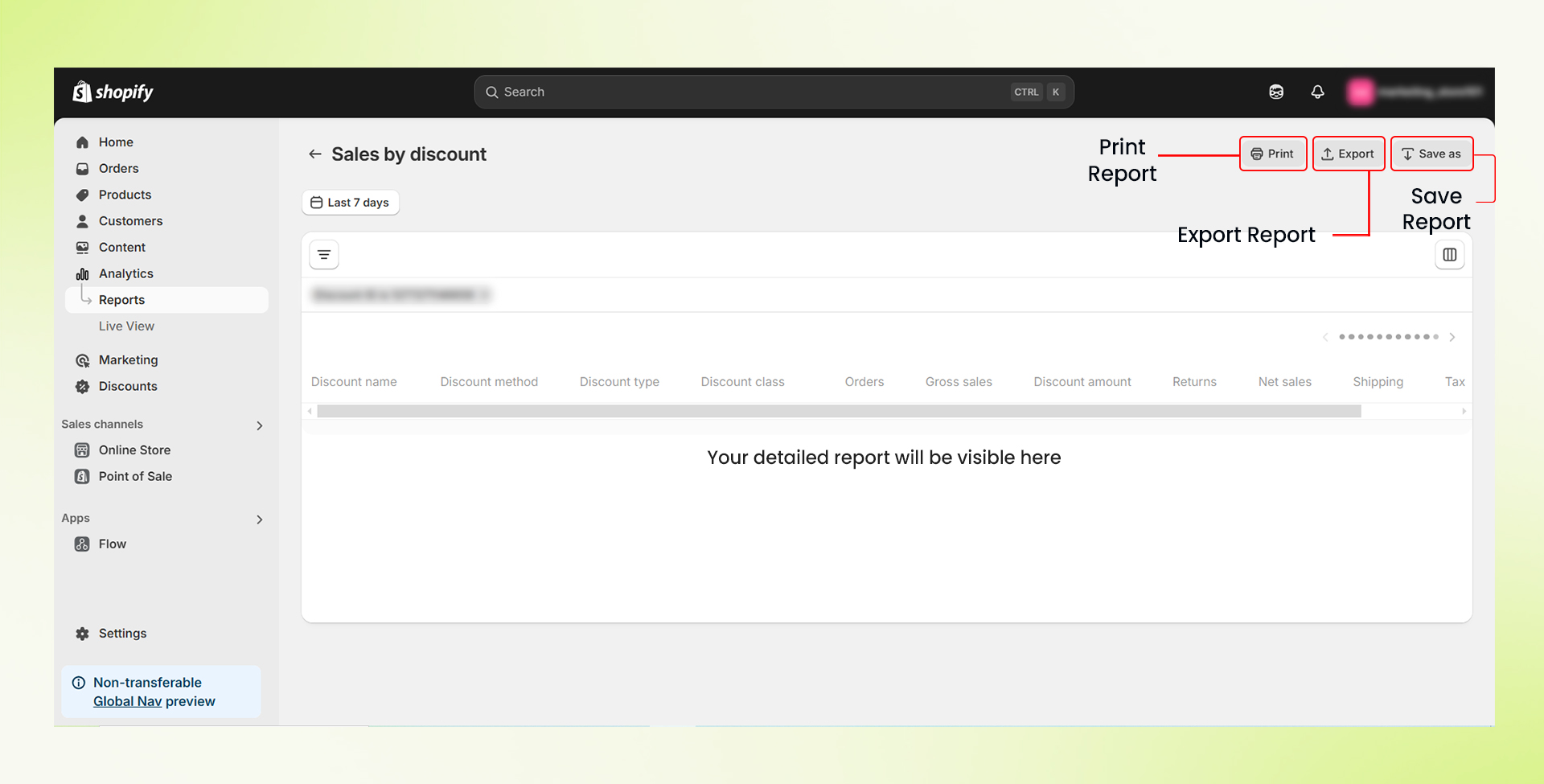
Congratulations! You have successfully accessed your sales data for app-exclusive discounts. This will help you make better and informed decisions.
Feel free to reach out to our support team if you have questions or need support. We are here to help and address any issues you may have!


