How to Transfer Your MageNative App to a Different Developer Account?
You can simply transfer your MageNative app from one developer account to another. Please follow the steps below for both Android and iOS platforms respectively:
For Android App:
- Open Google Pay using the account from which you paid for your developer account.
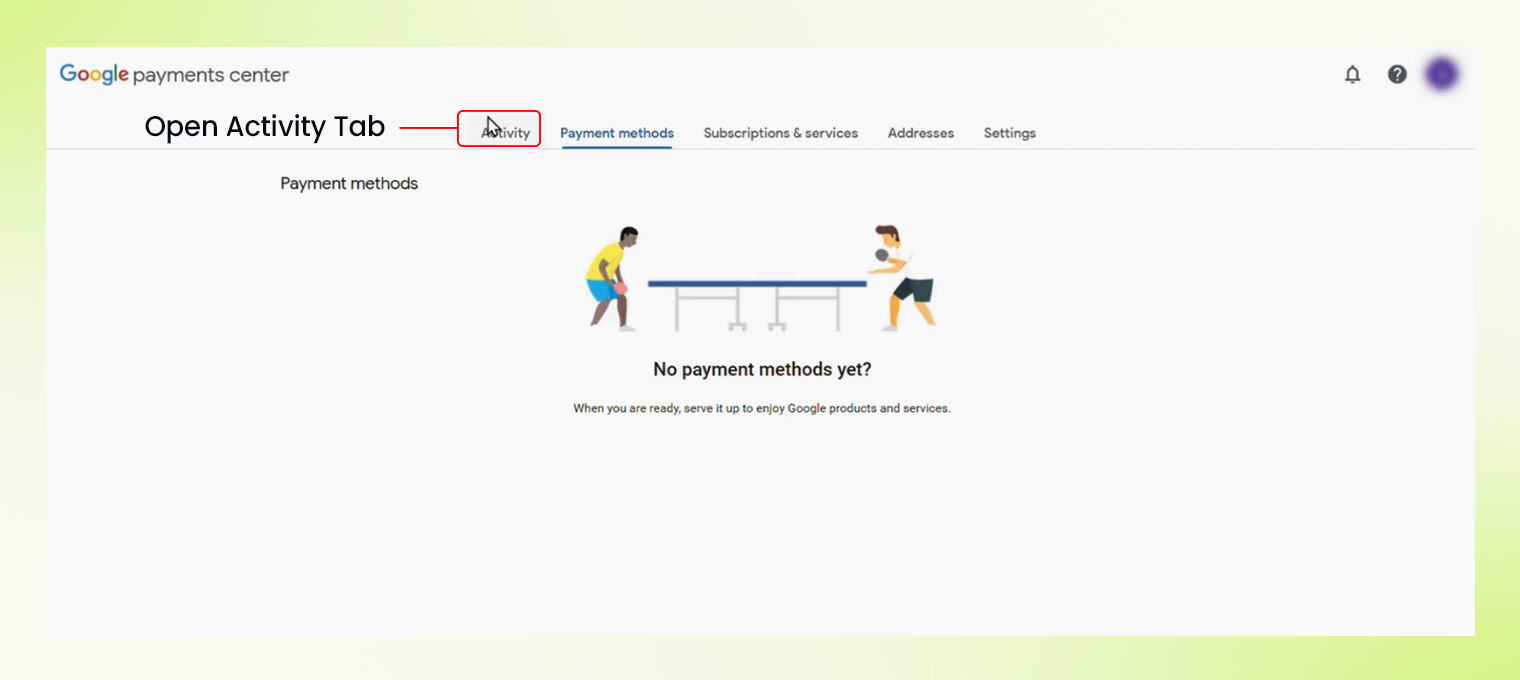
- To find the transaction, Go to the Activity tab.

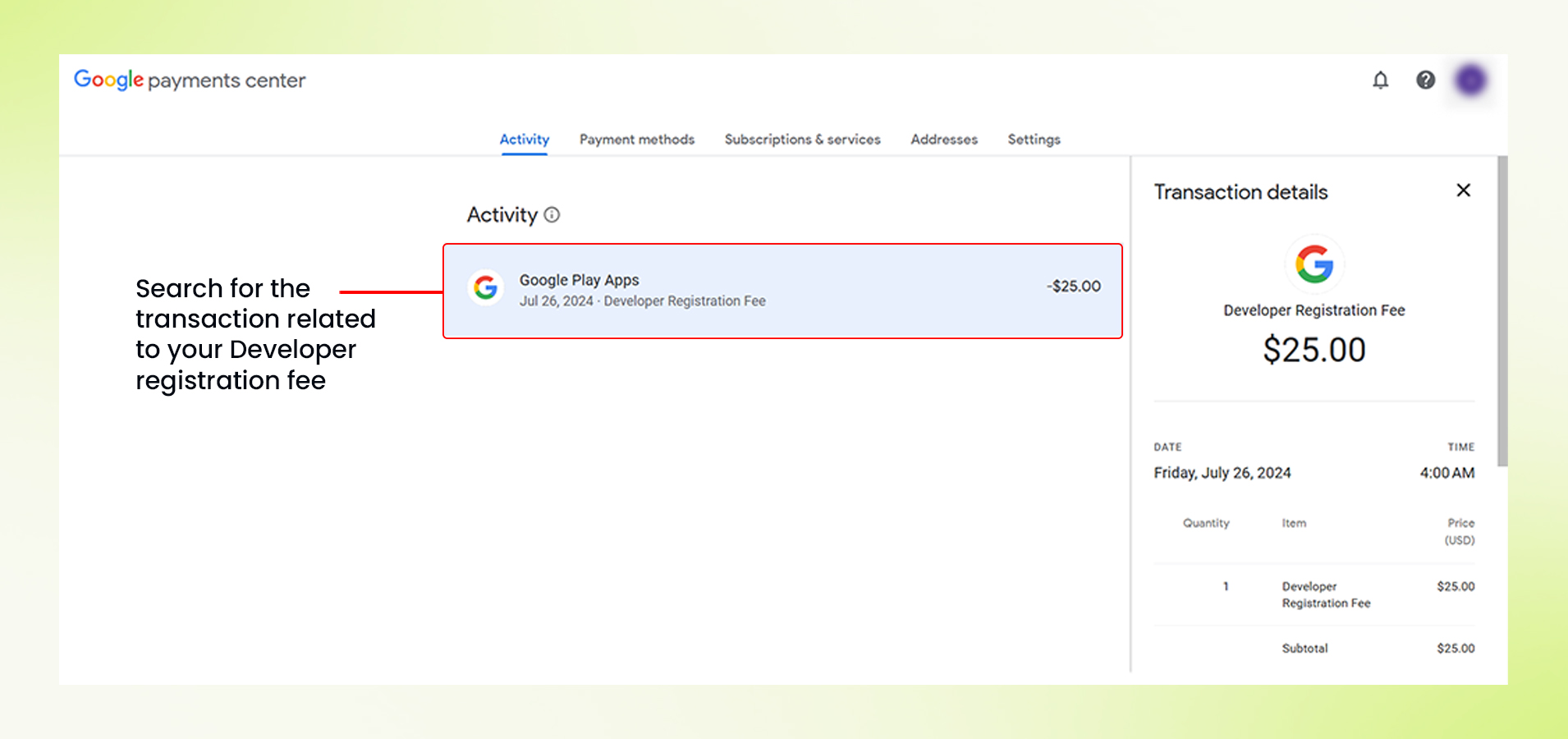
- You can search and find the transaction corresponding to your Developer registration fee.

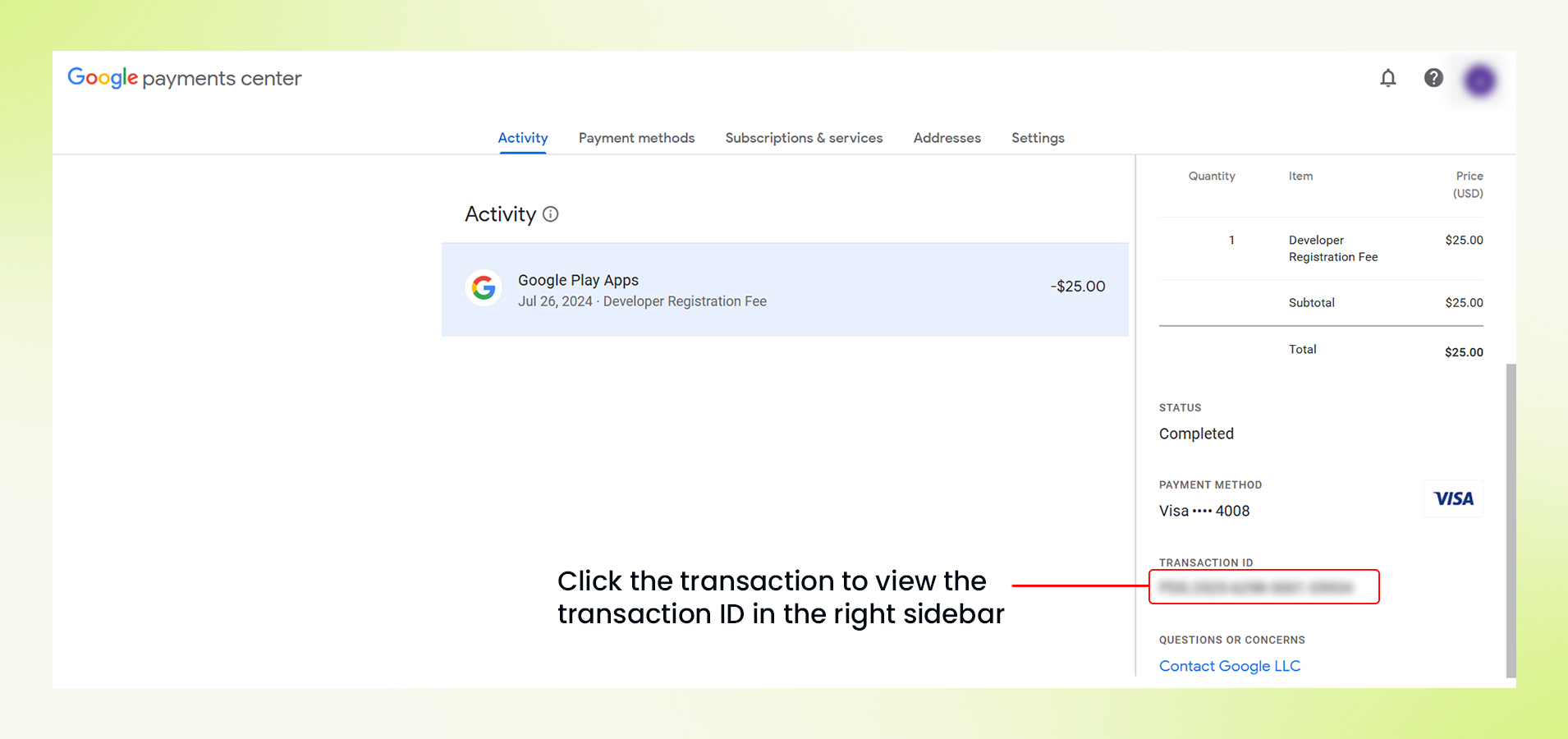
- Click on it and the right sidebar will open for that transaction and you will be able to see the transaction ID there.
- Retrieve the Transaction ID from there and submit it to us for the transfer.
For iOS App:
Transferring your iOS App is way simpler, MageNative team just requires your Team ID and Email ID of the developer account on which you want to transfer the app.
Once you have gathered the information for both the platforms, get in touch with the MageNative support team with the details and we will transfer your MageNative App to different developer account.
Just sit back and relax; we will handle the transfer for you!
Feel free to reach out to our support team if you have questions or need support. We are here to help and address any issues you may have!


