How to Connect Shopify Translate & Adapt to Your Mobile App?

Maximize the potential of your Shopify app by integrating Shopify Translate & Adapt with MageNative. This powerful integration translates your app’s content into multiple languages quickly and easily, providing a truly global shopping experience. It creates a familiar and engaging experience for shoppers, allowing you to capture a larger audience and grow your international sales.
With Shopify Translate & Adapt, you can auto-translate up to two languages free of charge and can add even more languages manually. Don’t miss the opportunity to connect with a global audience — integrate Shopify Translate & Adapt with your MageNative app today!
Supported Plans: This feature is available in standard plans and above.
How to Integrate Langify with Your Mobile App?
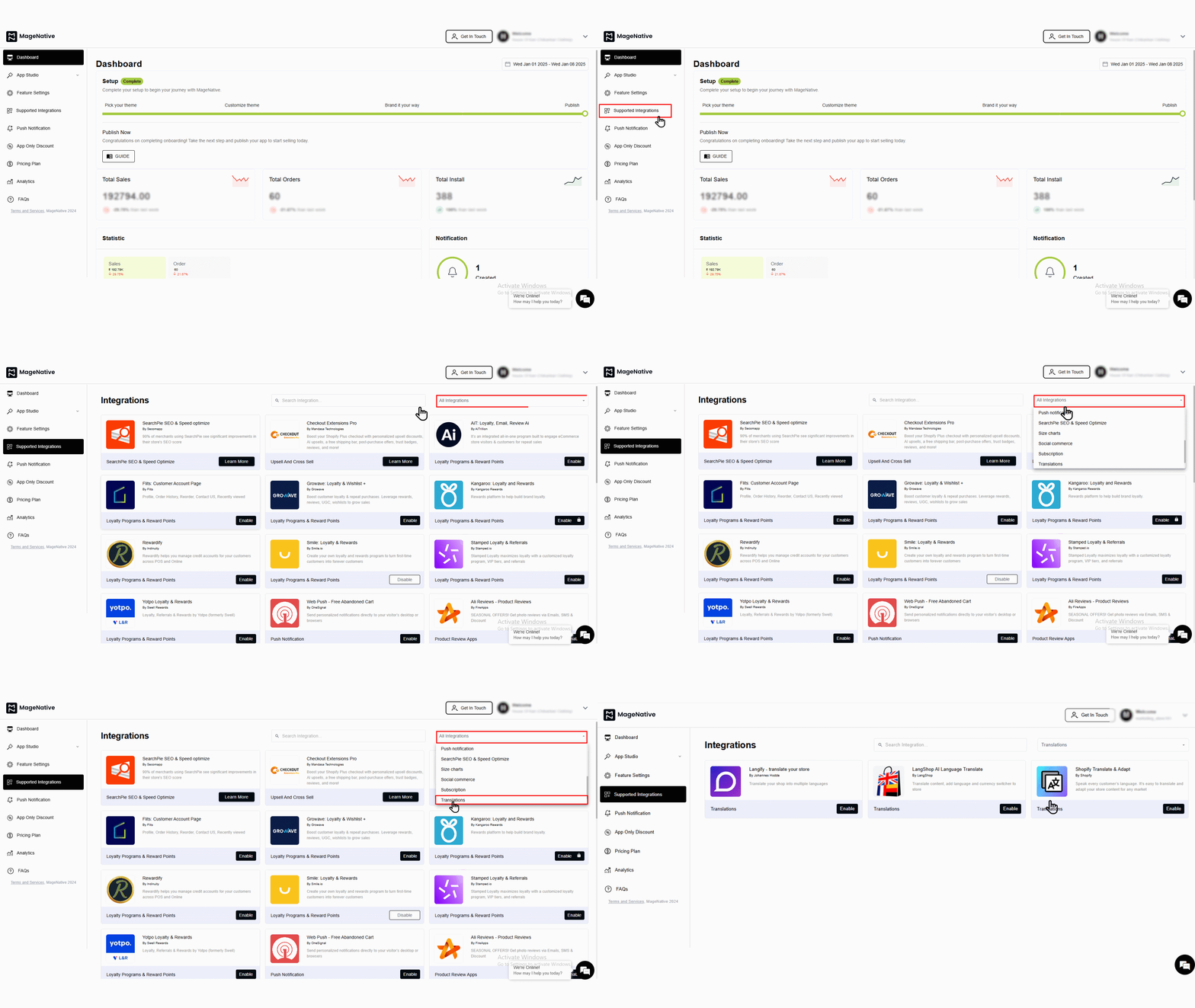
- Go to your MageNative dashboard and click on the Supported Integrations tab in the left panel.
- To find the integration, either use the search bar to directly look for “Shopify Translate & Adapt” or click on the dropdown menu under ‘All Integrations‘ and select the ‘Translation‘ category, where you will find Shopify Translate & Adapt listed.

- To activate, simply click on the enable button. A popup window like this will appear:
- Check the box that says, “Yes, I have followed all the above instructions properly, and it is okay to proceed further.” Then click on the “enable” button.
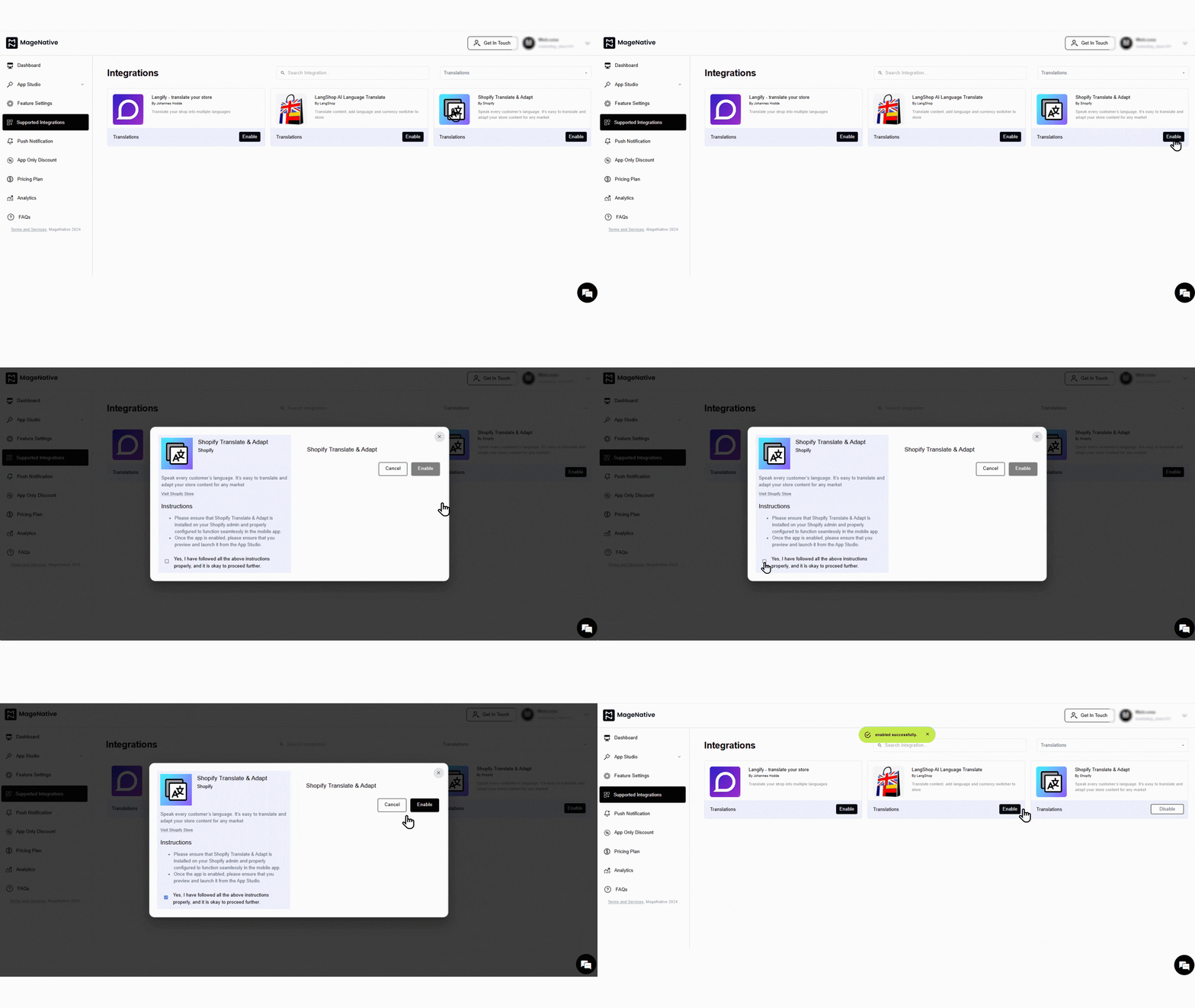
- A confirmation message will pop up stating -“enabled successfully”.
- Further, you can disable the integration when needed by clicking on the disable button.
Congratulations! You’ve successfully integrated Shopify Translate & Adapt into your MageNative mobile app.
Feel free to reach out to our support team if you have questions or need support. We are here to help and address any issues you may have!


