How to Connect Kiwi Size Chart & Recommender to Your Mobile App?

Reduce product returns and enhance your customer’s shopping experience by integrating Kiwi Size Chart & Recommender in your MageNative Mobile App. Kiwi Size Chart & Recommender uses smart algorithms and machine learning to provide accurate size recommendations and customizable charts. This ensures shoppers find the perfect fit for their apparel.
Kiwi Size Chart & Recommender is built for products of all types, from apparel to accessories. It increases sales, reduces product returns, and increases customer satisfaction by providing perfect-fit sizing for your vast selection of e-commerce products.
Supported Plans: This feature is available in all plans.
How to Integrate Kiwi Size Chart & Recommender with Your Mobile App?
- Go to your MageNative dashboard and click on the Supported Integrations tab in the left panel.
- To find the integration, either use the search bar to directly look for “Kiwi Size Chart & Recommender” or click on the dropdown menu under ‘All Integrations’ and select the “size charts”’ category, where you will find Kiwi Size Chart & Recommender listed.
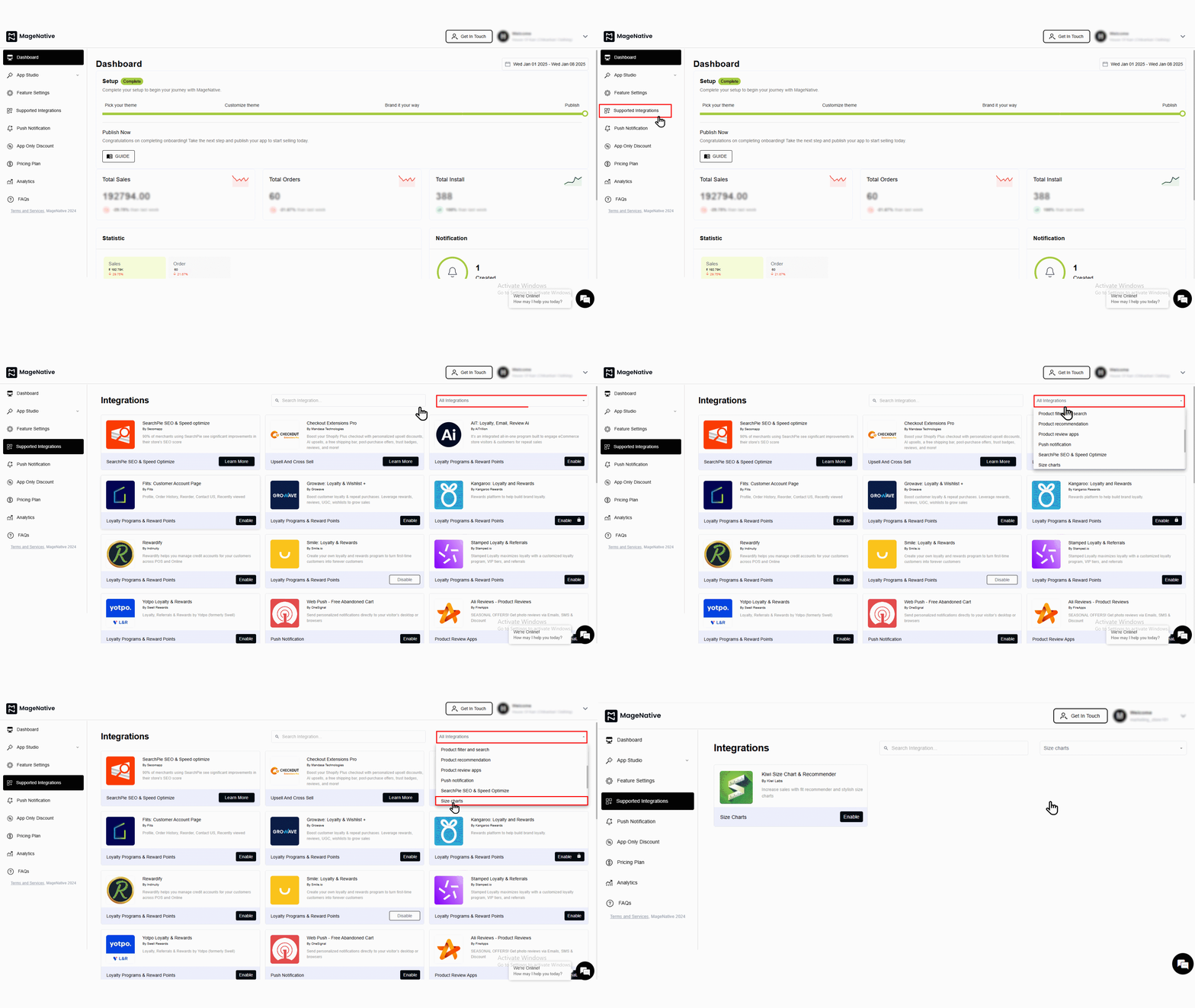

- To activate, simply click on the enable button. A popup window like this will appear:
- Check the box that says, “Yes, I have followed all the above instructions properly, and it is okay to proceed further.” Then click on the “enable” button.
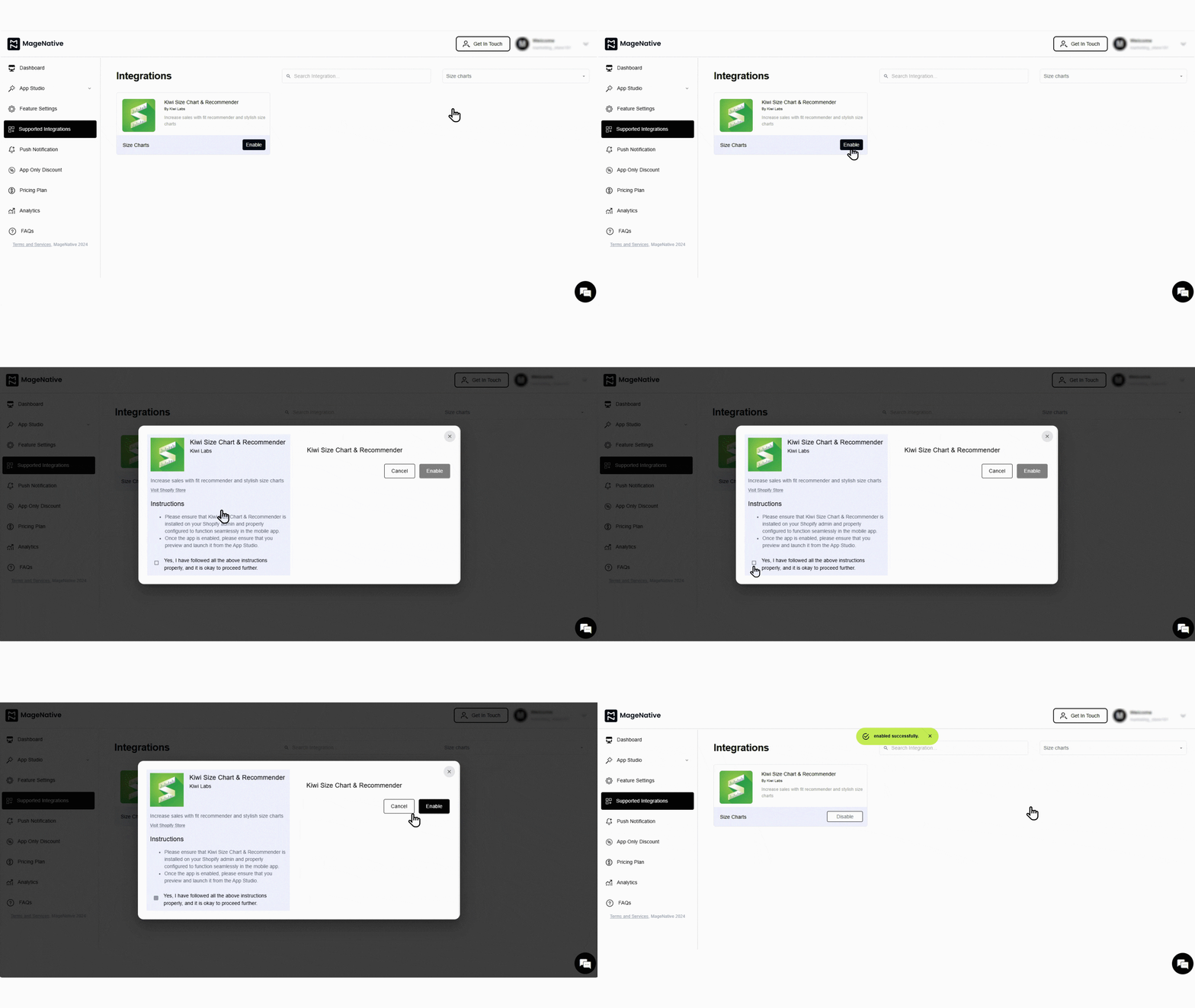
- A confirmation message will pop up stating –“enabled successfully”.
- Further, you can disable the integration when needed by clicking on the disable button.
Congratulations! You’ve successfully integrated Kiwi Size Chart & Recommender into your MageNative mobile app.
Feel free to reach out to our support team if you have questions or need support. We are here to help and address any issues you may have!


