How to Connect Shipway Order Tracking to Your Mobile App?

Manage your order fulfillment process efficiently with MageNative’s seamless integration – Shipway Order Tracking. The powerful integration provides real-time order tracking, and proactive delivery status notification via SMS, email, and WhatsApp, and allows merchants to manage post-purchase engagement effortlessly. It makes sure that buyers are kept updated at every step, thereby reducing inquiries and enhancing their shopping experience.
With Shipway you can also collect reviews, identify delivery problems, and improve customer satisfaction by using branded tracking pages and feedback collection. All in all, this integration enhances customer loyalty, and repeat purchases, and smoothes your overall order delivery process.
Supported Plans: This feature is available standard plans & above.
How to Integrate Shipway with Your Mobile App?
- Go to your MageNative dashboard and click on the Supported Integrations tab in the left panel.
- To find the integration, either use the search bar to directly look for “Shipway Order Tracking” or click on the dropdown menu under ‘All Integrations’ and select the “Order tracking”’ category, where you can find Shipway Order Tracking listed.
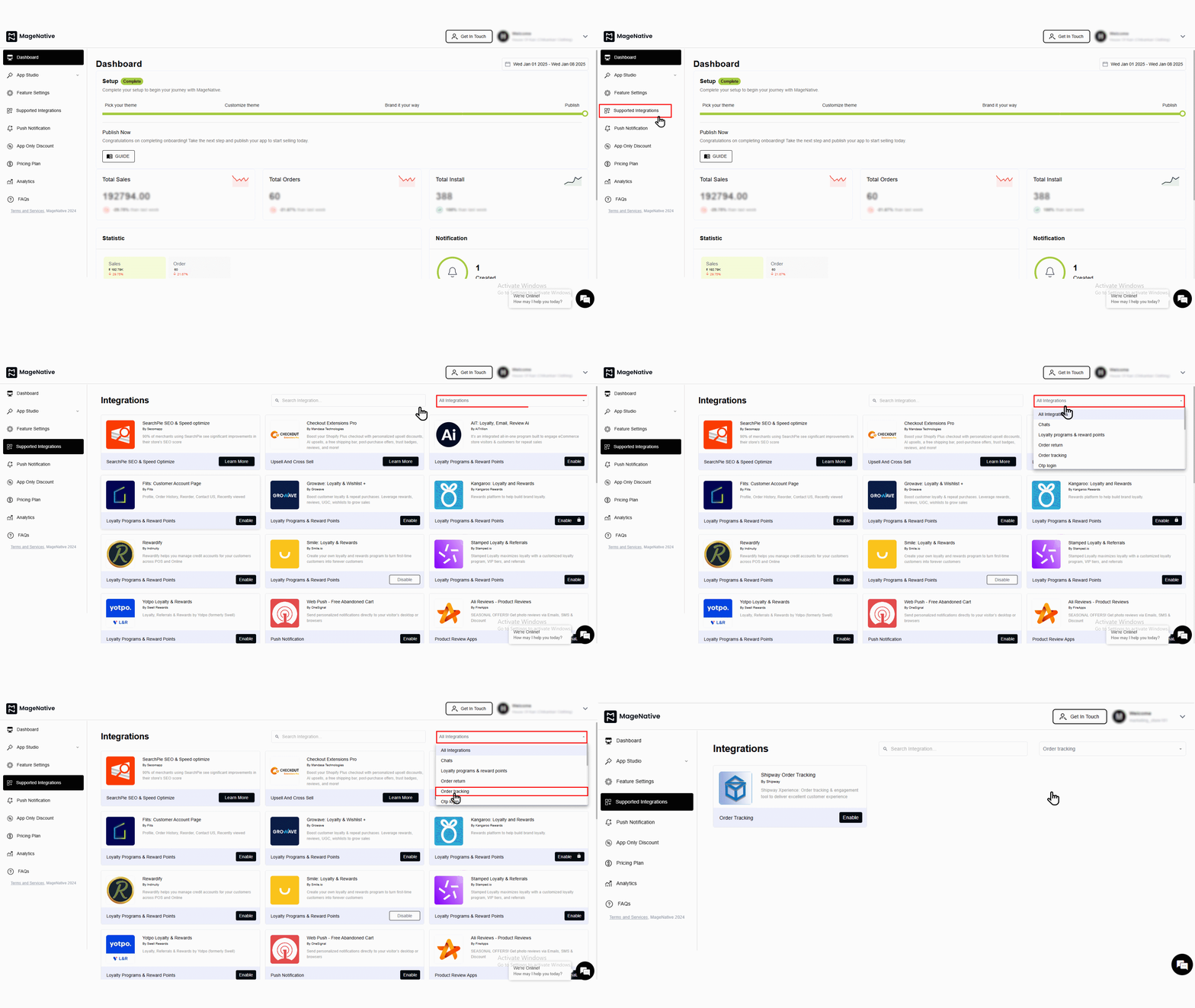

- To activate, simply click on the enable button.
- Check the box that says, “Yes, I have followed all the above instructions properly, and it is okay to proceed further.”
- Now, enter the ‘Username’ and ‘License Key’ in the provided fields. Next, click on the ‘enable’ button.
- To get ‘Username’ and ‘License Key’, follow these steps:
- First login to your Shopify dashboard.
- Go to “Apps” from the left menu and Select “Shipway Order Tracking”.
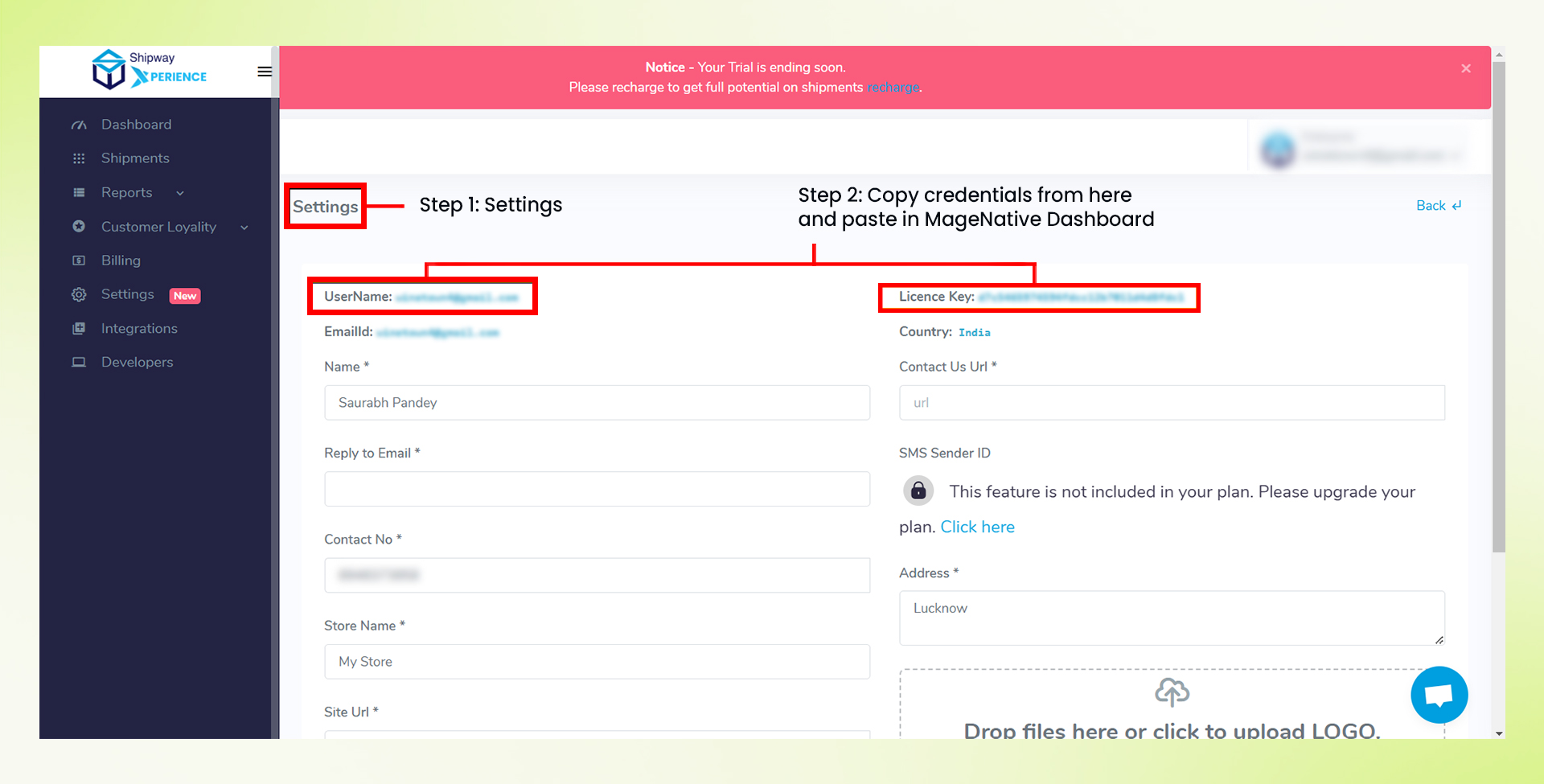

- From the left side menu, go to “Settings”
- You can get the ‘Username’ and ‘License Key’ from here.
- Copy the credentials from here and paste them in MageNative Dashboard.
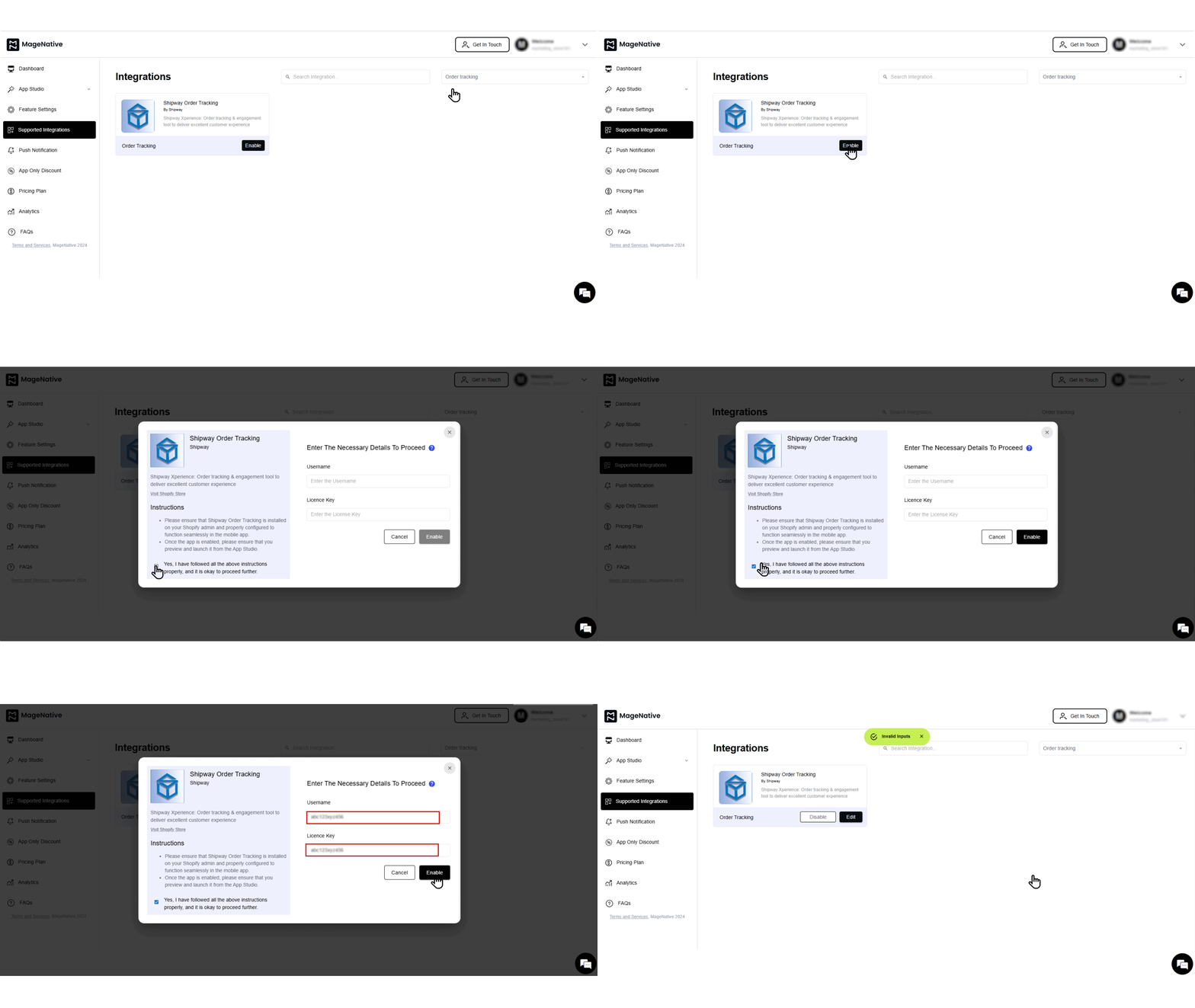
- A confirmation message will pop up stating -“enabled successfully”.
- Further, you can edit or disable the integration when needed by clicking on the respective buttons.
Congratulations! You’ve successfully integrated Shipway Order Tracking into your MageNative mobile app.
Feel free to reach out to our support team if you have questions or need support. We are here to help and address any issues you may have!


