Make Products/Collections available for your MageNative App
To make products/collections available in your MageNative mobile app, you have to make them available from the correct channels in Shopify. This guide will walk you through a few simple steps to making products and collections available in your mobile app.
How to Make Products Available?
- Log in to your Shopify admin panel.
- From the left hand side menu click on Products.
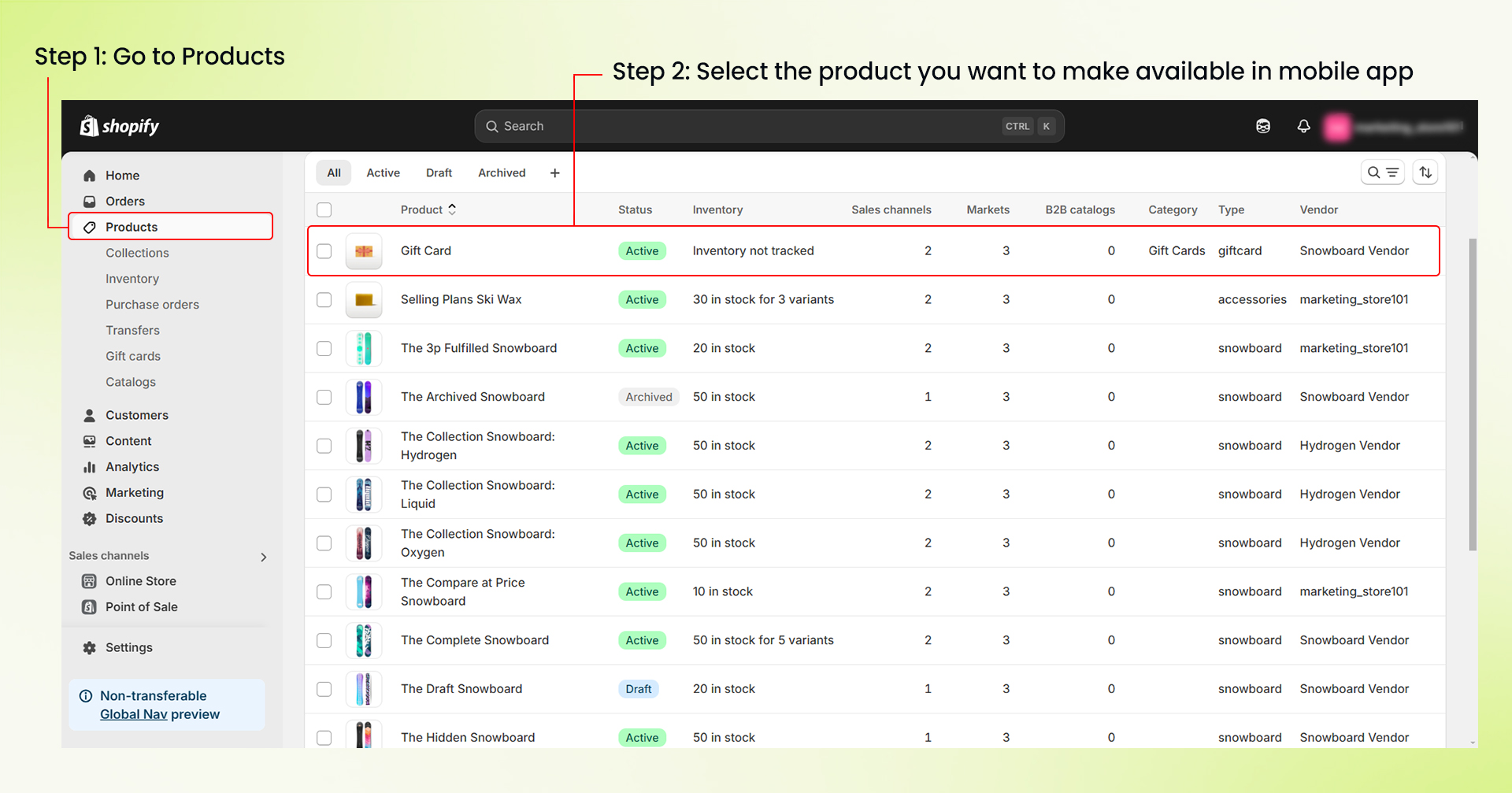

- Select the product that you want to make available for your mobile app.
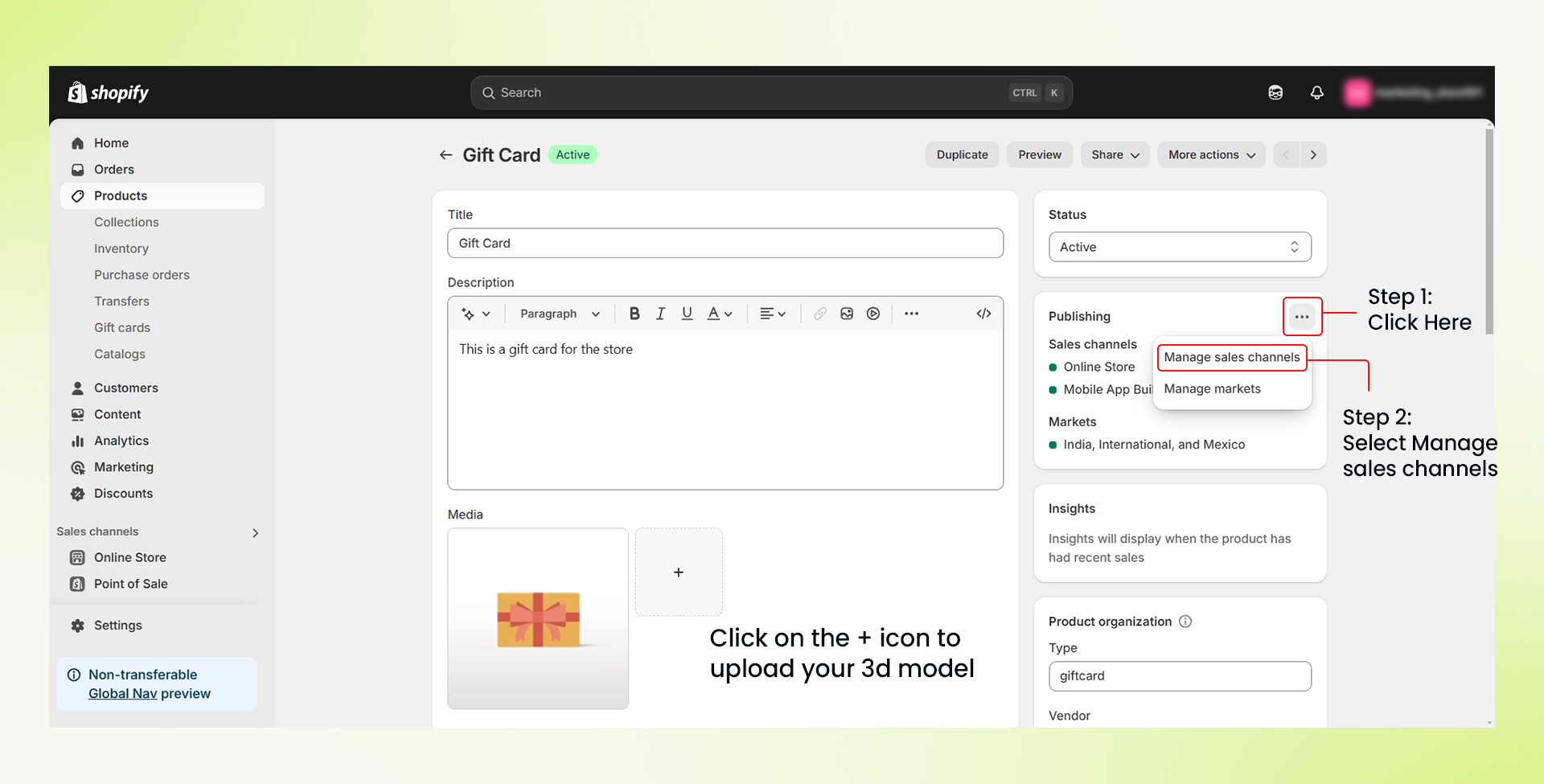
- Click on the three dots in the publishing section and select Manage Sales Channel.

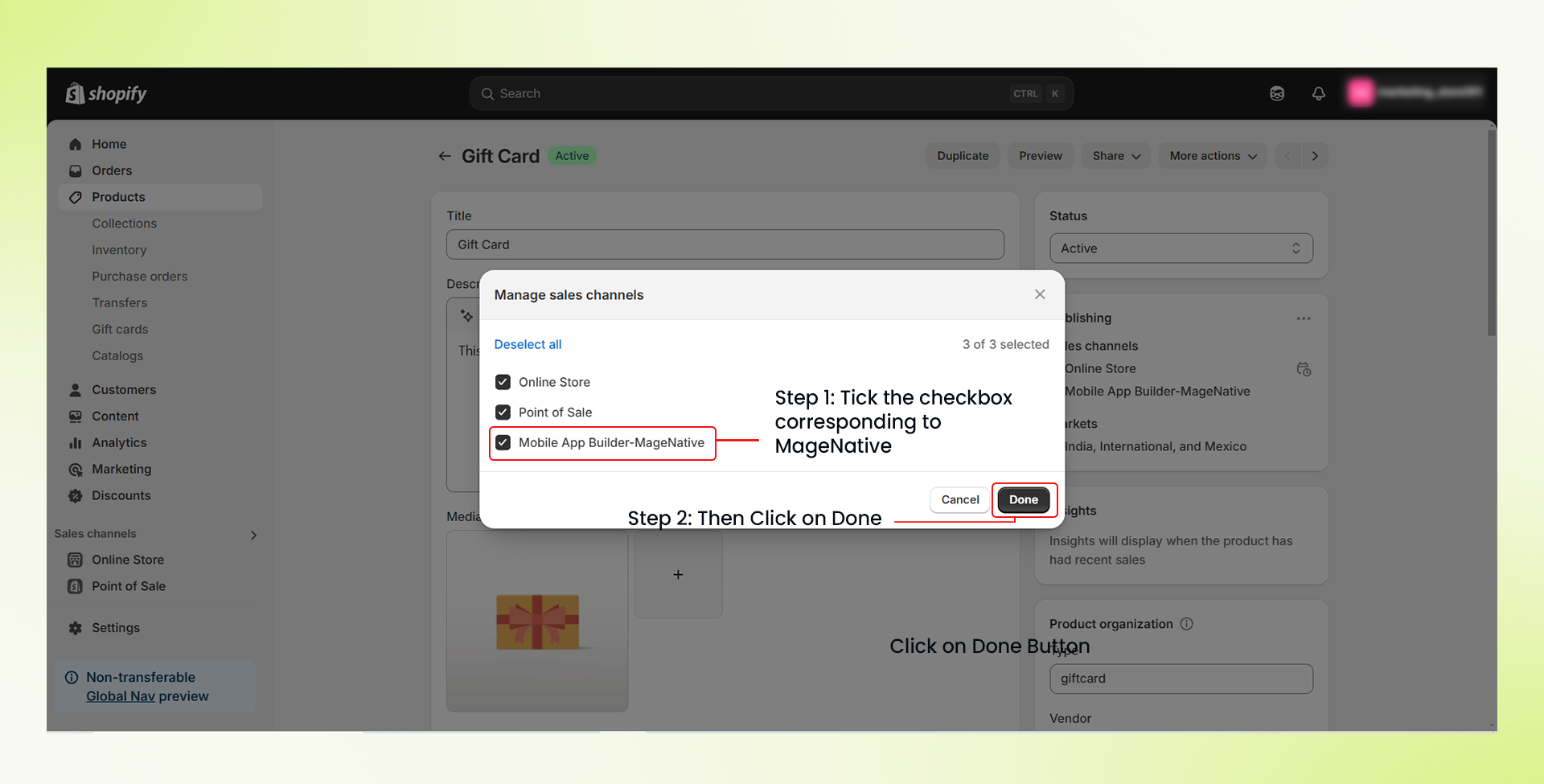
- Check the Mobile App Builder – MageNative option.
- Finally click the “Done” button.
How to Make Collections Available?
- Login to your Shopify admin panel.
- From the left hand side menu click on Products, then click on “Collections”.
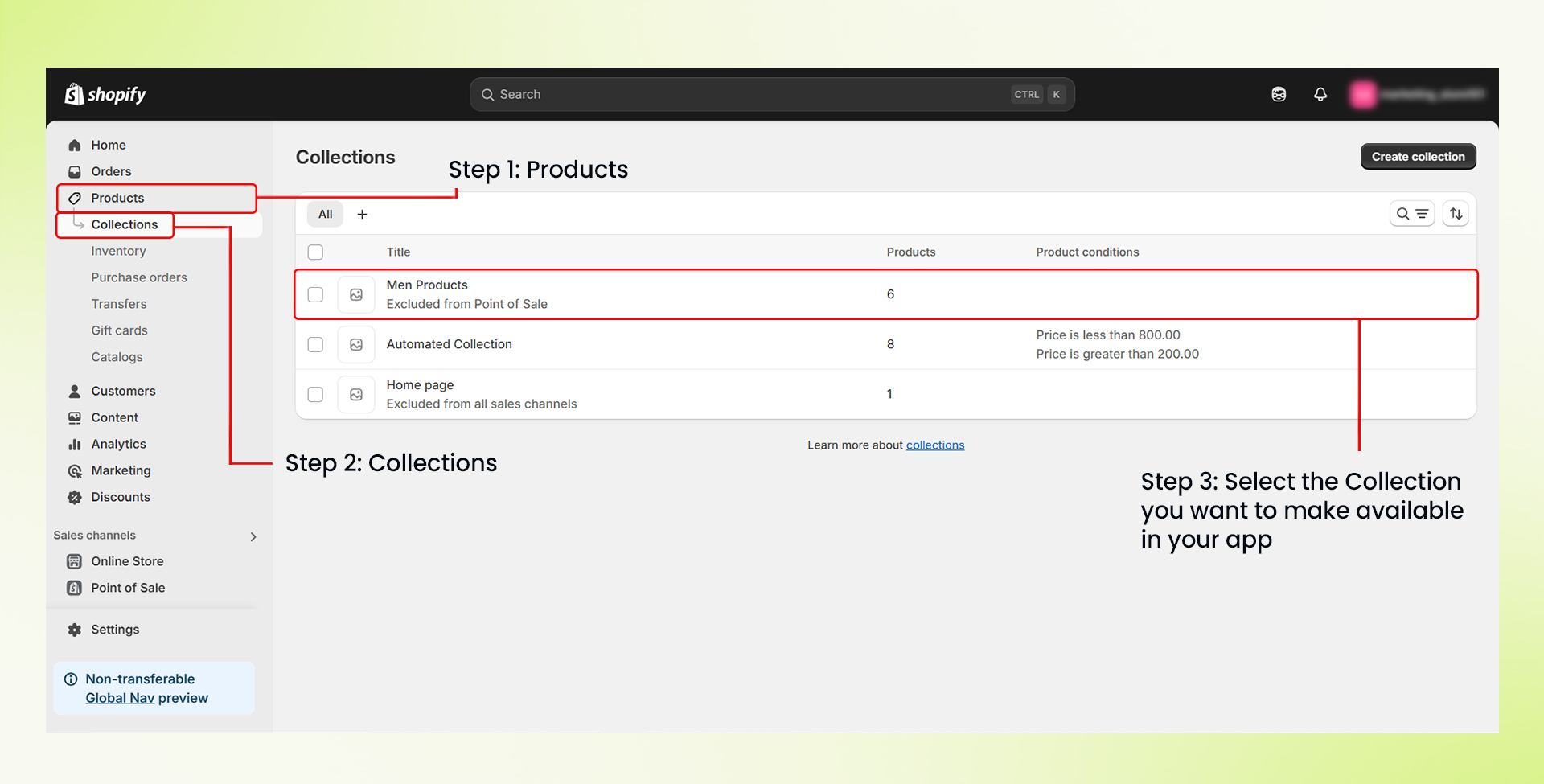
- Choose the collection(s) you want to display in your app.
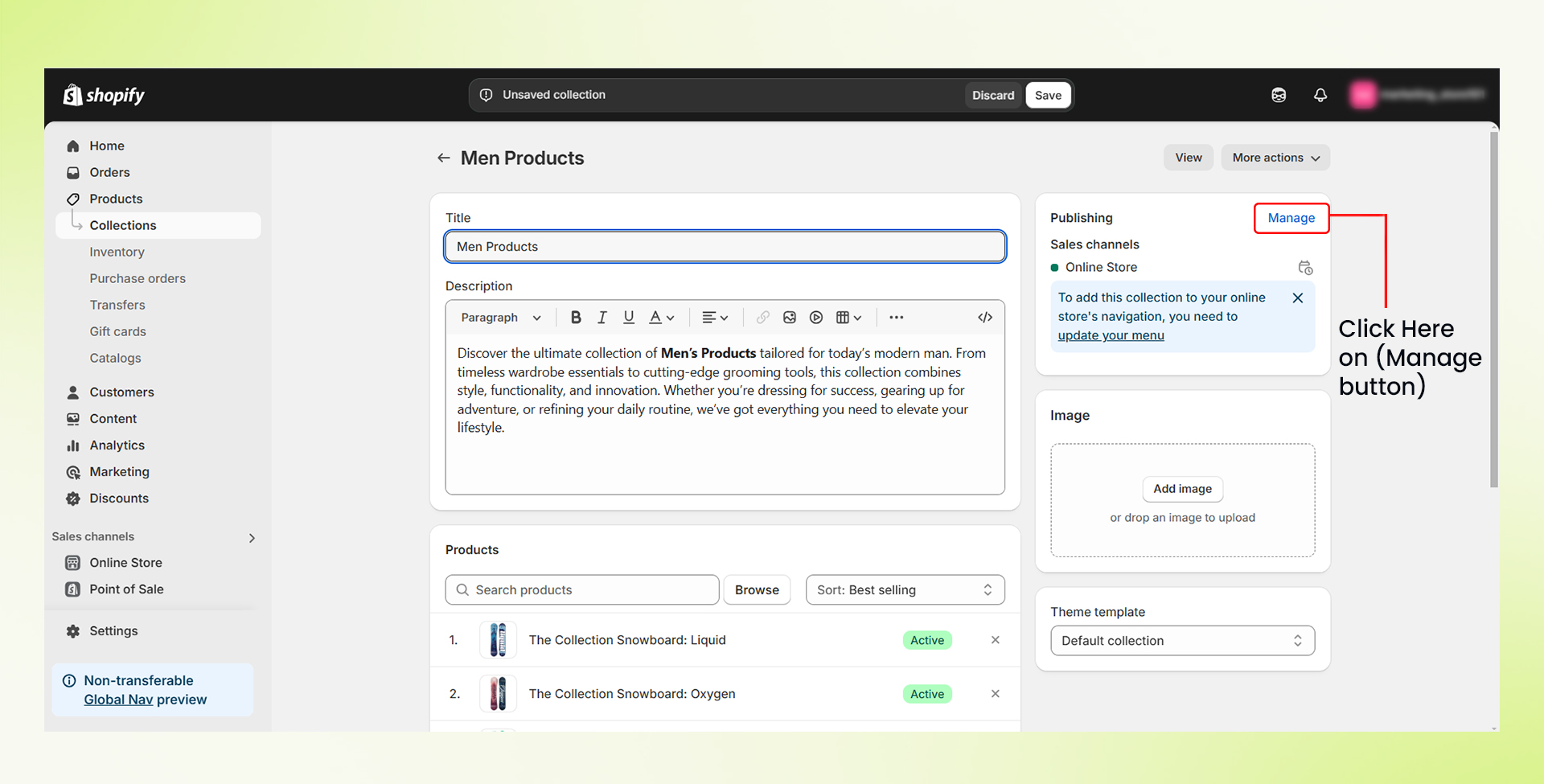
- Next, click on the “Manage” button in the Publishing Section.
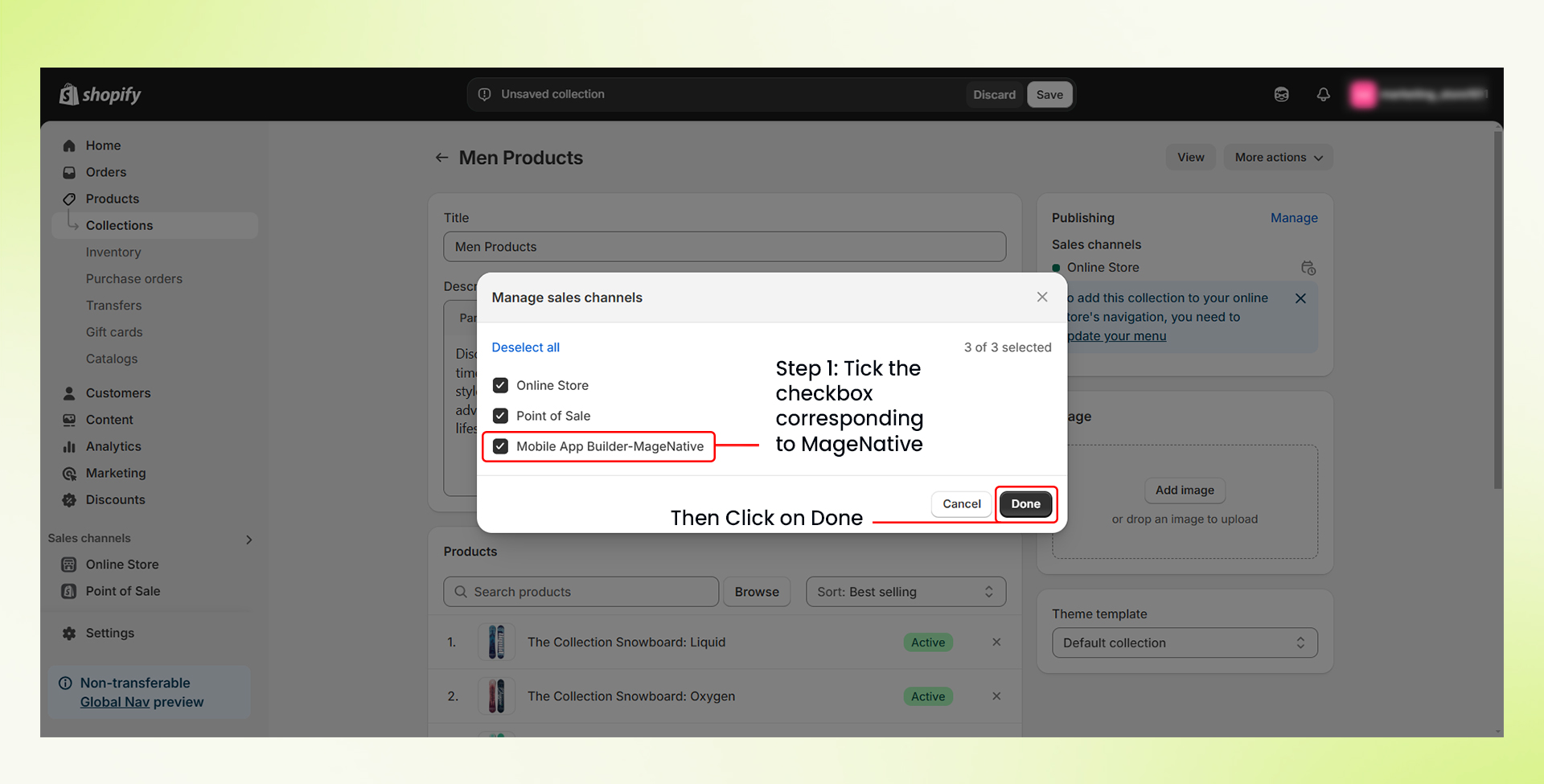
- Check the Mobile App Builder – MageNative option.
- Finally click the “Done” button.
Congratulations! You have successfully made your products/collections available in your MageNative Mobile App.
Feel free to reach out to our support team if you have questions or need support. We are here to help and address any issues you may have!


