What is Category Slider and How Can It Be Utilized Effectively?
Capturing the right audience and guiding them to explore your products is crucial for any successful mobile app. The Category Slider is designed to make product discovery easier and enhance your users’ shopping experience.
The Category Slider by MageNative is an effective design component that lets you categorize and highlight any product easily and effortlessly, thereby saving customers time to find what they need in the least time possible.
How Can You Set It Up On Your Mobile App?
1. Drag and drop the Category Slider component onto the preferred location on your mobile screen.
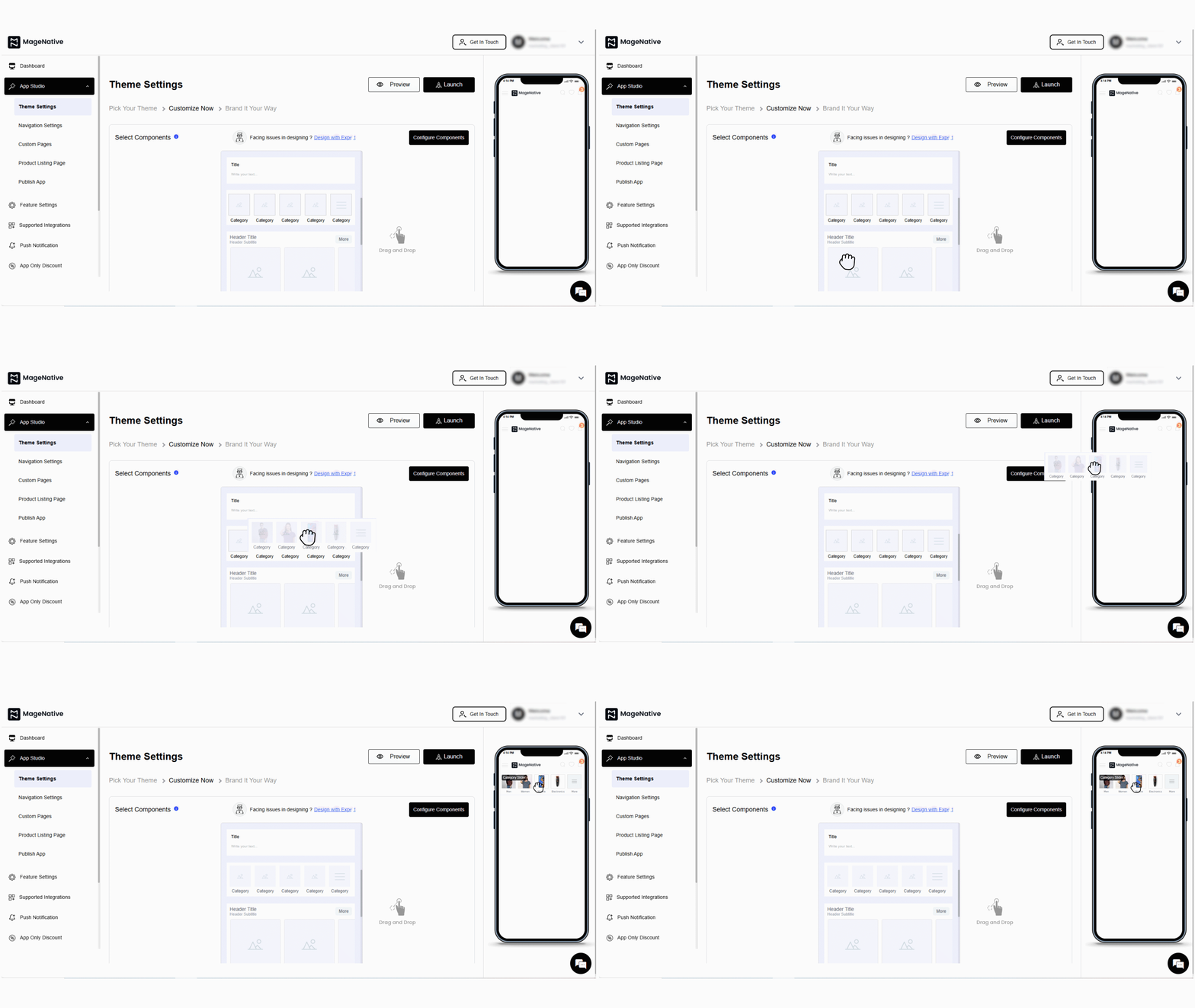
2. Next, click on the edit icon. It will open a customization window at the center of the dashboard.
3. Select Category shape – circle, square or rectangle as needed.
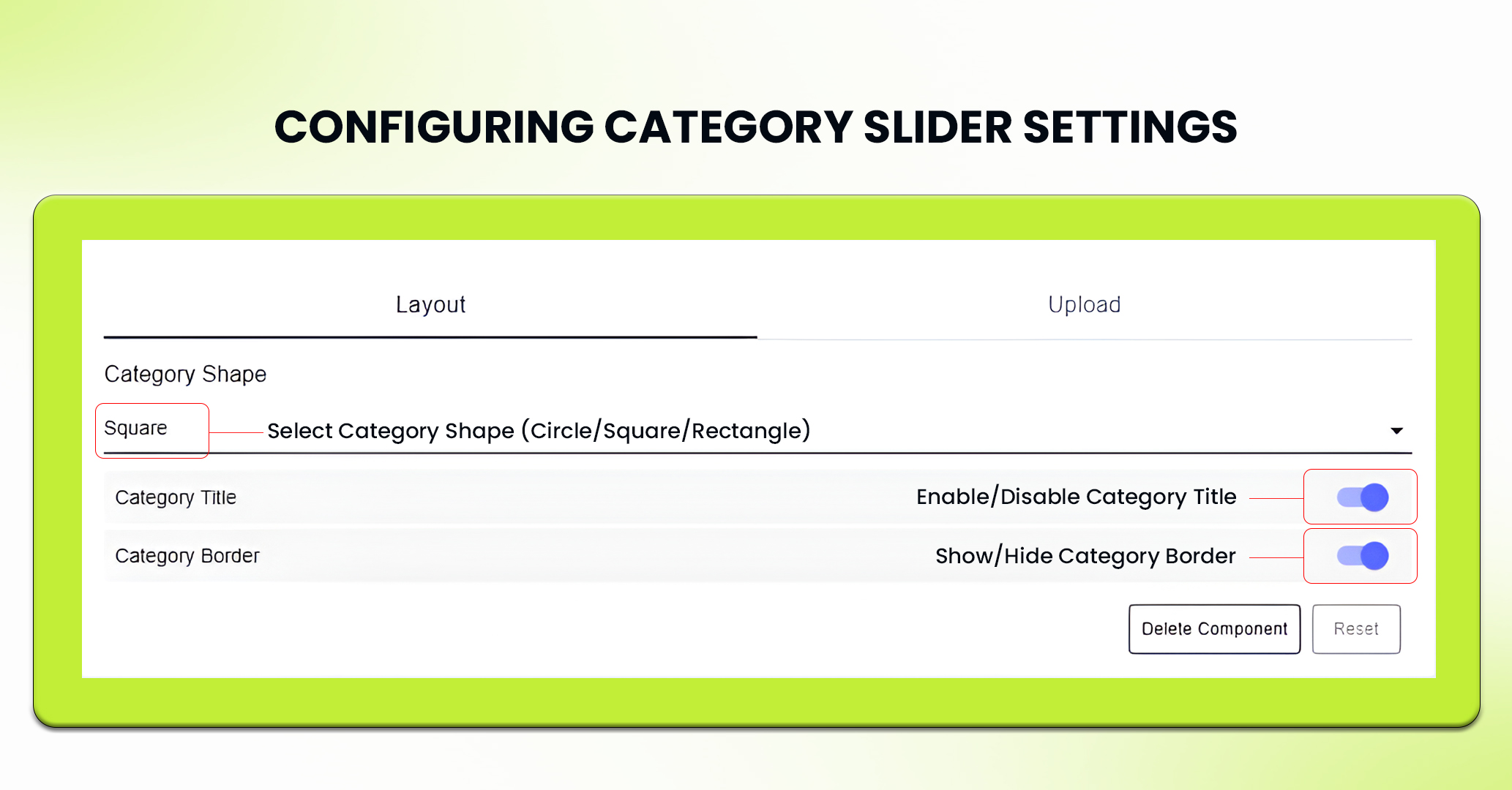
4. Moreover, you can enable or disable the category title or category border as you want it to be displayed or not.
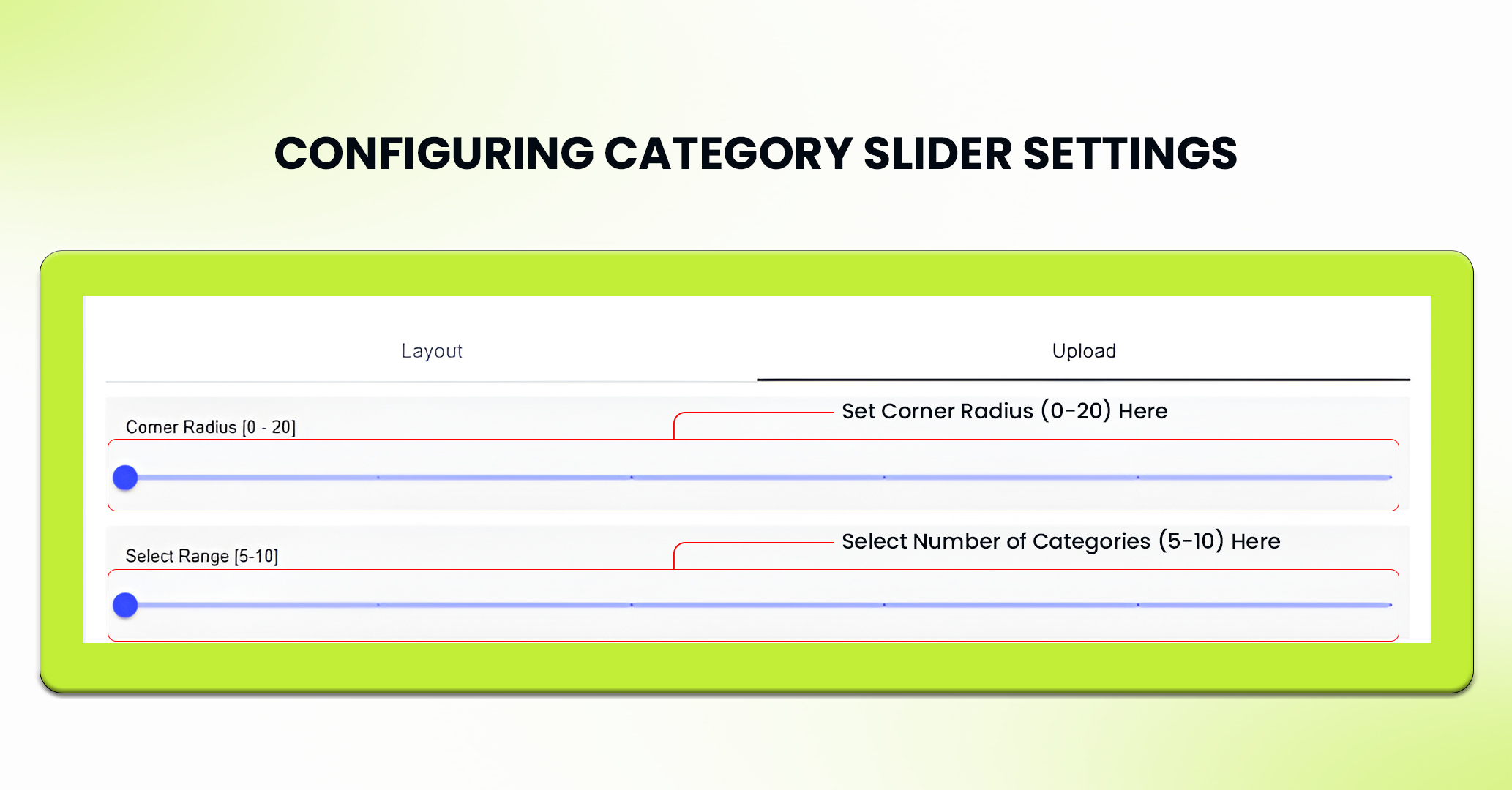
In the upload section, select the appropriate corner radius needed in the range of 0-20 and number of categories to be displayed in the slider in the range of 5-10.
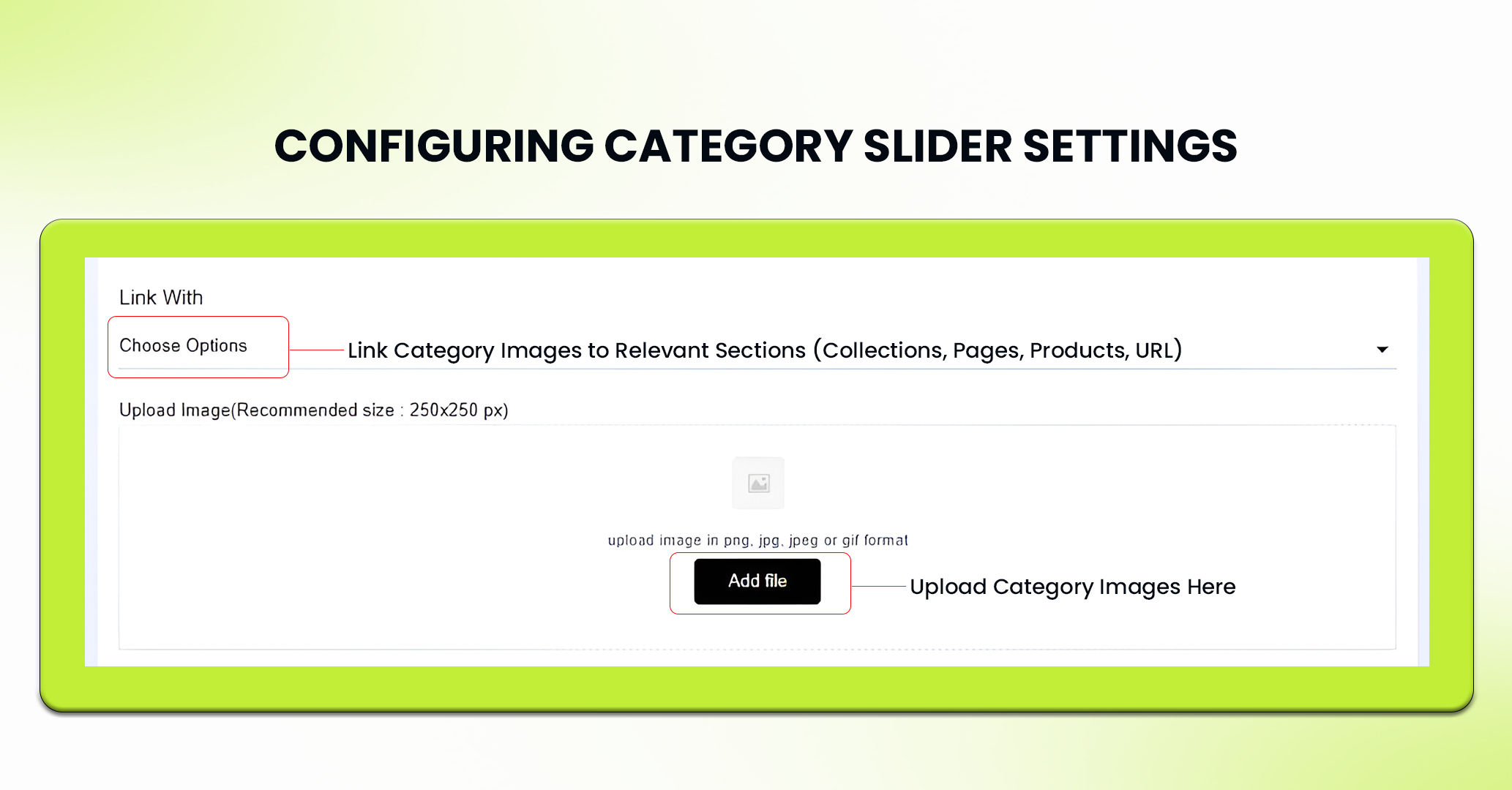
5. Then, upload an image corresponding to each category. The recommended size to upload category images is – 250×250 px.
6. Link each category image with the corresponding collection, custom pages, product or web url.
7. Click on the Save button to save the setting.
8. If needed, you can delete the collection by clicking Delete Component or press Reset to undo any changes made to the collection.
Best Use Cases for the Category Slider
1. Showcasing Seasonal Collections
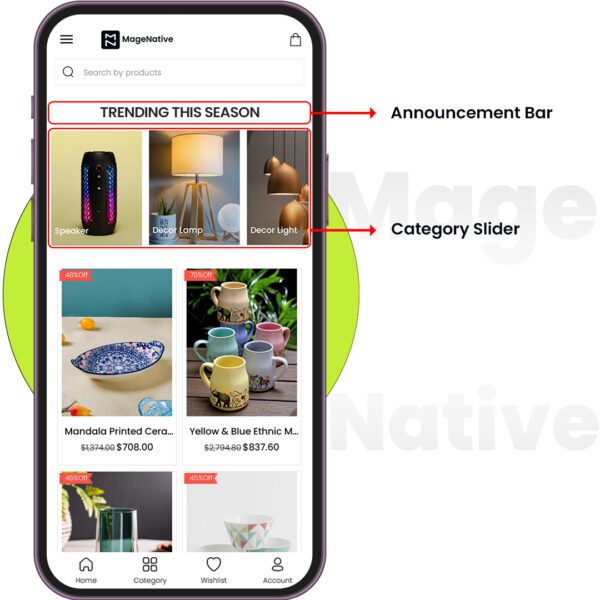
Use the Category Slider to feature seasonal collections or special offers. You can create categories like “Summer Collection”, “Holiday Deals”, or even “New Arrivals”. This would definitely drive customer eyes to current promotions and seasonal products on sale.PRO TIP: Combine the Category Slider with promotional banners or highlighted offers to maximize its impact.
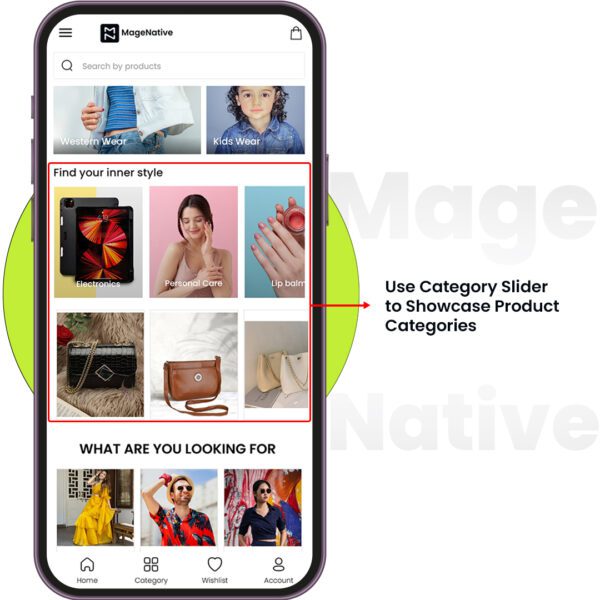
2. Showcasing Product Categories
Categorize your products into groups such as “Men,” “Women,” “Electronics, etc.”The Category Slider allows users to browse through different product types efficiently.
Feel free to reach out to our support team if you have questions or need support. We are here to help and address any issues you may have!


